
Events

Create and Send Custom Certificates From Engagifii

Associations often need to recognize participation, attendance, training completion, or other achievements. Instead of creating certificates manually or managing separate files outside the platform, Engagifii allows staff to create customized certificates and send them directly to selected people.

Certificates can be generated from people lists in Engagifii, such as event attendees, groups, tags, committees, or filtered participant lists. Staff can customize the certificate design, personalize the content with merge fields, preview certificates, and email them from the same workflow.

certificates

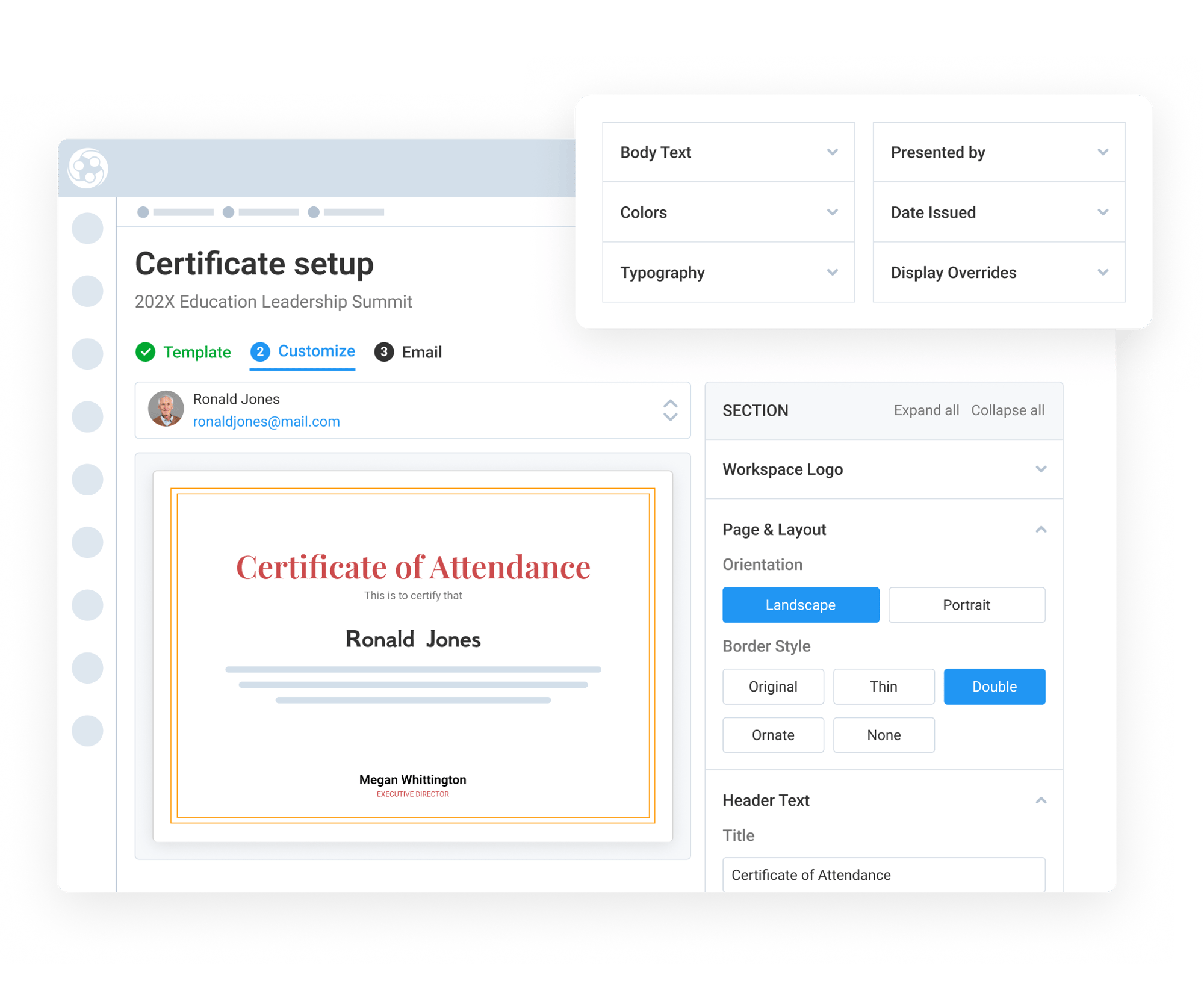
Customize Certificate Design and Content

Customize Certificate Design and Content

Engagifii allows staff to issue certificates from people lists already available in the platform. This may include an event attendee list, training participant list, group, tag, committee, or another filtered list of people.

Engagifii gives staff customizable certificate templates that can be adjusted to match the association, event, training, or program. Teams can update logos, move design elements, change orientation, adjust border styles, and customize colors, fonts, themes, and text.

Staff can also add presenter details, such as the name and title of the person issuing or presenting the certificate, along with the date issued.


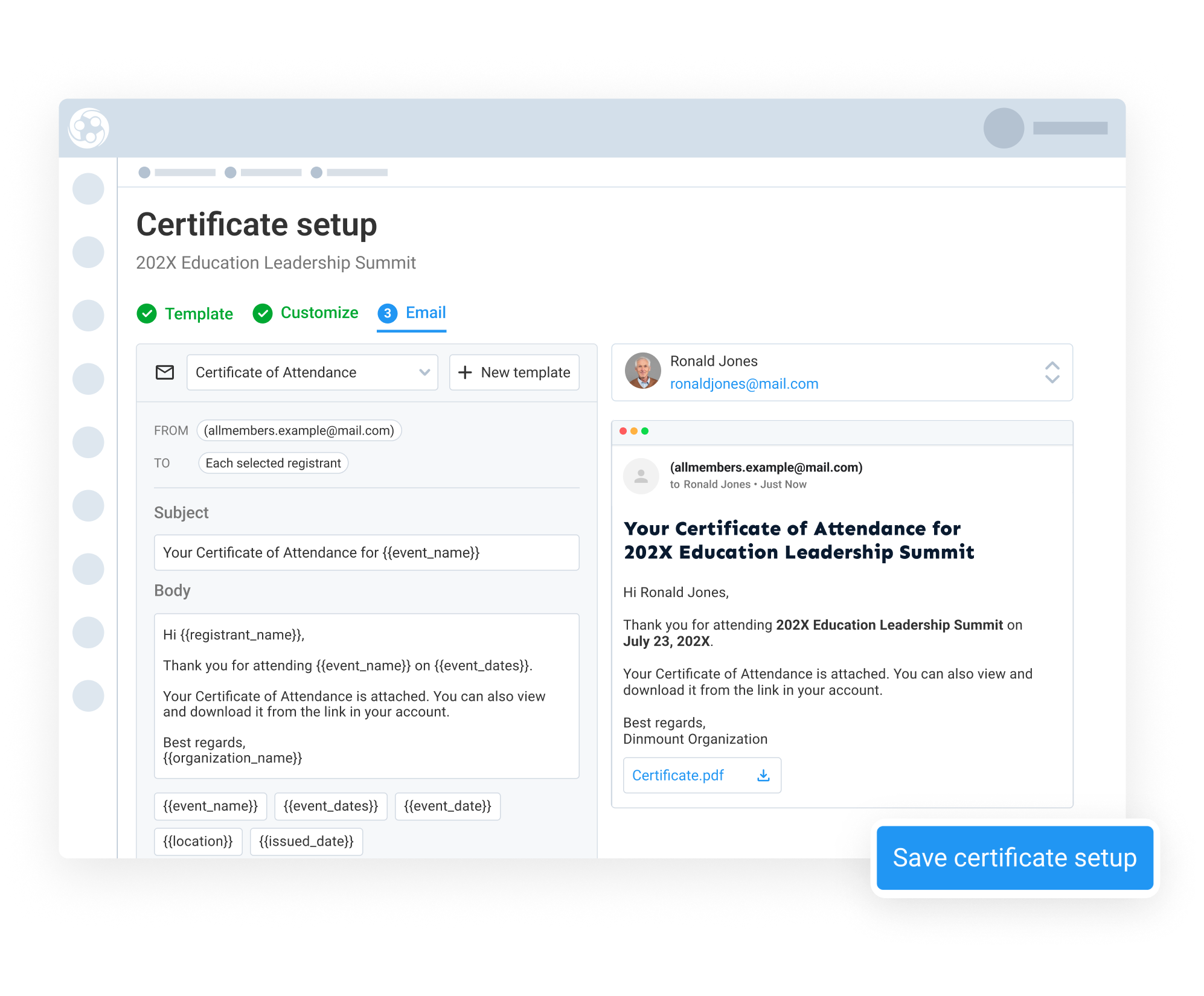
Personalize and Preview Certificate Emails

Personalize and Preview Certificate Emails

Certificates can be personalized using merge variables from Engagifii, such as event name, first name, last name, full name, title, position, and other available fields. Staff can also create composite fields to combine multiple values, such as a person’s full name and organization, into one display field.

Before sending, staff can preview how the certificate and email will appear for each recipient. The email notification can be customized, and the certificate is attached directly to the message.


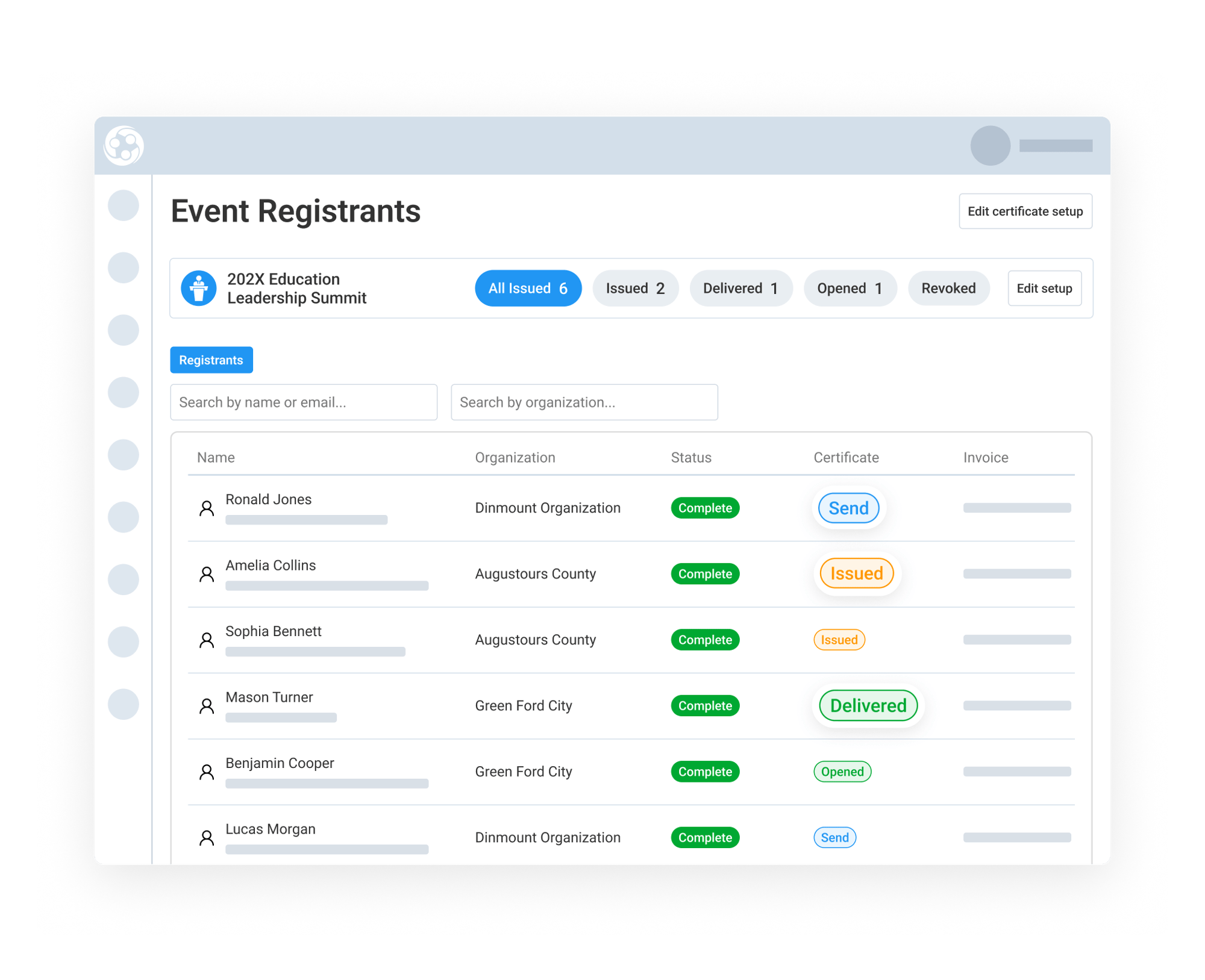
Send, Track, and Access Issued Certificates

Send, Track, and Access Issued Certificates

Once certificates are ready, staff can send them to one person, selected recipients, or everyone in the list. Engagifii also shows whether a certificate has already been issued, helping teams avoid duplicate sends and keep the process clear and organized.

After certificates are sent, staff can review activity such as delivered, opened, downloaded, or revoked. Issued certificates are also available from the person profile, where staff can view, download, resend, or download all certificates tied to that person.

This gives associations a clear record of issued certificates and makes it easier to manage certificate history after the original email is sent.

159787727717 []

Related Solutions

160221054112 []

Related Features

Review Event Details With Registration Overview

Event registration setup often includes many moving parts, from registration dates and public links to pricing, sessions, bundles, exhibitor settings,…

Copy Events and Reuse Previous Event Configurations

Recreating the same conference, training program, or annual event year after year can be time-consuming, especially when sessions, classes, exhibitor…

Organize Relationship Resources with the Library

Managing important documents related to your members, vendors, speakers, and other people and organizations can quickly become difficult when files are…

Monitor Participation and Revenue with the Event Registration Report

Event teams need to constantly keep an eye on trends throughout the registration cycle: How many people have registered? Which organizations are…

Smart Fee Policies Help Automate Event Cancellations and Modifications

Managing cancellations and registration changes doesn’t have to be manual or inconsistent. With Engagifii’s policy-based fee system, your association can…

Register Groups of People for an Event

Many member organizations rely on a designated member representative, such as a board secretary, clerk, or administrative assistant, to register multiple…

Manage Your Event and Class Venues

Every class or event has to happen somewhere. That "SOMEWHERE" is a venue. Once you find venues that work for you, you're probably going to use it over…

Generate Event Registration Links

Not every registrant fits the same mold, and your registration process shouldn’t either. With Engagifii’s Registration Links tool, you can guide different…