
Events
Organize Relationship Resources with the Library
Managing important documents related to your members, vendors, speakers, and other people and organizations can quickly become difficult when files are scattered across emails, shared drives, or disconnected folders. With Library Tabs in Engagifii’s Relationships module, Engagifii gives associations a centralized way to organize and manage resources directly where collaboration and governance happen.
Whether teams are managing committee documents, contracts, speaker bios, or communication groups, Library Tabs help keep important files connected to the right relationship structure while improving operational efficiency.
Relationship Library Tab
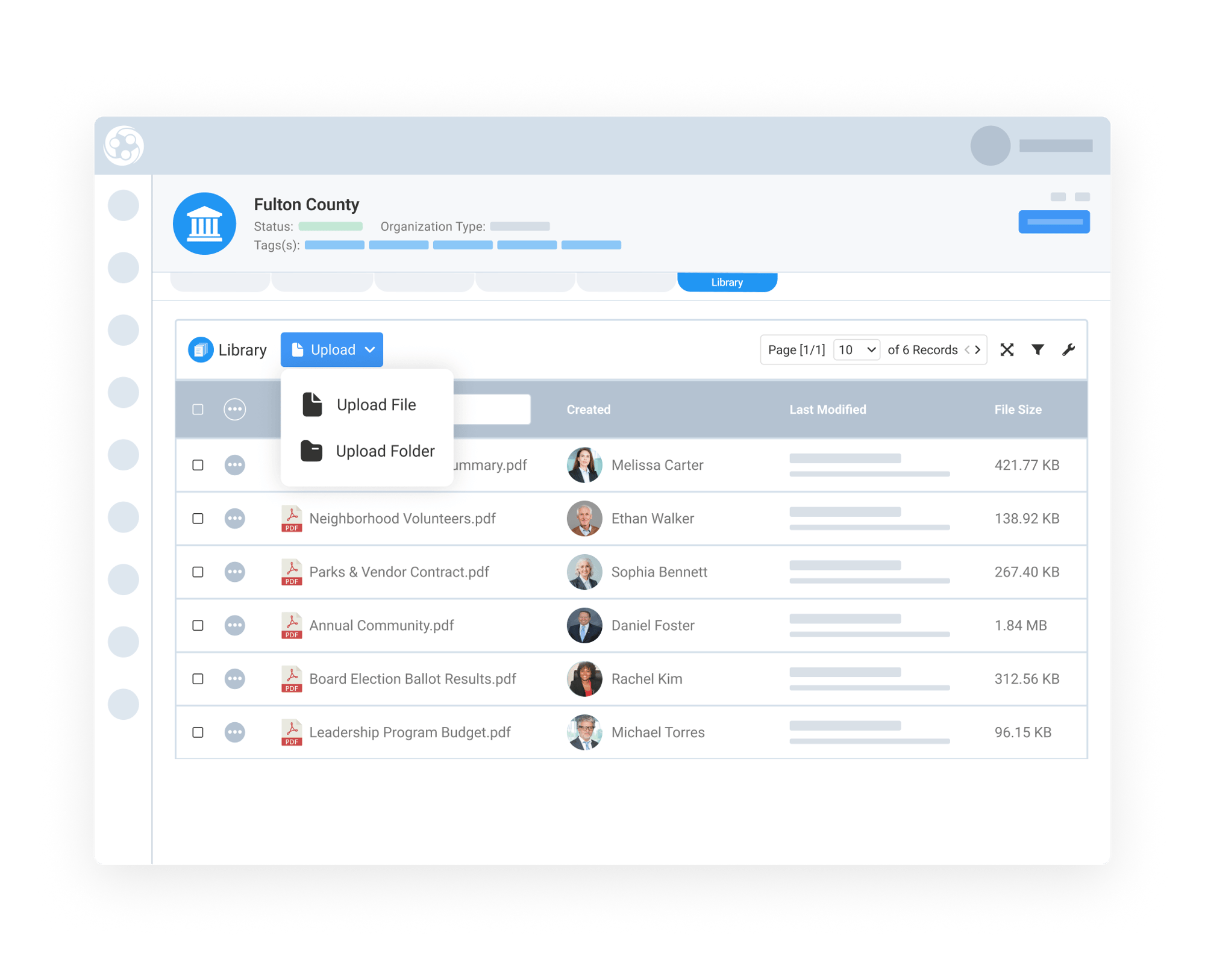
Manage Documents For Organizations
You often need ongoing access to policies, agreements, onboarding materials, strategic resources, and shared reference files. The Organization Library Tab creates a safe, contextual place where these documents can be securely managed and easily accessed by your team.
When permissioned, teams can fully manage both files and folders directly within the Library Tab. This includes creating folders, renaming or duplicating files, previewing documents, copying file URLs, and removing outdated content as needed easily.
Instead of relying on disconnected file managers, associations can maintain cleaner document management directly within the relationship record itself, helping staff find resources faster while improving collaboration across departments internally.
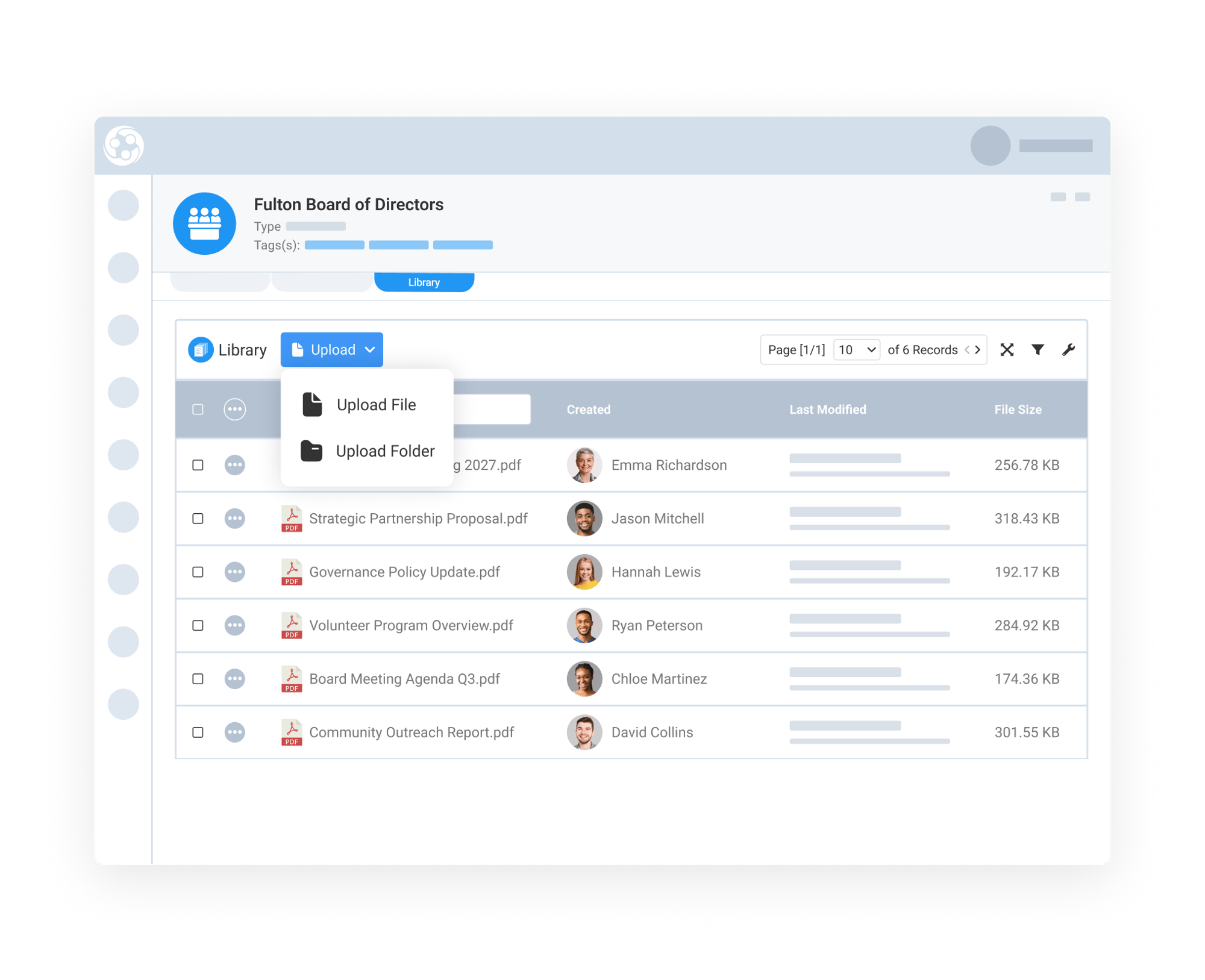
Keep Committee Materials Organized and Accessible
Committees and boards often manage large volumes of agendas, governance-related documents, and meeting minutes that need to remain organized and accessible over time. The Library Tab on Committees in Engagifii helps associations centralize resources directly within each committee or board record.
This is especially valuable for standing committees focused on legislative oversight, policy review, governance, finance, or strategic planning. Teams can store meeting agendas, bylaws, policy drafts, committee reports, presentations, supporting research, and operational documents all within the committee workspace.
By keeping resources attached directly to the committee, staff and leadership teams gain easier access to historical and active materials without searching through emails or shared folders.
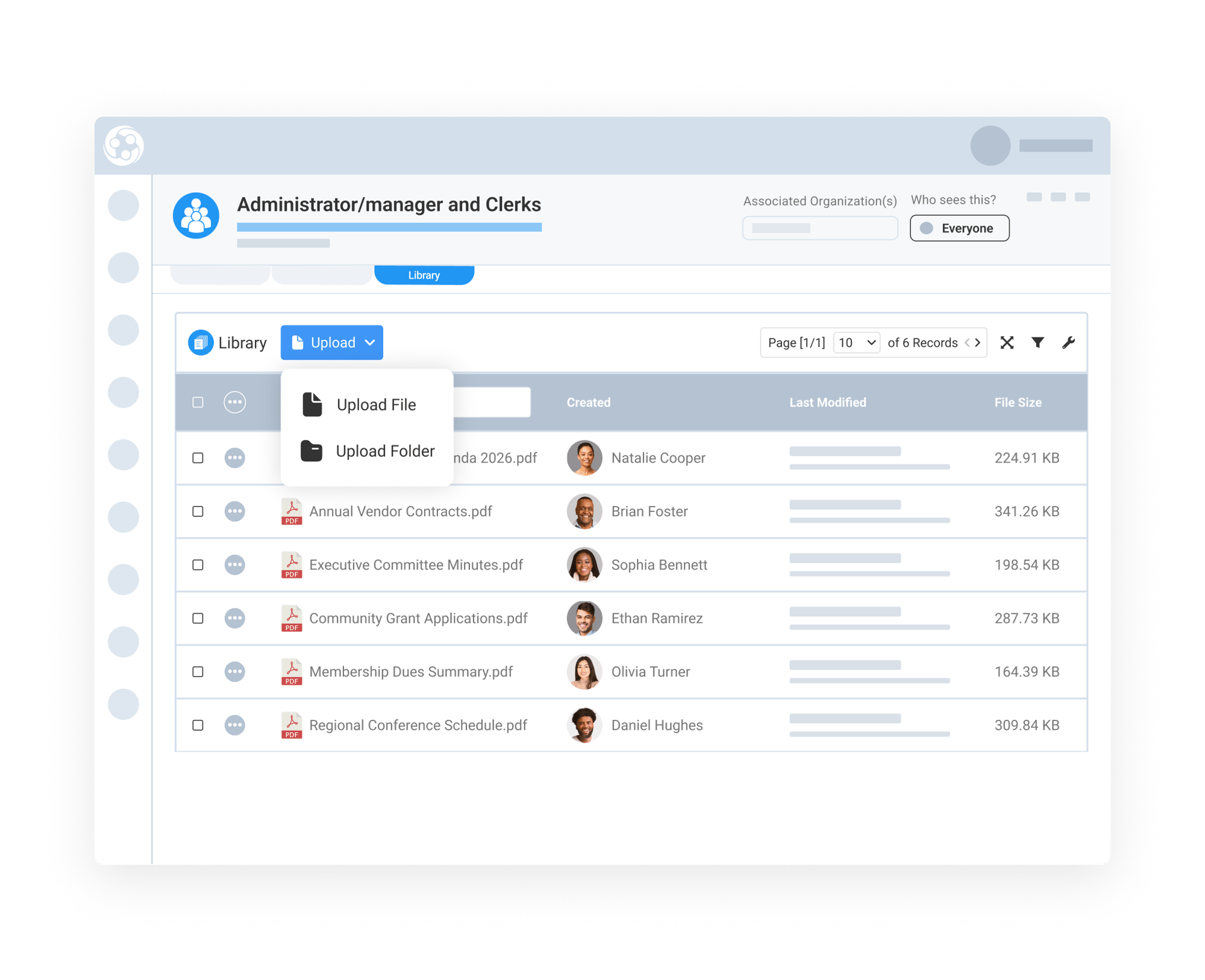
Support Communication and Collaboration Across Groups
Groups are often created around shared responsibilities, event participation, professional roles, or common interests. The Group Library Tab helps associations organize resources that are relevant to those specific member groups and communities.
For example, associations may maintain groups for clerks, commissioners, administrators, membership tiers, leadership cohorts, or operational teams. Library Tabs allow staff to attach group-specific files such as training resources, event materials, planning documents, shared templates, and communication resources directly within the group itself.
This creates a more organized collaboration experience while helping teams distribute relevant information more efficiently to the right audience.