
Events
Simplify Group Event Payments With Split Payments
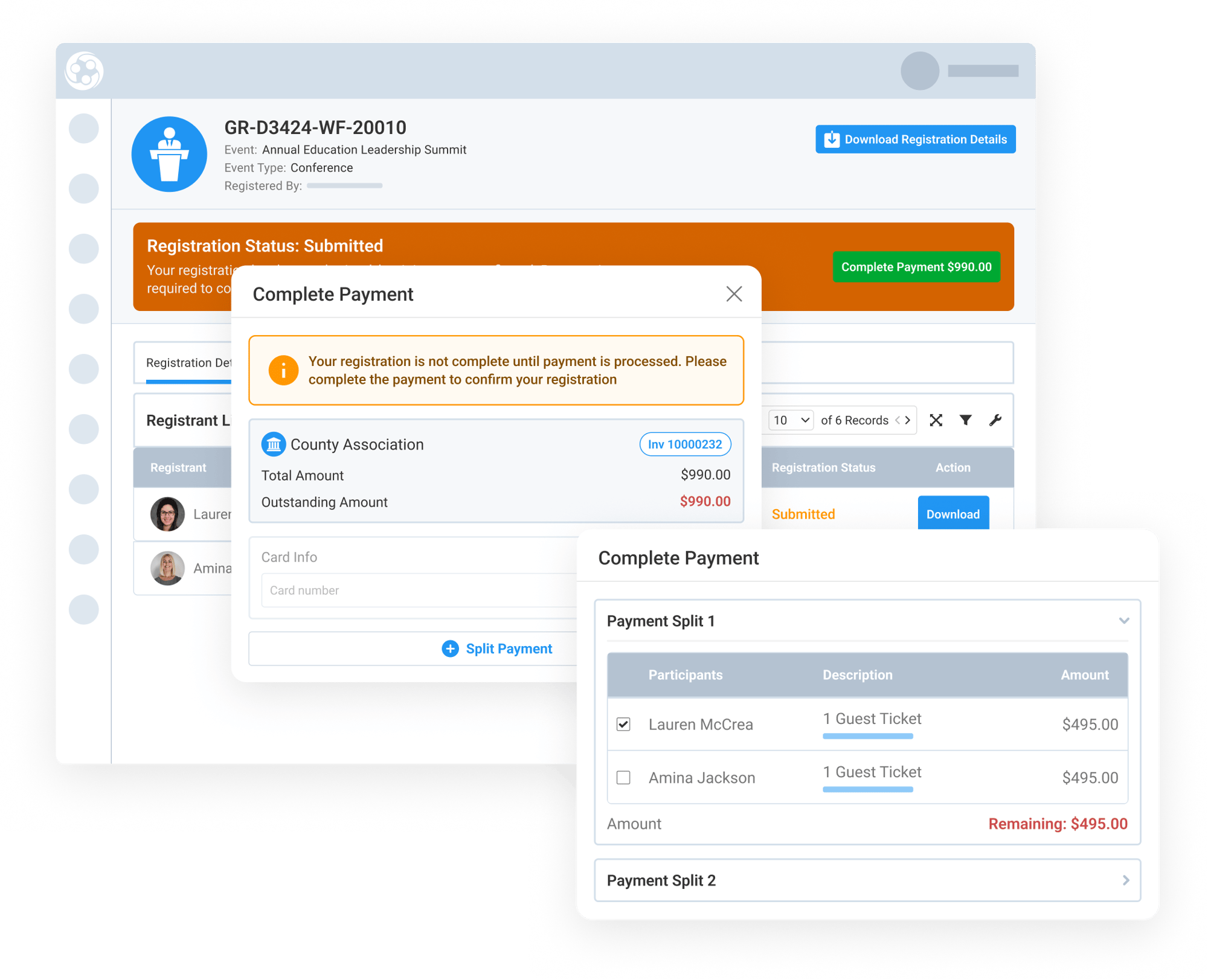
Group event registrations do not always have one payer. A county, school district, or organization may pay for its commissioners, board members, or staff to attend an event, while guests or spouses need to be paid for separately.
Engagifii’s Split Payments feature lets registrants and admins divide one event invoice into separate payment groups by line item. Each group can be paid with a different credit card while everything stays connected to the same registration, invoice, and payment history.
split payments
Split One Invoice by Line Item
Split Payments allows one event registration invoice to be paid in multiple parts without creating separate invoices or separate registrations. Staff or registrants can assign invoice line items into different payment groups, then charge each group to a different card.
For example, an organization may pay for the elected officials or board members attending an event, while their spouse or guests are paid for separately. The invoice stays intact, but each payer covers the line items that apply to them.
This helps associations support shared payment situations without manual workarounds, duplicate registrations, or unnecessary invoice adjustments.
Support Registrant and Admin Payment Workflows
Split Payments can be used from the registrant checkout experience when the event allows split payments. The same experience is also available from the public payment page, so a registrant using a payment link can still split the payment by line item.
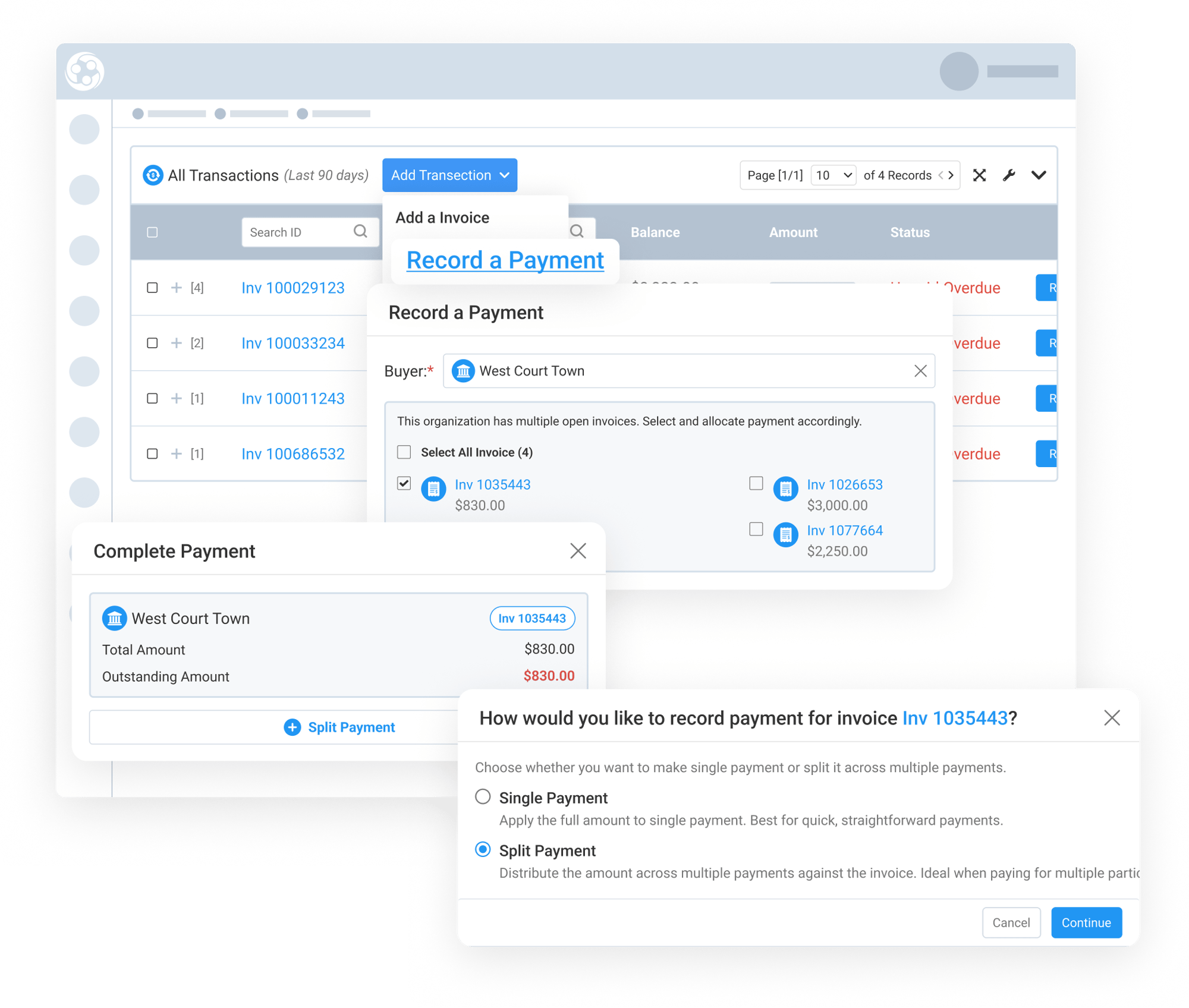
Admins can also use Split Payments when recording a payment on behalf of a buyer. After selecting a single invoice, staff can choose whether to record a single payment or split the payment.
This gives associations flexibility whether the registrant pays directly, uses a public payment link, or staff records the payment internally.
Track Each Payment and Refund to the Right Card
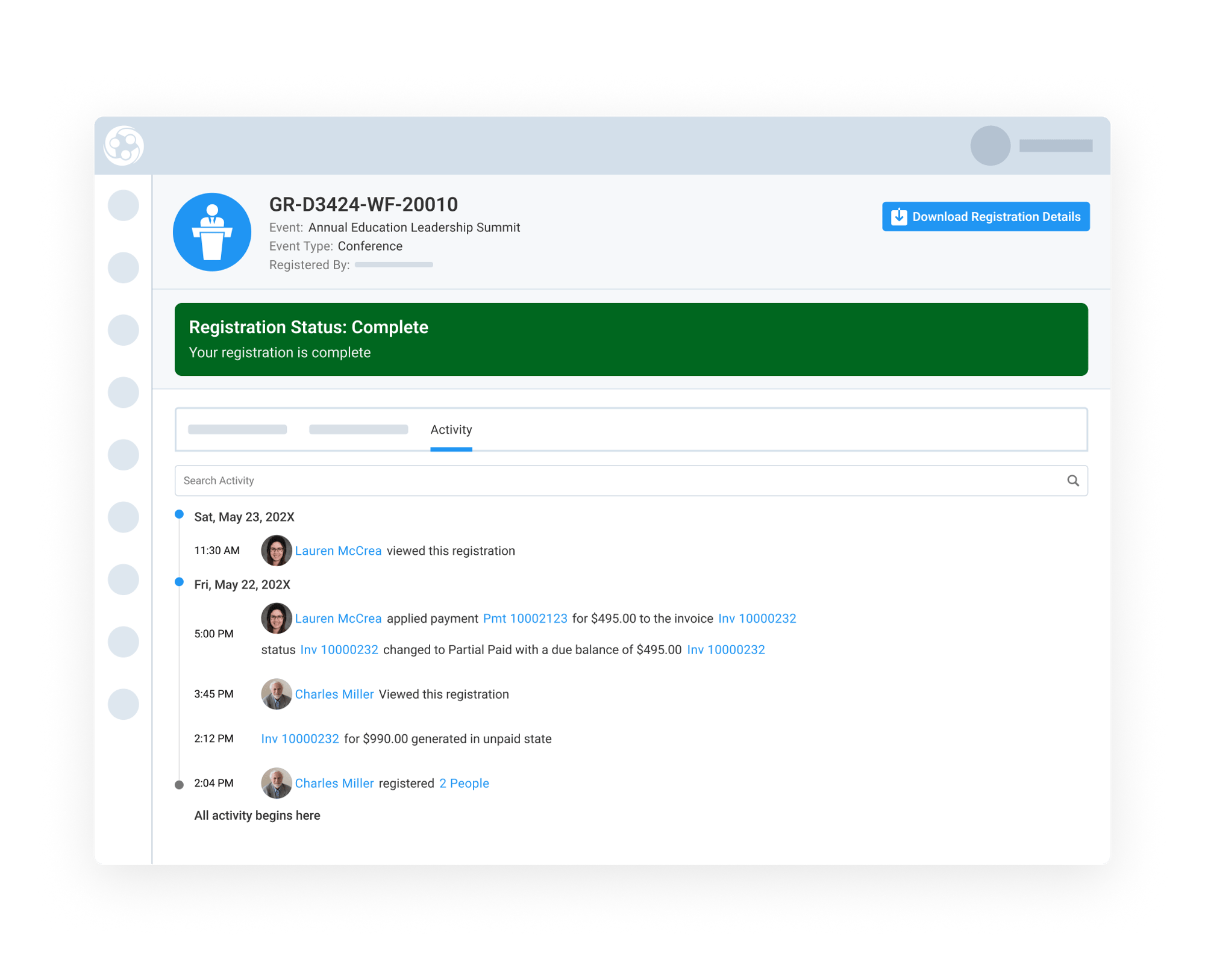
Each split is processed as its own payment against the same invoice. As each payment is completed, the invoice balance updates until the full invoice is paid. The Registration Activity tab shows each split as a separate payment entry, giving staff a clear record of which card paid which amount.
If a registration is later cancelled and refunded, Engagifii refunds each card based on the amount that card originally paid. This keeps the payment trail clear and helps finance teams handle split payments with confidence.
By keeping every split tied to the original invoice, associations can support multiple payers while maintaining accurate payment history and refund handling.