Events
Copy Events and Reuse Previous Event Configurations
Recreating the same conference, training program, or annual event year after year can be time-consuming, especially when sessions, classes, exhibitor settings, and event schedules all need to be rebuilt. Engagifii's Copy Event functionality allows organizations to start with an existing event and create a new version in just a few clicks.
Instead of rebuilding event structures from scratch, staff can copy a previous event, apply relative date shifts, choose exactly what should carry forward, and launch a new event using a configuration that has already been proven to work.
Copy Events
Copy an Existing Event and Shift Dates Automatically
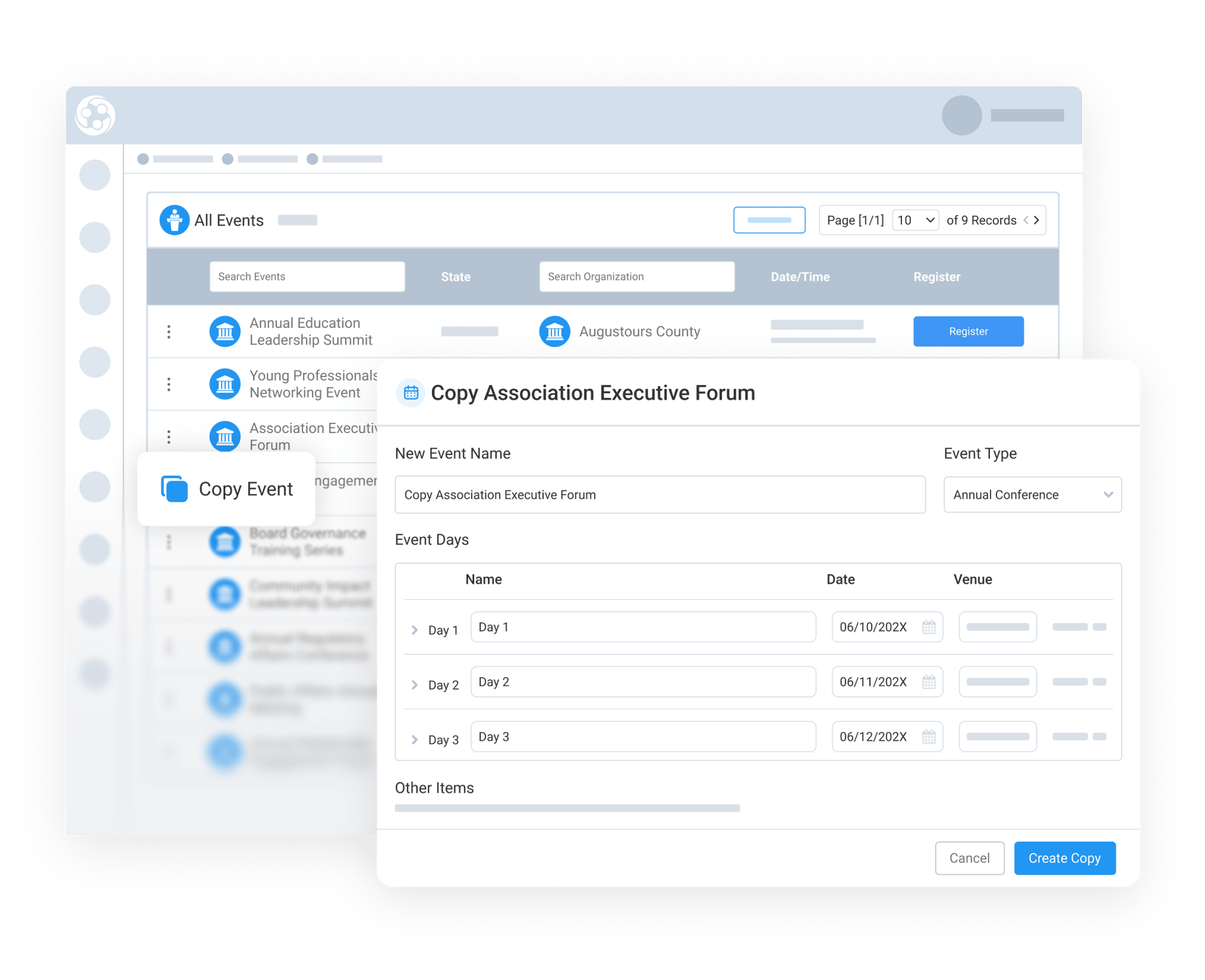
Copying Events allows staff to select any existing event and use it as the foundation for a new one. During setup, administrators can provide a new event name, update the venue, starting date, and adjust event times as needed.
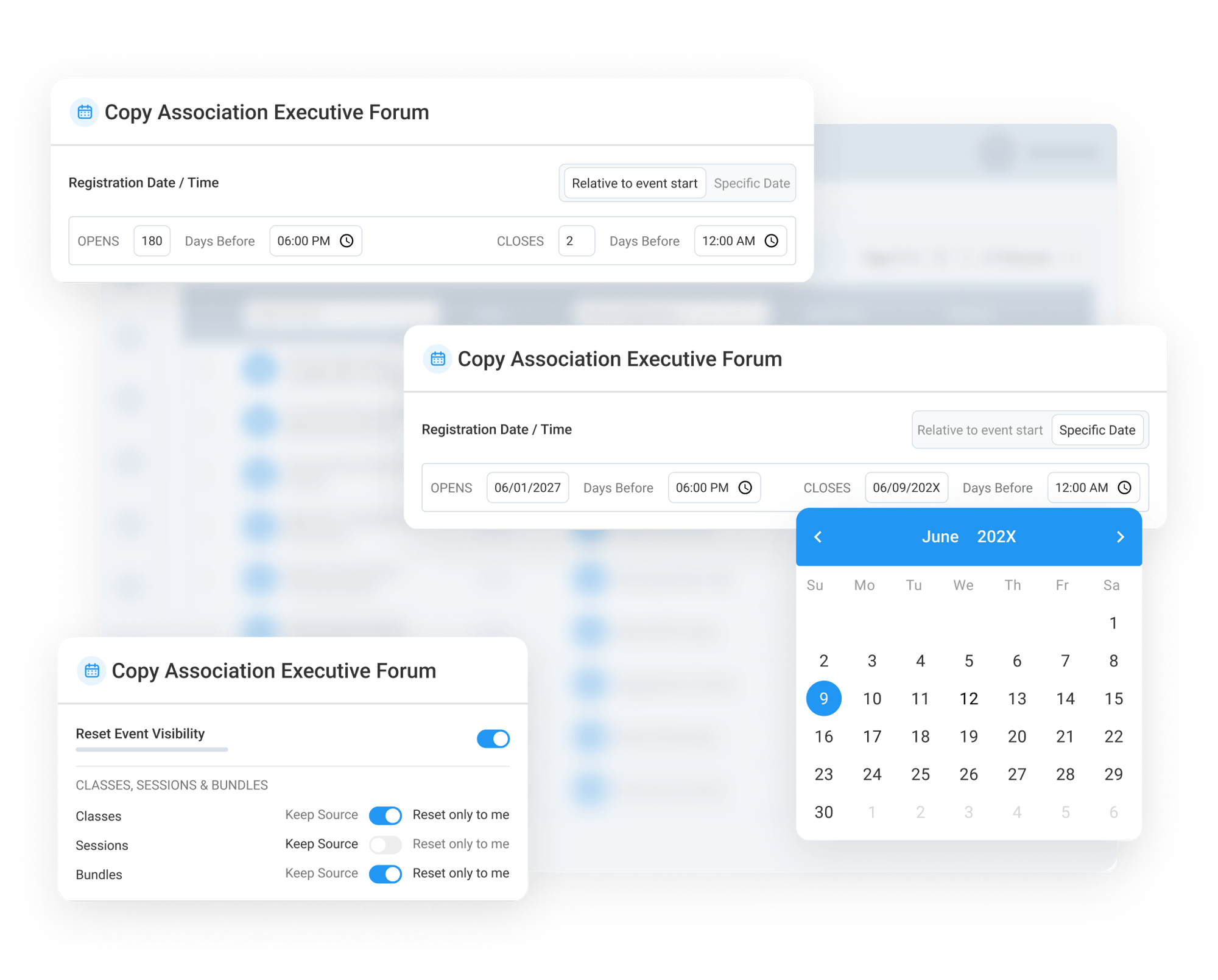
Once a new start date is selected, Engagifii shifts dates relative to the new one for the full event schedule, keeping event days and associated components aligned with the new timeline. This helps preserve the event structure while removing the need to manually rebuild dates across the schedule.
By carrying forward the broad structure of a previous event, organizations can prepare recurring conferences, meetings, and training programs faster and with fewer setup errors.
Choose Which Sessions, Classes, and Details to
Bring Forward
Bring Forward
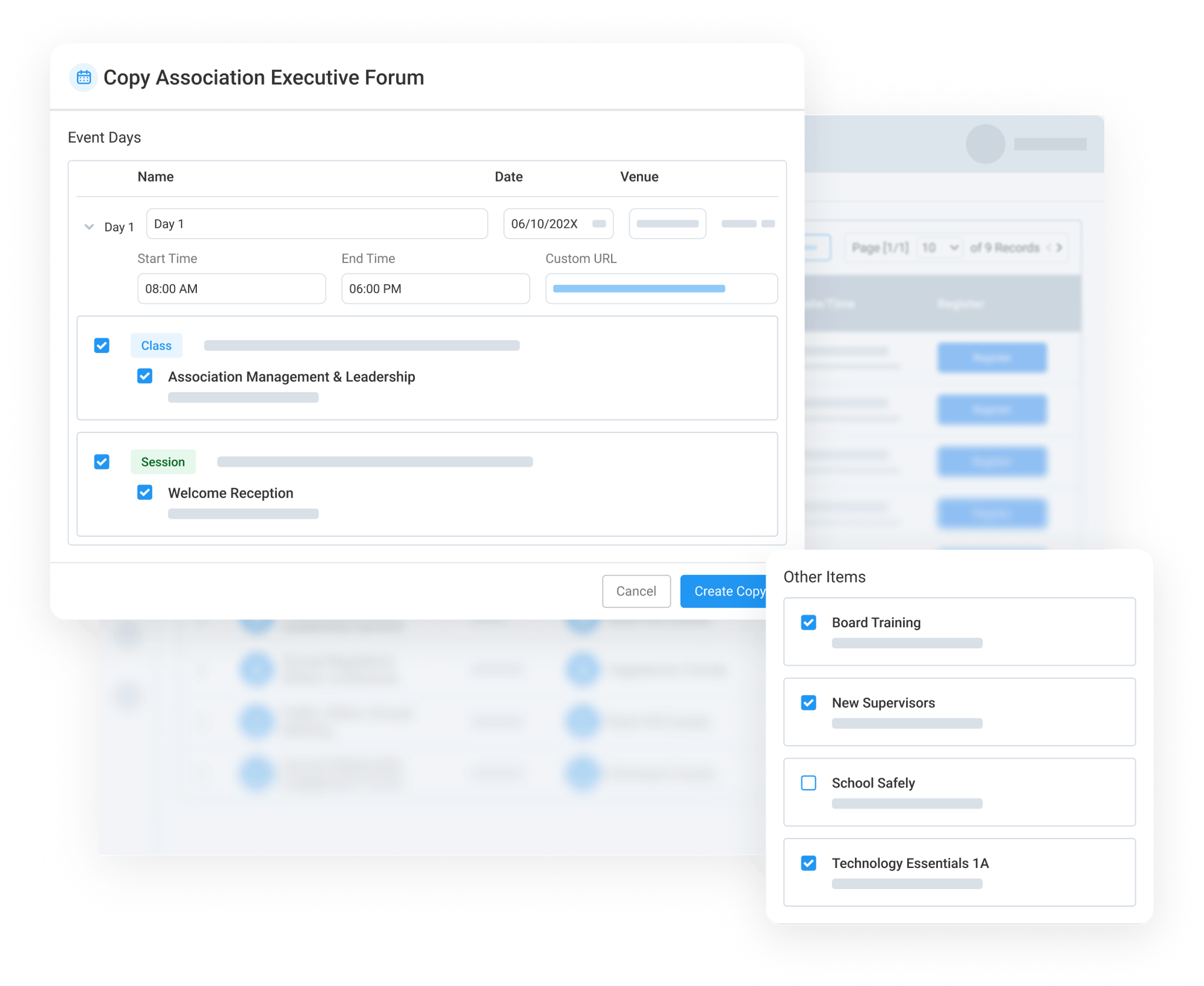
Not every part of a previous event needs to be copied. Engagifii gives administrators granular control over what should carry into the new event and what should be left behind.
Staff can review sessions and classes tied to each event day and check or uncheck the items they want to keep. Also, the system identifies Other Items that do not match any specific event day in the copy process. These items can still be included and will be created as part of the new event, ensuring important configurations are not overlooked simply because they are not tied to a particular date.
This gives your team the flexibility to reuse what worked, remove what no longer applies, and create a cleaner event setup without starting from scratch.
Carry Forward Exhibitor Configurations with Control
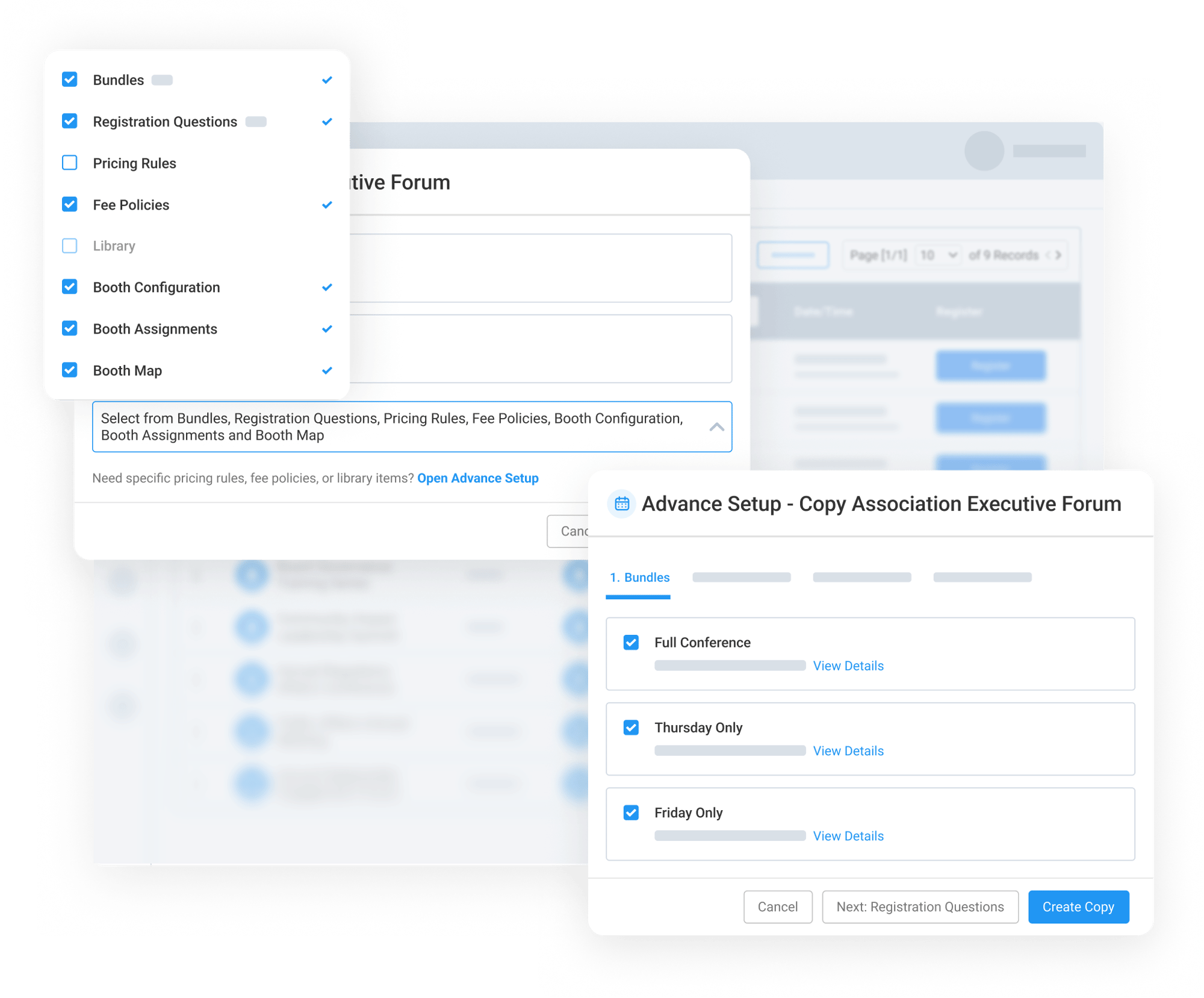
For events with exhibitors, you can also bring forward exhibitor configurations from the original event. This helps teams preserve complex exhibitor setup details while still allowing them to choose what should or should not be copied.
Under What Else to Copy, teams can select additional event details to include in the new event. The Open Advanced Setup option provides deeper control over specific configurations, allowing administrators to review and customize exactly what will be carried forward.
Administrators can check or uncheck exhibitor-related configurations based on the needs of the new event, making it easier to reuse booth setup, the floor map, exhibitor workflows, and related event settings without rebuilding them manually.