Events
Review Event Details With Registration Overview
Event registration setup often includes many moving parts, from registration dates and public links to pricing, sessions, bundles, exhibitor settings, contacts, and visibility. Engagifii’s Registration Overview gives your staff a centralized place to review and manage the key details that shape how registration works for an event.
Instead of checking multiple areas separately, teams can use the overview to confirm important registration settings, update timing, review related items, and make sure the event is ready before it is shared with members or attendees.

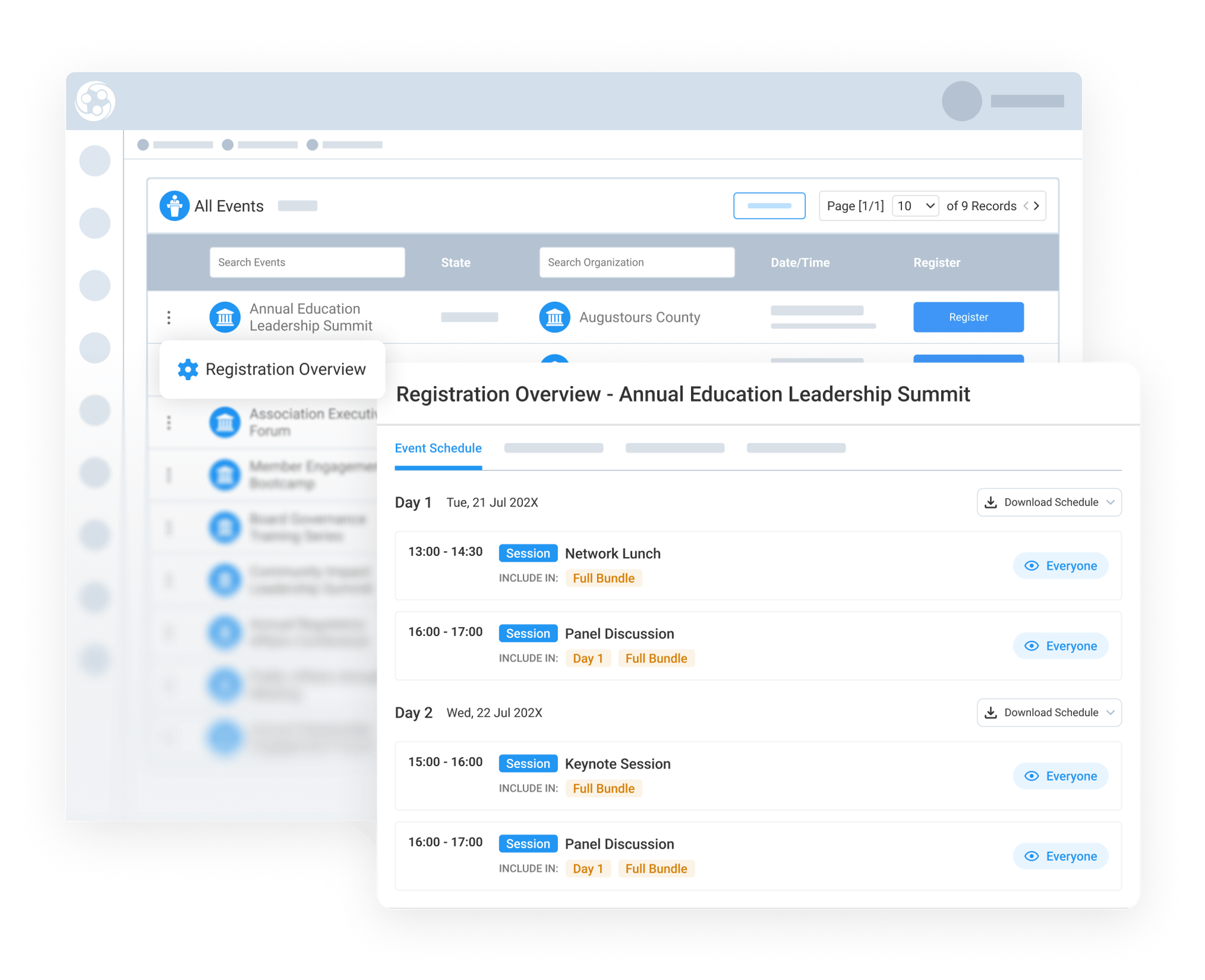
Registration Overview
Review Key Registration Settings in One Place
The Registration Overview helps event staff see the core setup details that affect the registration experience. This can include Event Schedule Details, Bundles Overview, Workflows, Registration Links, Pricing Matrix, Revenue Account Mapping, and other related configurations.
By bringing these details into one view, staff can more easily confirm that the event is set up correctly before registration opens.
Control Visibility Before Registration Goes Live
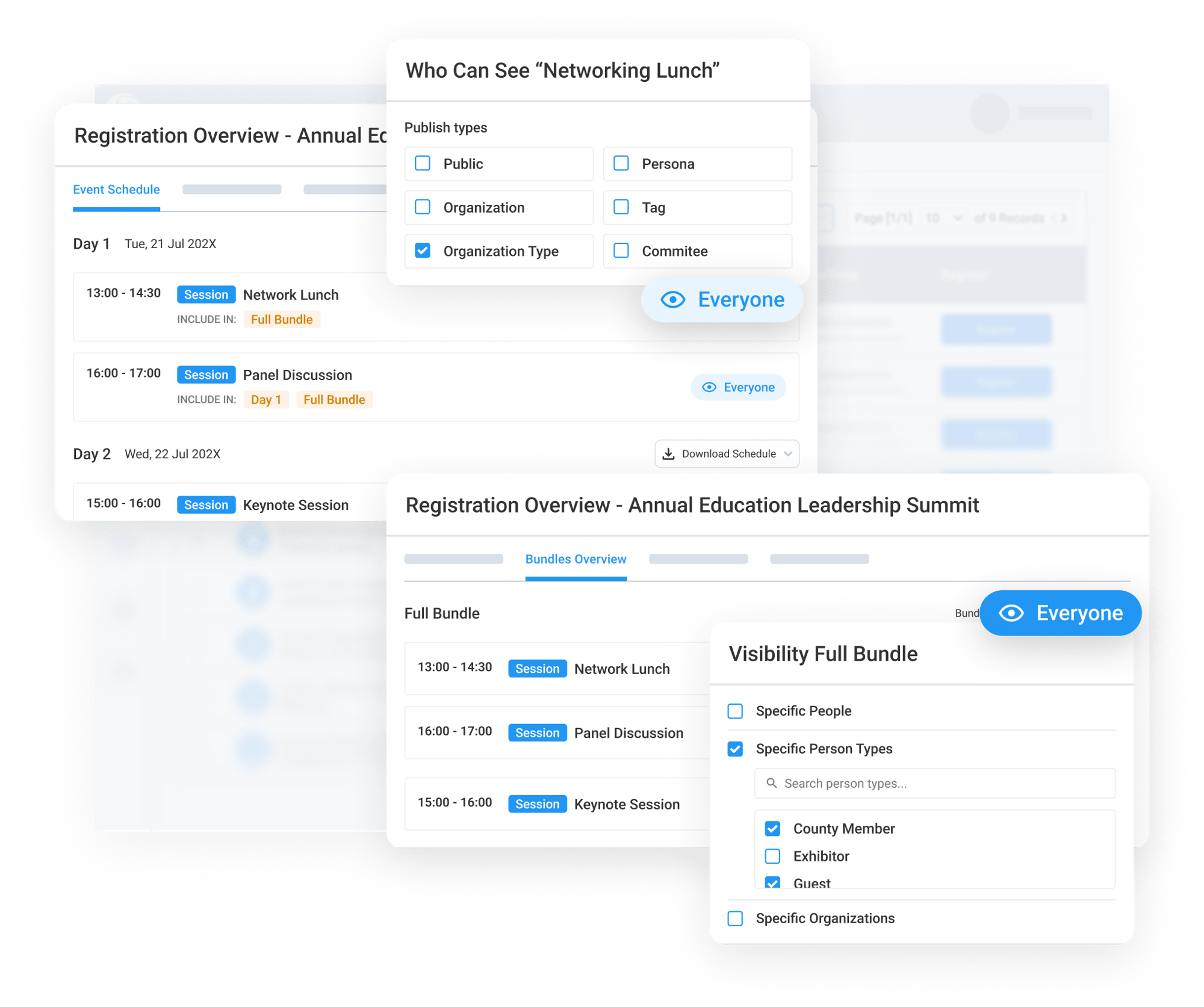
Staff can also manage visibility settings before making registration available to the intended audience. Visibility controls help determine who can see the event and related registration items.
For related items, your staff can review and update visibility for Classes, Sessions, and Bundles. Visibility can be adjusted for a single day, an individual session or bundle, or can be applied across all days, sessions, bundles, and classes together.
This gives teams more control over who can see each part of the event while setup is still being reviewed.
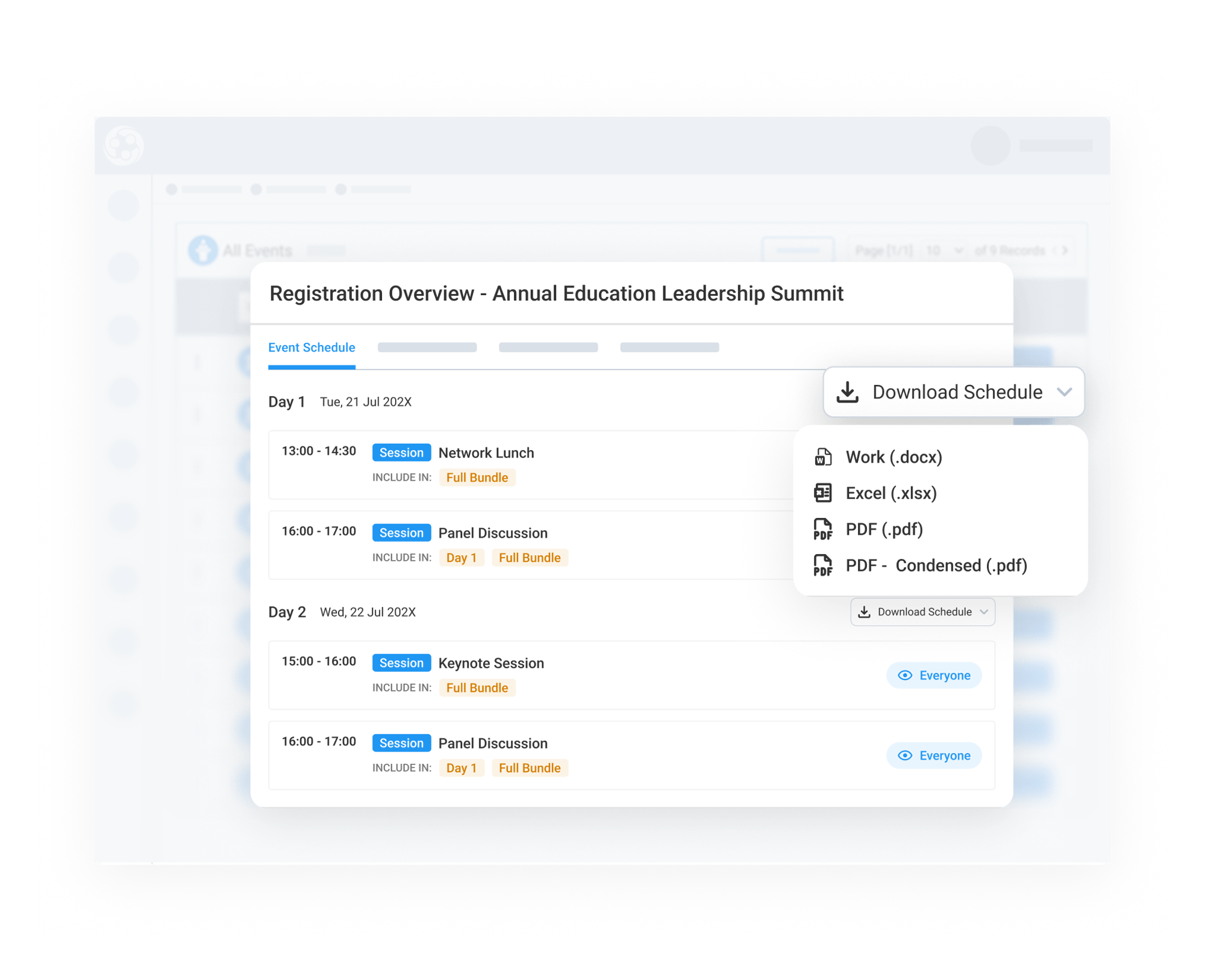
Download and Share the Event Schedule
Under the Event Schedule tab, staff can easily download a detailed event schedule in PDF, Excel, or Word format. The downloaded schedule can include important session details such as dates, times, titles, and other schedule information.
This makes it easier for teams to review the full event agenda, share schedule details internally, or provide attendees with a clear version of the event schedule before or during the event.