
Events

Register Groups of People for an Event

Many member organizations rely on a designated member representative, such as a board secretary, clerk, or administrative assistant, to register multiple people from their organization on their behalves. Engagifii makes this process simple by allowing these representatives to select, register, and manage groups in a single, streamlined flow. This reduces manual effort, minimizes errors, eliminates duplicates, and keeps registration billing easy to track for both the association and its members. From choosing participants and assigning sessions to managing payment details, group registration becomes a smooth and efficient experience for everyone involved.

Register Groups of People for an Event

Select from Members within my Organization

Select from Members within my Organization

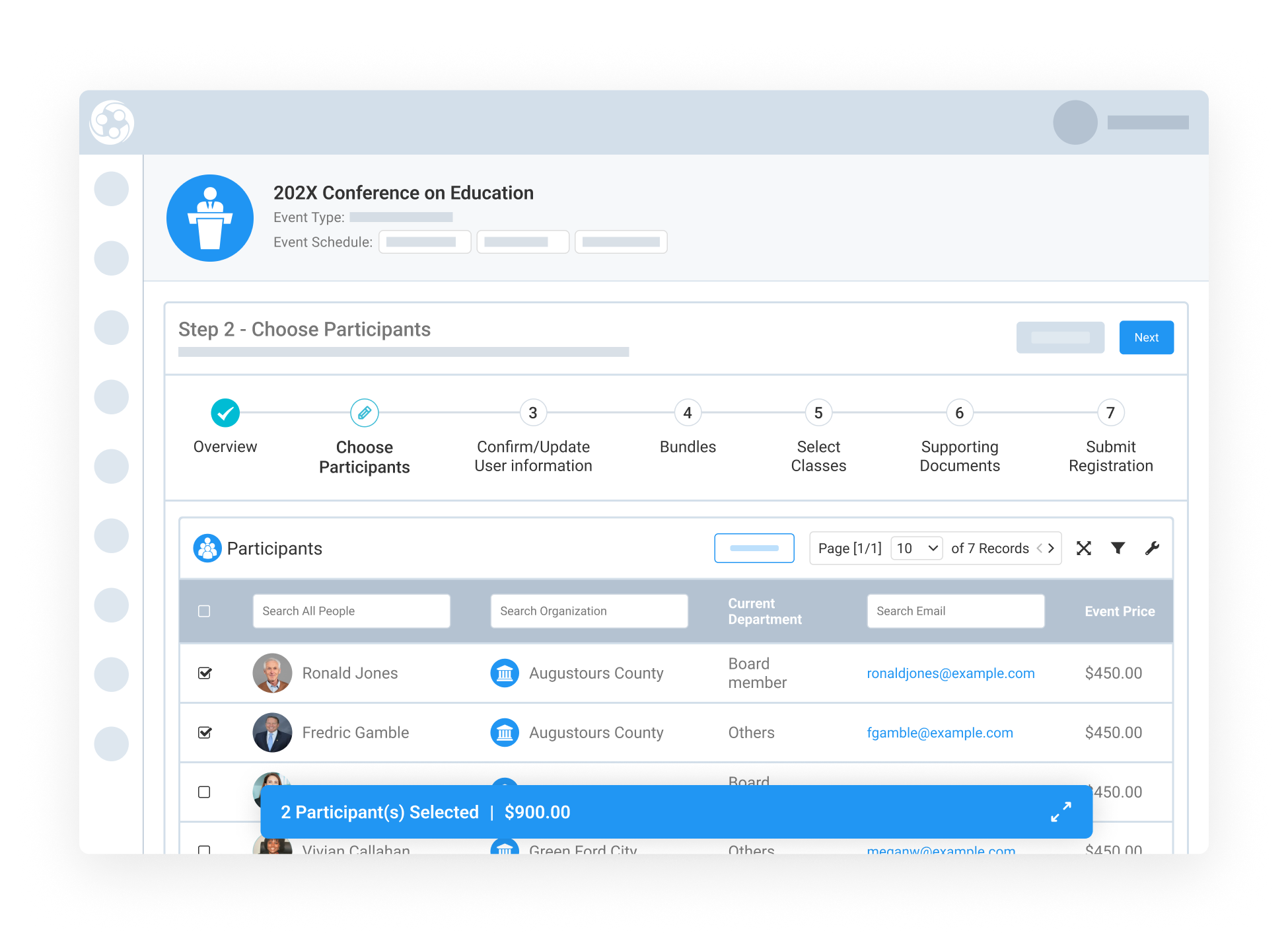
When group registration begins, permissioned users from member organizations are shown only individuals from their own organization, while association staff administrators can see everyone. This makes it quick to locate colleagues without sifting through unrelated entries across the workspace. With a click, users can select multiple people and view a running count of registrants being added to the group. Whether you're signing up a board of directors or a training cohort, this setup saves time and ensures accuracy.

Update Important Profile Information for Each Participant-1

Update Important Profile Information for Each Participant

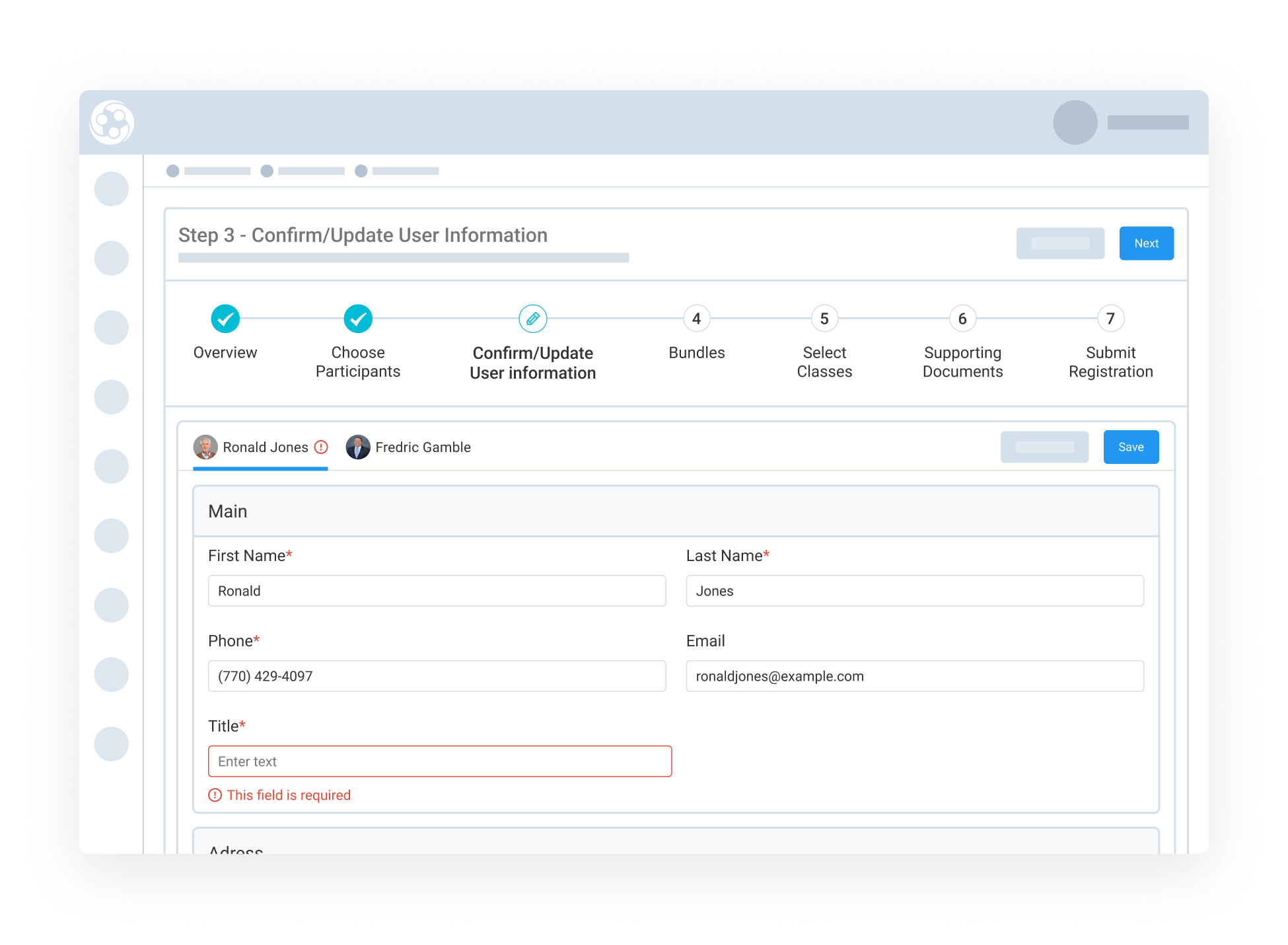
Once participants are selected, the system highlights any missing fields like contact information or job title so they can be filled in before moving forward. From there, admins or secretaries can assign specific classes, sessions, or ticket types to each registrant based on their needs or roles. This makes the registration personalized and flexible, perfect for events with multiple tracks or varying permissions.

Specify Sessions for Each Participant

Specify Sessions for Each Participant

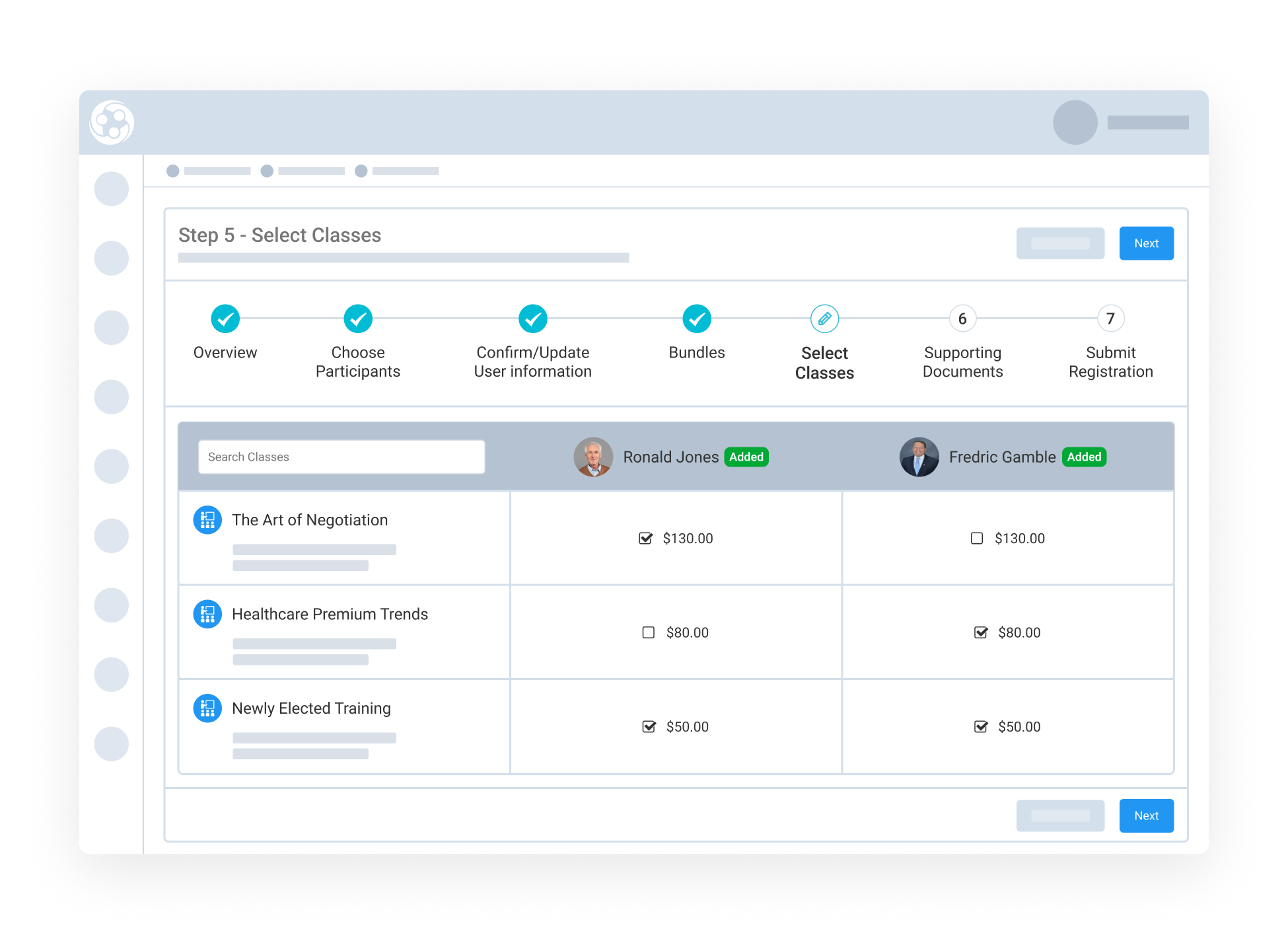
The association representative can assign sessions, classes, or bundles to each person individually. This ensures that every participant gets a schedule that suits their needs, whether it’s a one-day training, multi-day conference, or other sessions.

The layout makes it easy to view all selected individuals at once and toggle through their options. This flexibility supports customized agendas within a single group registration process and ensures accurate billing based on each person’s selections.

Centralized Confirmation and Invoicing

Centralized Confirmation and Invoicing

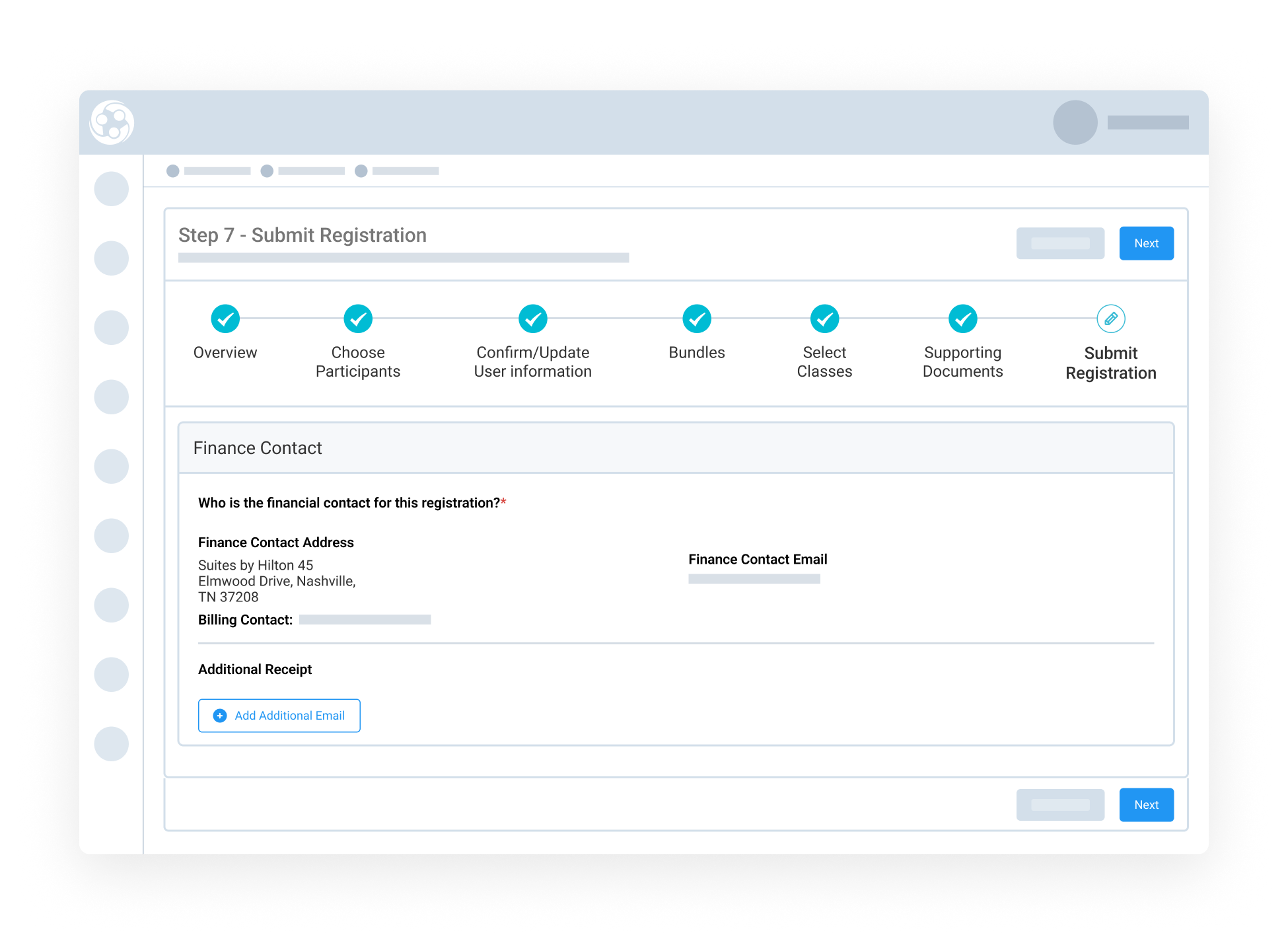
After all details are finalized, Engagifii generates one invoice for the full group and sends it to the member's billing contact automatically. It includes all participant names, selections, and payment totals, so nothing gets missed. Each group registration is assigned a unique Group ID for easy lookup later. Admins can return to the dashboard anytime to view, modify, or cancel individual entries (if permitted), and the full group history stays neatly organized under the same record.

159787727717 []

Related Solutions

160221054112 []

Related Features

Manage Your Event and Class Venues

Every class or event has to happen somewhere. That "SOMEWHERE" is a venue. Once you find venues that work for you, you're probably going to use it over…

Modify and Cancel Exhibitor Registrations with Confidence

As events evolve, so do exhibitor needs. Engagifii gives administrators the power to flexibly modify or cancel exhibitor registrations without disrupting…

Generate Event Registration Links

Not every registrant fits the same mold, and your registration process shouldn’t either. With Engagifii’s Registration Links tool, you can guide different…

Generate Name Badges for Events

Effortlessly Create and Print Custom Name Badges for Your Event Engagifii makes it easy to generate professional name badges for your event participants.…

Seamless Exhibitor Management for Your Events

Effortlessly manage exhibitor registrations and booth assignments with Engagifii’s advanced exhibitor management capabilities. Whether you're coordinating…