
Engagifii Dues
Track Dues Performance With Dashboards and Reports
Associations need more than a place to collect dues. They also need clear visibility into revenue, enrollments, outstanding balances, renewals, catalog activity, and overall financial performance.
Engagifii gives staff a dedicated Dues Dashboard and a Reports tab to help teams monitor dues and non-dues activity from both a high-level view and a deeper reporting experience. Together, these tools make it easier to understand performance, identify what needs attention, and access detailed reports when more specific information is needed.
Dues
Get a Quick View of Dues Performance
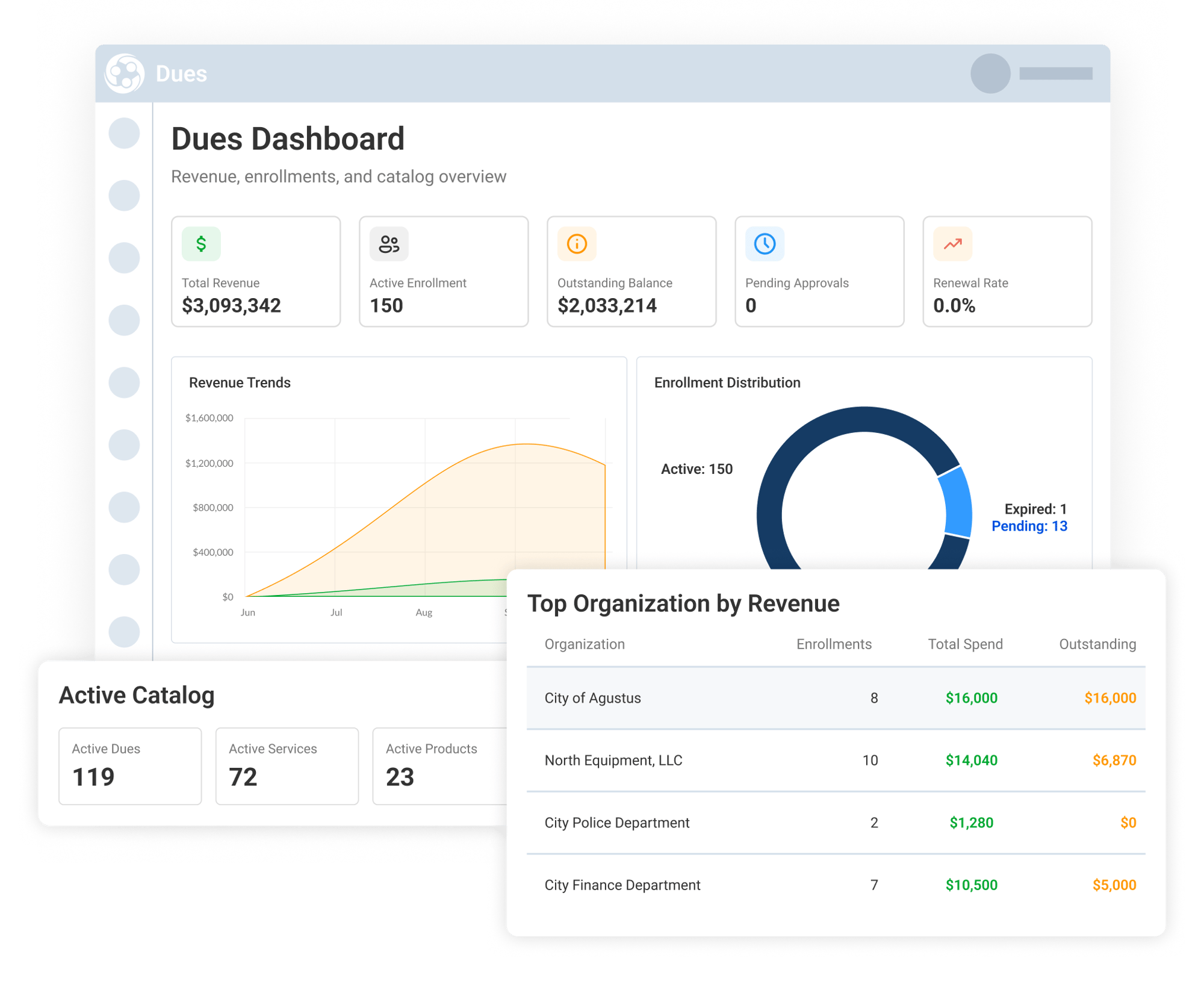
The Dues Dashboard gives staff a clear snapshot of dues and non-dues activity. Teams can quickly review key metrics such as total revenue, active enrollments, outstanding balance, pending approvals, and renewal rate.
The dashboard also includes visual summaries for revenue trends and enrollment distribution, along with quick insight cards for pending approvals, overdue invoices, expiring memberships, and payment issues. Staff can also view top organizations by revenue and active catalog counts for dues, services, and products together.
Analyze Revenue and Enrollment Trends
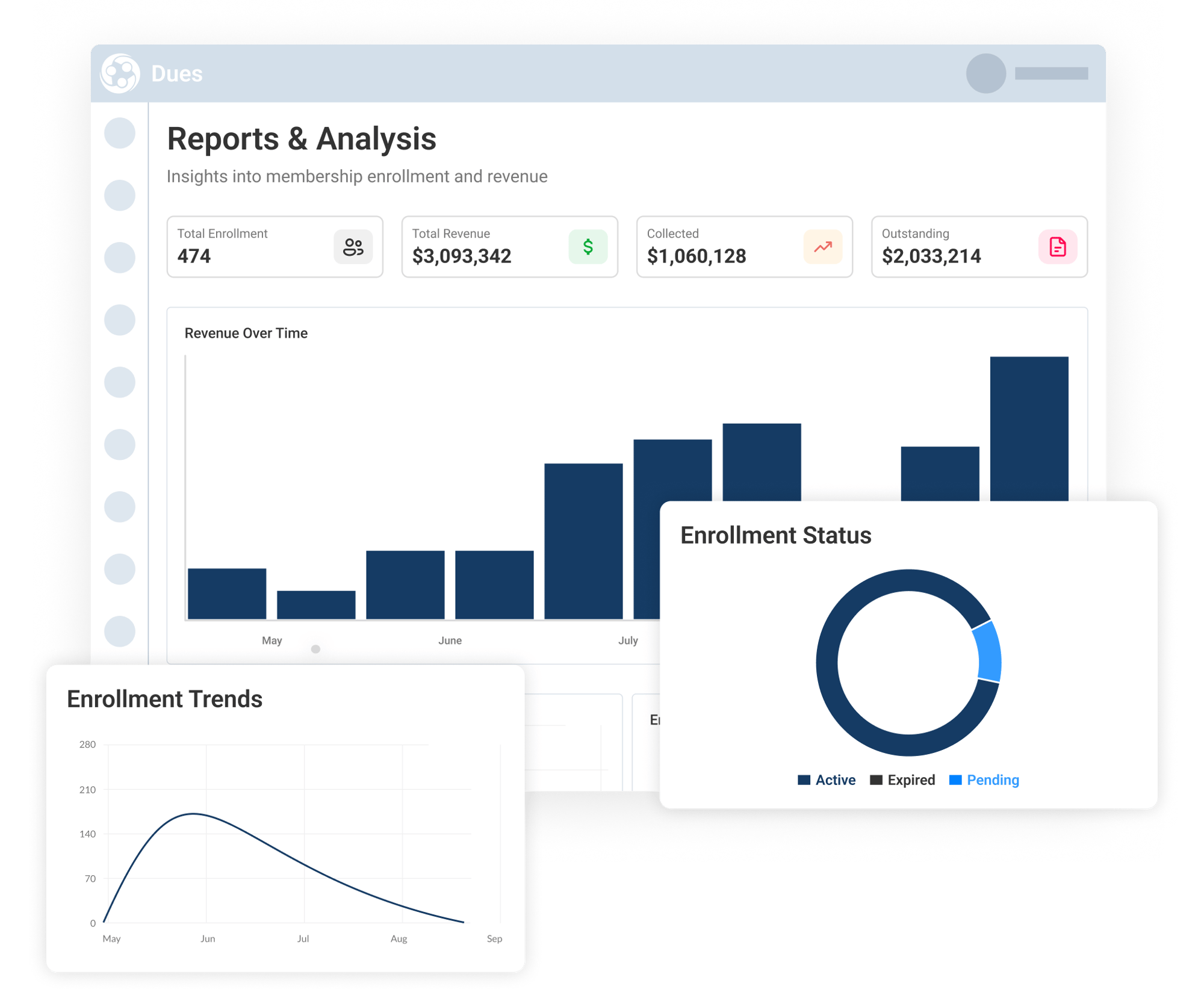
Under Reports > Overall Analytics, staff can take a deeper look at dues activity over a selected time period. This view shows total enrollments, total revenue, collected revenue, outstanding amounts, revenue, enrollment trends, and enrollment status.
Teams can use this page to understand how dues and non-dues activity is changing over time, compare collected and outstanding revenue, and monitor enrollment movement across active, pending, and expired statuses.
The report can also be filtered by date range and exported, making it easier to share results or continue analysis outside the platform.
Drill Into Detailed Dues Reports
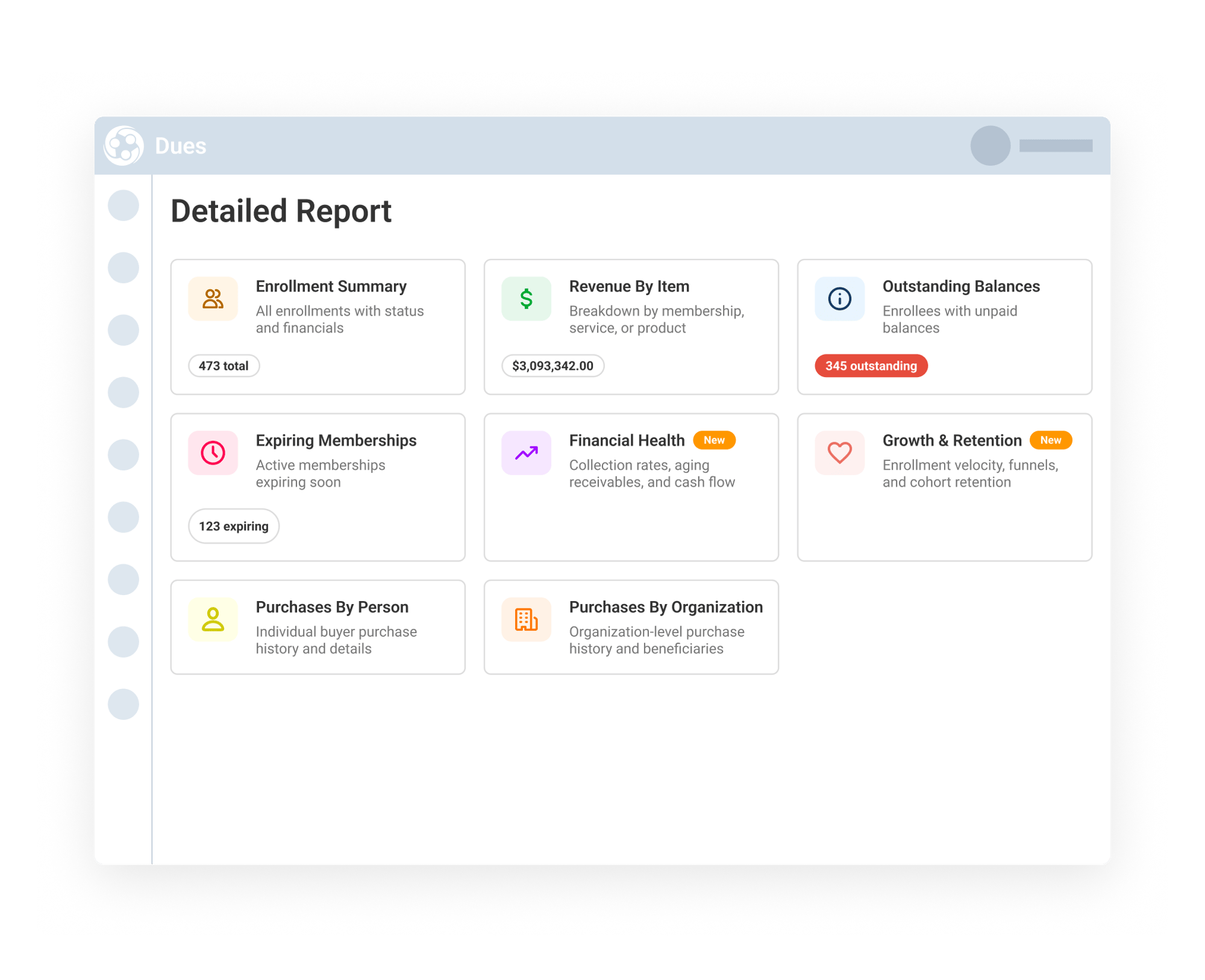
At the bottom of Reports > Overall Analytics, staff can access Detailed Reports for more focused questions about dues and non-dues activity.
Available report cards include Enrollment Summary, Revenue by Item, Outstanding Balances, Expiring Memberships, Financial Health, Growth & Retention, Purchases by Person, and Purchases by Organization. Staff can click into each report to review the specific details they need, such as item-level revenue, unpaid balances, expiring memberships, buyer purchase history, or organization-level activity.
This helps teams move from overall performance trends to the exact report needed for planning, follow-up or reconciliation.