
Engagifii Dues
Cancel and Refund Engagifii Dues Enrollments
Membership plans change, mistakes happen, and sometimes an enrollment needs to end. When that happens, your team needs a simple way to cancel the enrollment, return the right amount, and keep a clear record of what changed.
Engagifii Dues helps teams manage cancellations and refunds from the enrollment record. Your team can cancel an enrollment, cancel and refund in one step, issue a refund after cancellation, and keep invoices, payment history, emails, and cancellation reasons connected.
cancel and refund
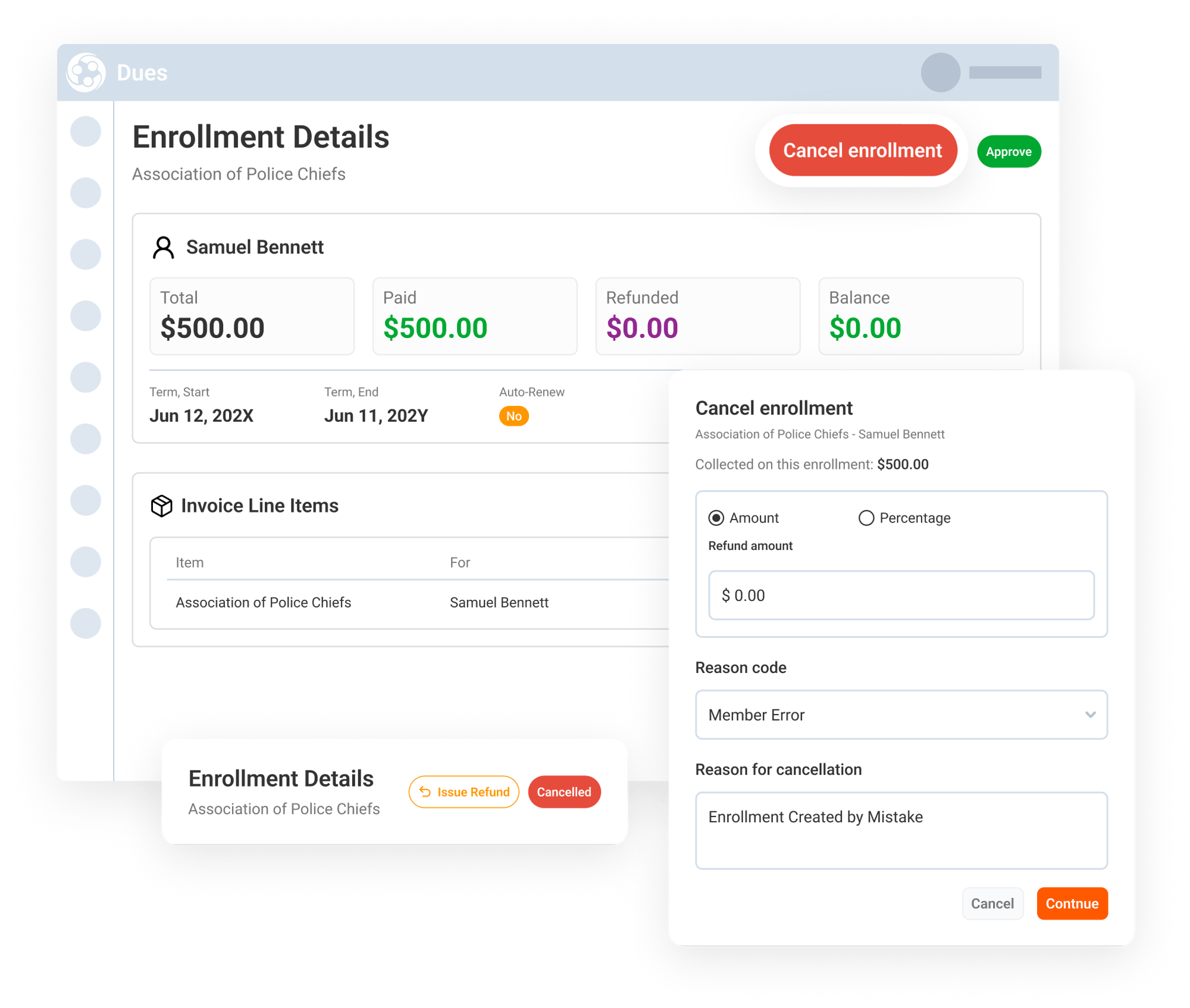
Cancel an Enrollment
Sometimes an enrollment needs to be cancelled before your team is ready to issue a refund. With Engagifii Dues, your team can cancel the enrollment first and keep the refund decision flexible.
This is helpful when the association needs to end the membership, service, or product enrollment right away, but may need to review the refund amount, confirm the reason, or issue the refund at a later time. The enrollment cancellation is recorded, and your team can still return to the cancelled enrollment later to issue a refund if needed.
Cancel and Refund in One Step
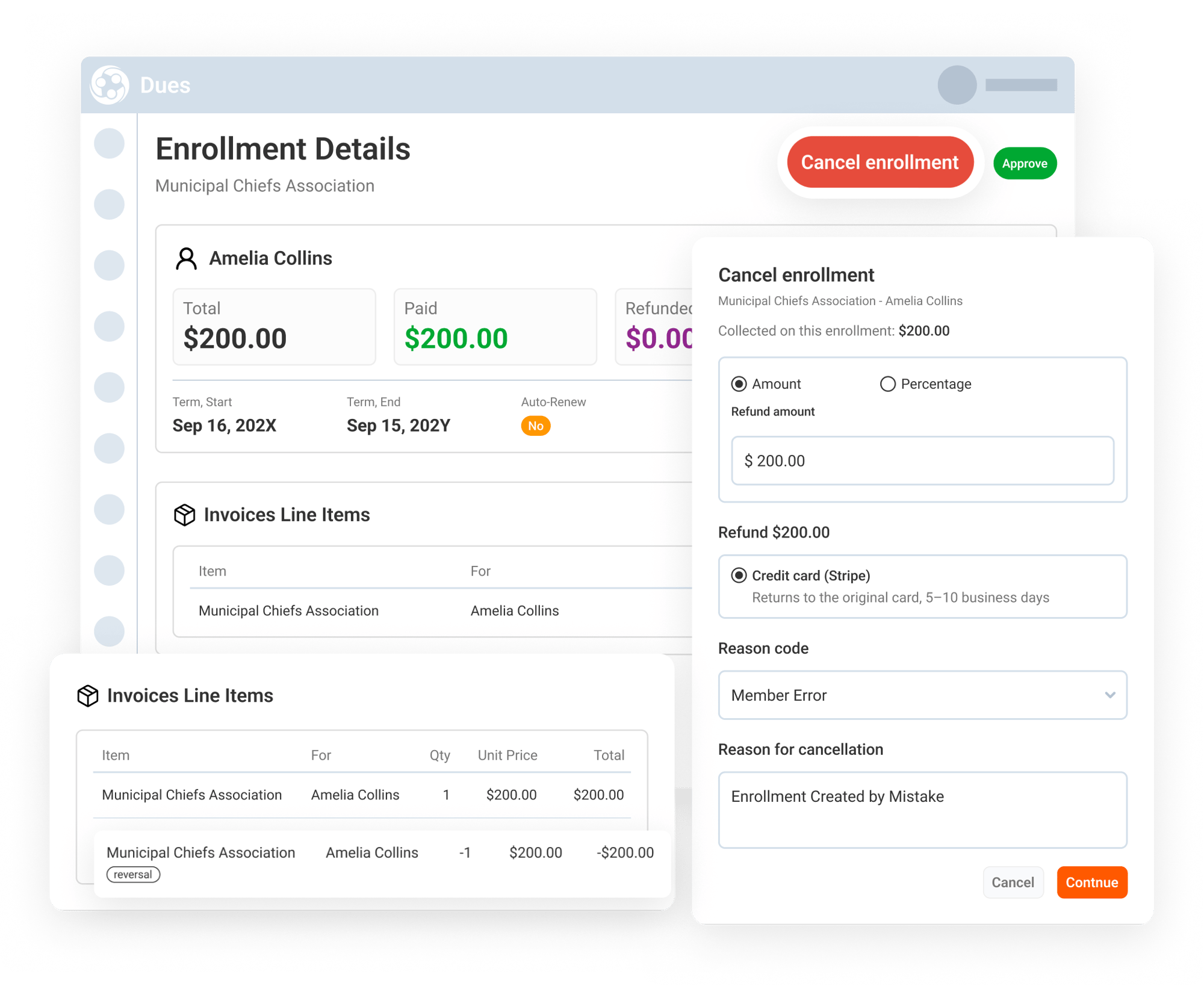
When a member is owed money back, your team can cancel the enrollment and issue the refund in the same flow. Engagifii Dues lets your team refund the full amount or enter a lower amount for a partial refund.
During the cancellation flow, the team can select a reason, enter the refund amount, review the refund details, and confirm the cancellation and refund. This keeps the reason, amount, and action tied to the enrollment record.
This gives teams a simple way to handle common refund situations without spreadsheets, manual invoice edits, or separate tracking.
Issue a Refund After Cancellation
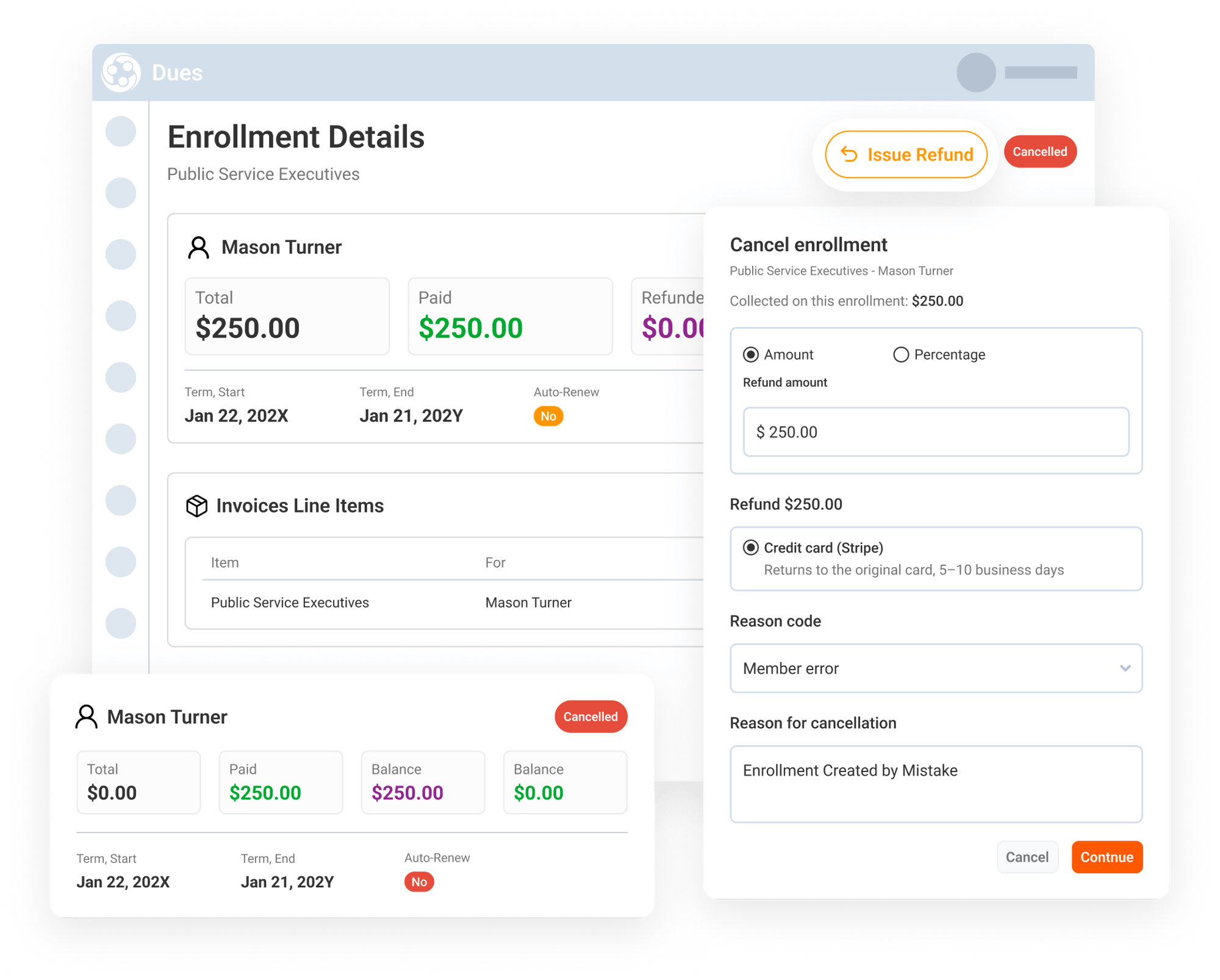
Sometimes a team may cancel an enrollment first and decide later that money should be returned. Engagifii Dues supports this by allowing your team to issue a refund on an enrollment that has already been cancelled.
Your team can open the cancelled enrollment, choose Issue Refund, enter the amount, select a reason, and complete the refund without cancelling the enrollment again.
This helps teams manage follow-up refunds cleanly when the refund decision happens after the cancellation.
Keep Invoices, Payment History, and Emails Updated
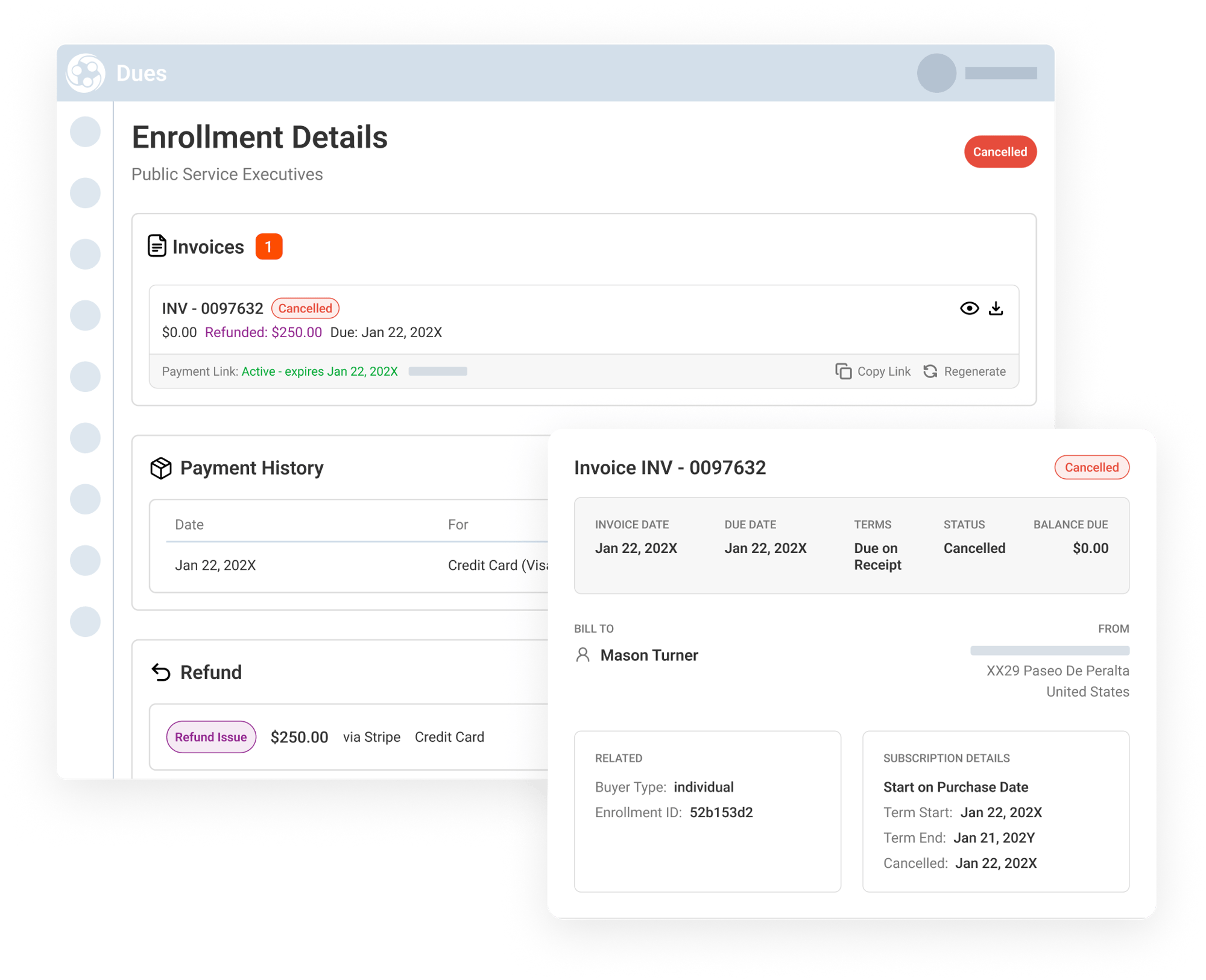
Engagifii Dues keeps a clear record of every cancellation and refund. The original charge stays on the invoice, and refunds appear as reversal lines so your team can see what was charged, what was returned, and when.
Refund activity is also reflected in the payment history. For full and partial refunds, your team can see the refunded amount, refund reference ID, cancellation reason, and payment details tied back to the enrollment.
When a cancellation and refund is completed, Engagifii Dues can send both an enrollment cancellation notification and a refund process notification, helping members understand what changed.
This gives finance and operations teams a cleaner paper trail while keeping members well-informed.