
Engagifii Dues
Manage Enrollment Reviews, Approvals, and Payment Tracking
Enrollment does not always end when a buyer submits a request. Some memberships, services, sponsorships, or products may require staff approval, payment confirmation, or additional follow-up before the enrollment is complete.
Engagifii’s Enrollment Queue gives staff one place to review enrollment activity, approve or reject dues and non-dues requests, monitor payment status, and track outstanding balances. This helps teams keep enrollment processes organized without relying on separate spreadsheets, emails, or manual payment tracking.
Dues
Monitor Enrollment Status at a Glance
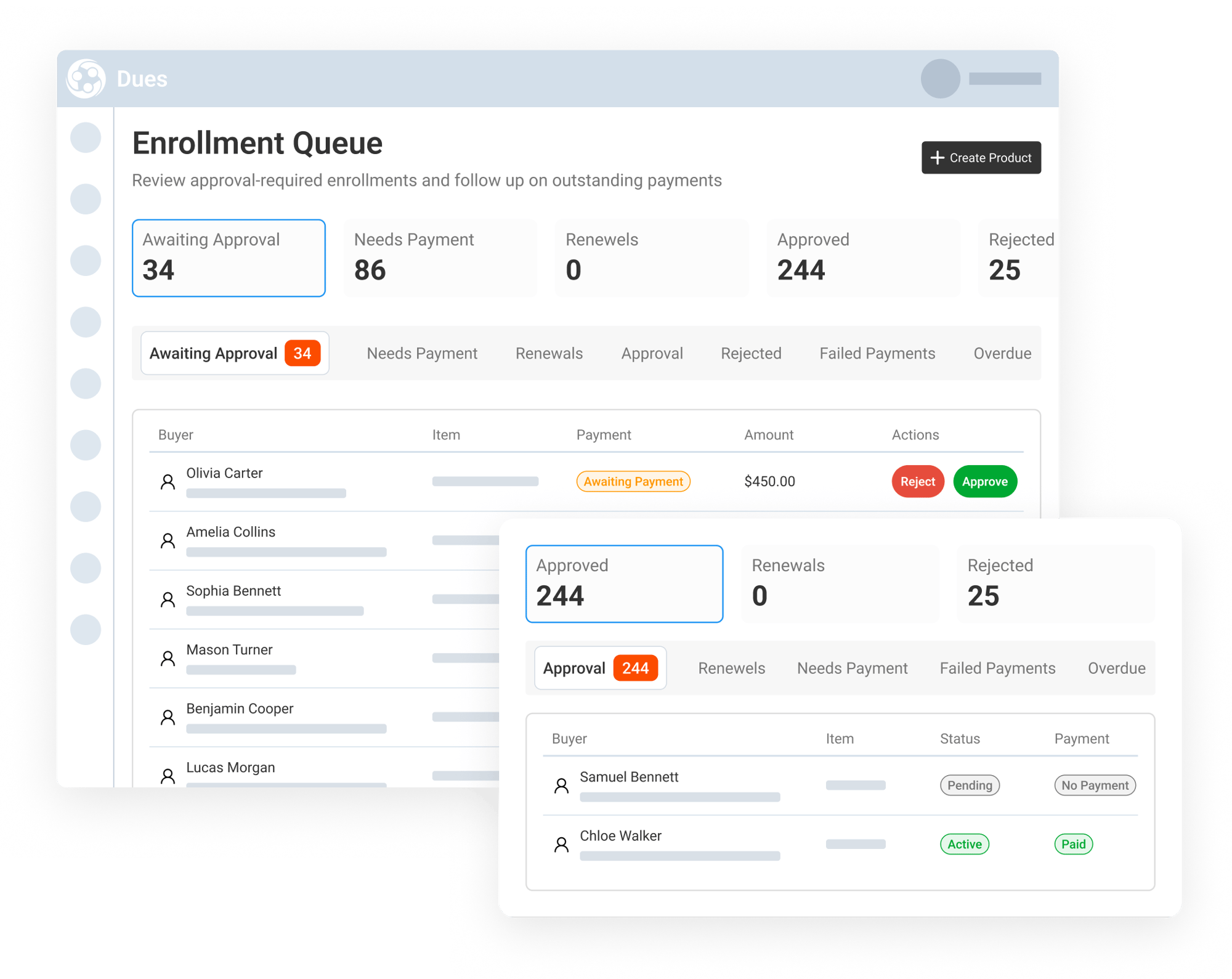
The Enrollment Queue gives staff a clear view of enrollment activity across key status categories, including Awaiting Approval, Needs Payment, Renewals, Approved, Rejected, Failed Payments, and Overdue Payments.
Admins can quickly switch between status views and search by buyer name or email to find specific enrollments. The queue displays important details such as buyer, item, status, payment state, amount, date, and available actions, making it easier to see what needs attention.
This gives teams a faster way to review enrollment activity and prioritize the requests, payments, and follow-ups that need action.
Review Enrollment Details Before Approving
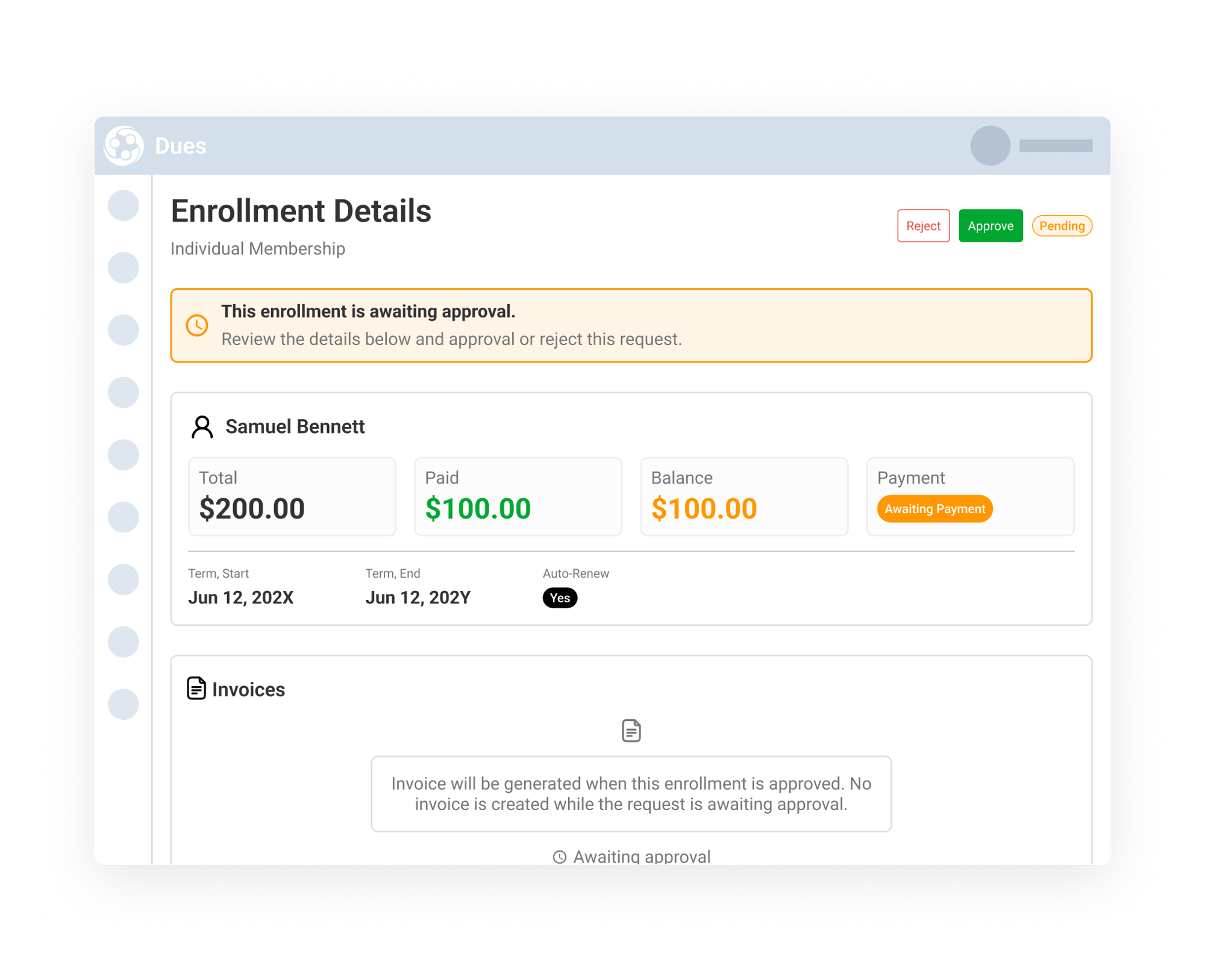
When an enrollment requires approval, staff can open the enrollment details page to review the full request before making a decision. The details page shows the buyer, enrollment type, total amount, paid amount, balance, payment status, term dates, invoices, line items, and payment history.
Admins can approve or reject the enrollment directly from the details page. If approval is required before invoicing, the invoice can be held until the request is approved, helping prevent premature invoices or payment activity.
This gives staff the context they need to make informed approval decisions while keeping the review process organized and consistent.
Track Payment Status and Outstanding Balances
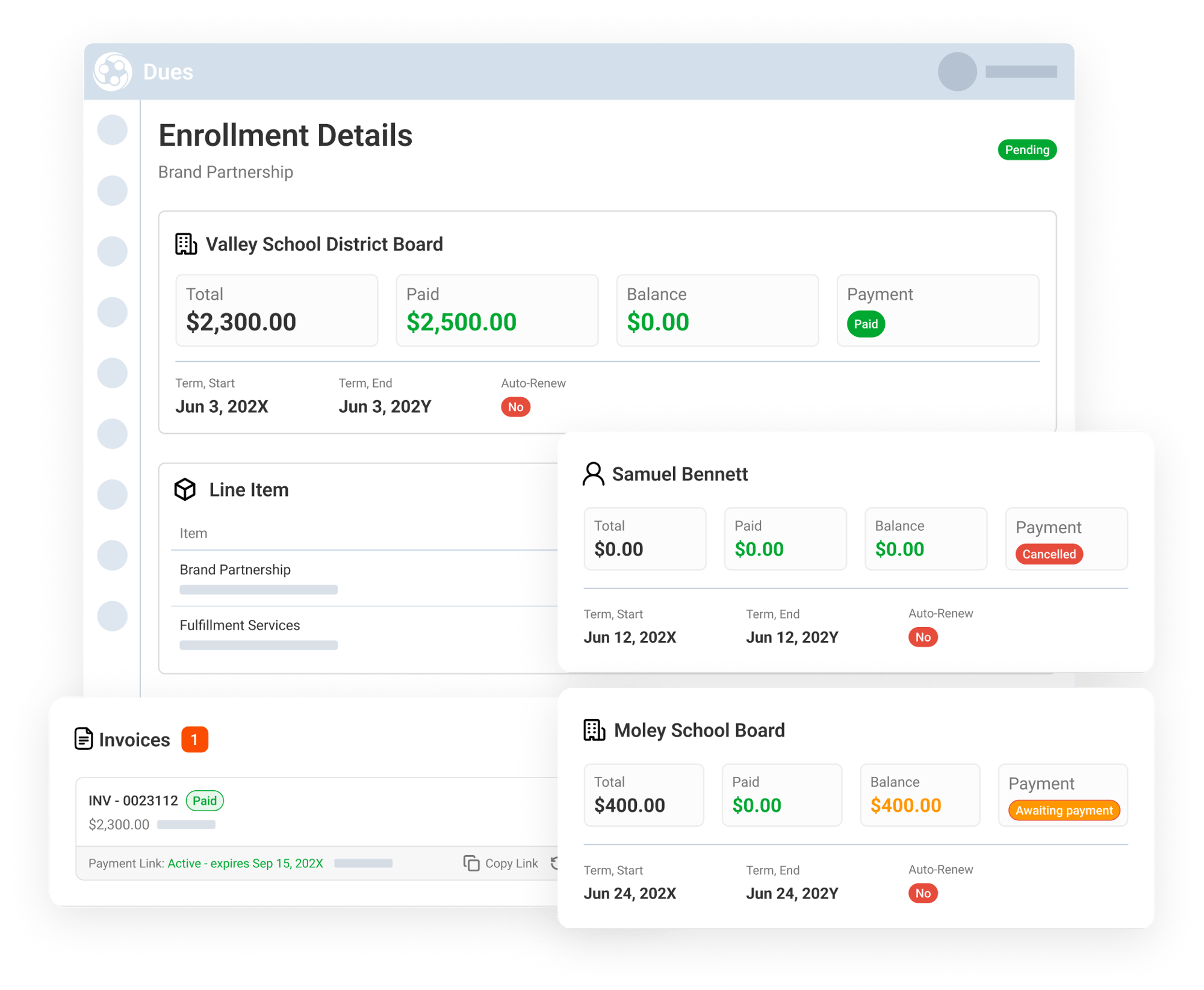
The Enrollment Queue helps staff keep track of what happens after an enrollment is submitted or reviewed. Teams can monitor enrollments that need payment, have failed payments, are overdue, approved, rejected, or cancelled.
Enrollment detail pages show the payment status, paid amount, balance, line items, invoices, and payment links tied to each enrollment. Staff can review invoice details, copy or regenerate payment links, and confirm whether an enrollment is active, pending payment, paid, cancelled, or still awaiting approval.
This gives associations a clearer view of enrollment progress and payment activity without needing to check multiple reports or systems.