
Engagifii Dues
Create Discounts That Support Dues and Non-Dues Revenue
Associations often need flexible ways to offer discounts across membership dues, services, products, and other revenue opportunities. Whether the goal is to support a membership campaign, reward a specific buyer group, promote a seasonal offer, or share a targeted incentive, Engagifii gives staff a structured way to manage discounts with control.
Discounts can be created as promo codes, auto-applied offers, or special links, giving associations flexibility in how buyers receive savings during checkout while keeping rules, limits, and availability easy to manage.
Dues Discounts
Create Discounts That Match the Promotion
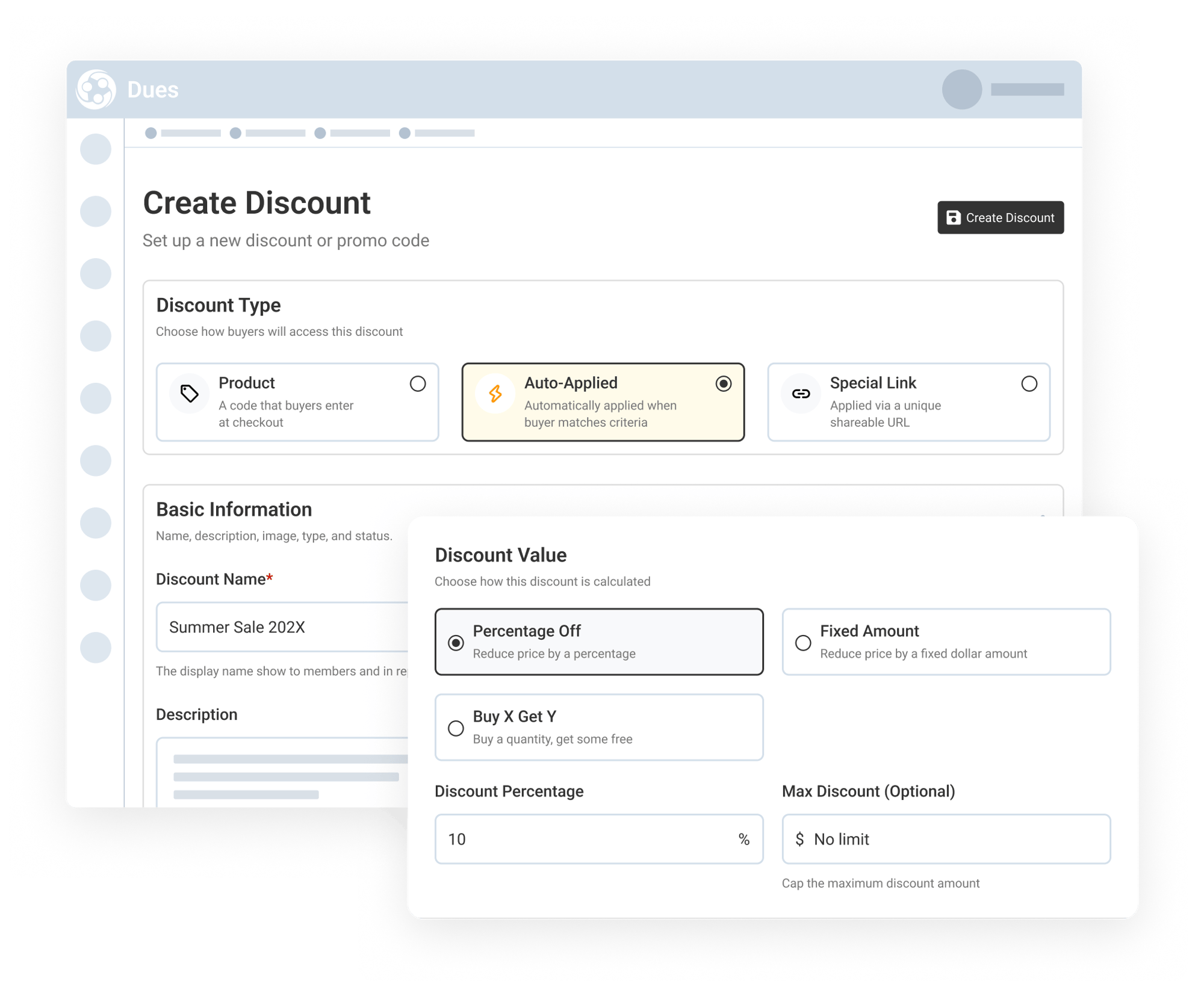
Engagifii allows staff to create discounts based on how the offer should be shared and applied. Associations can set up promo codes that buyers enter at checkout, auto-applied discounts that activate when a buyer matches defined criteria, or special links that apply a discount through a unique shareable URL.
Staff can also define the discount name, description, and value. Discounts can be calculated as a percentage off, a fixed dollar amount, or a Buy X Get Y offer, making it easier to support different campaign types and promotional goals.
Control What Each Discount Applies To
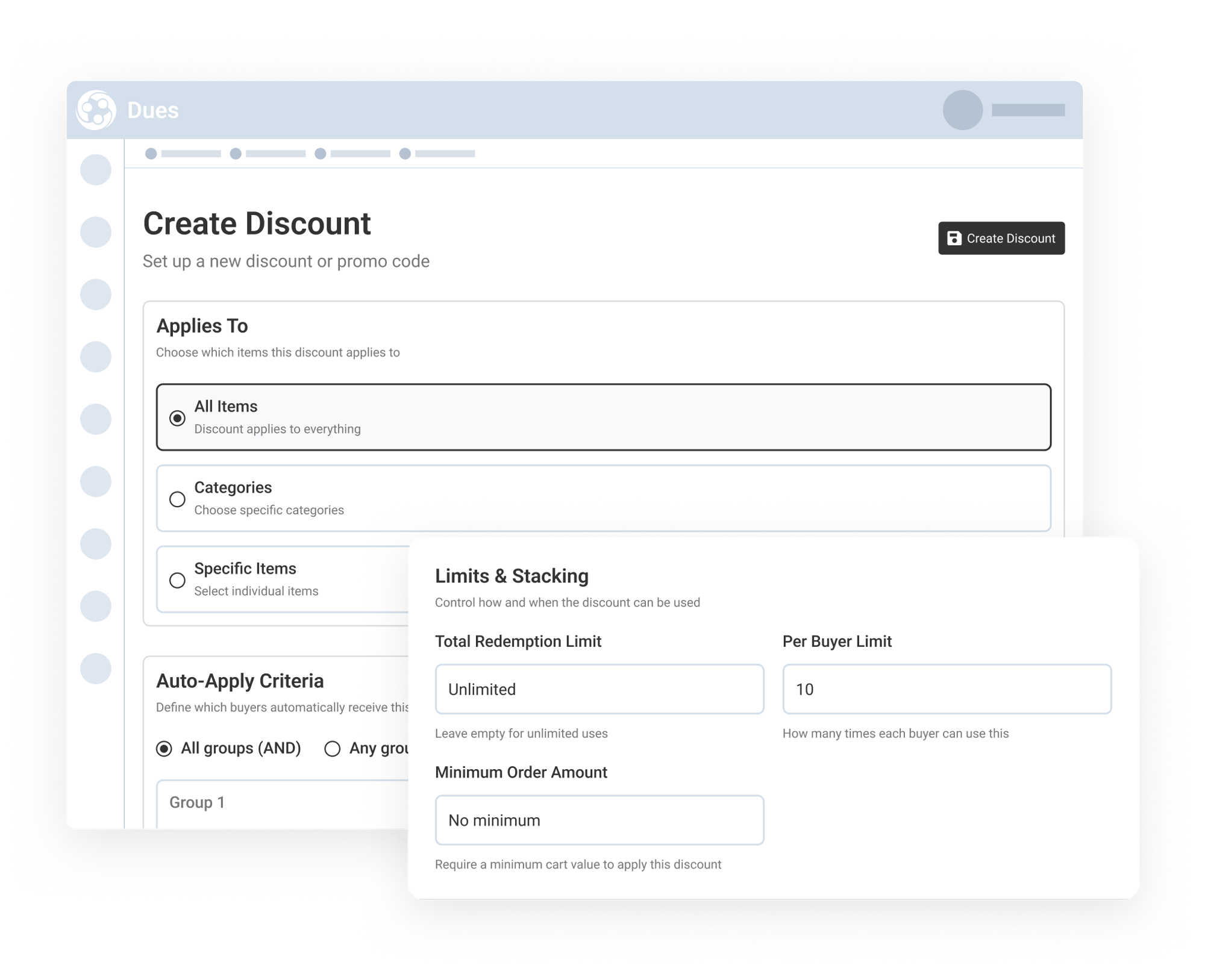
Not every discount needs to apply to every purchase. Engagifii allows staff to decide whether a discount should apply to:
-
All items,
-
Selected categories like Membership Dues, Services or Products, or
-
Specific dues
For auto-applied discounts, staff can also define buyer criteria so the discount is only applied when the buyer matches the right conditions. Criteria can be grouped using all-group or any-group logic, giving teams more control over how their targeted offers and discounts are applied.
Manage Discount Limits, Stacking, and Availability
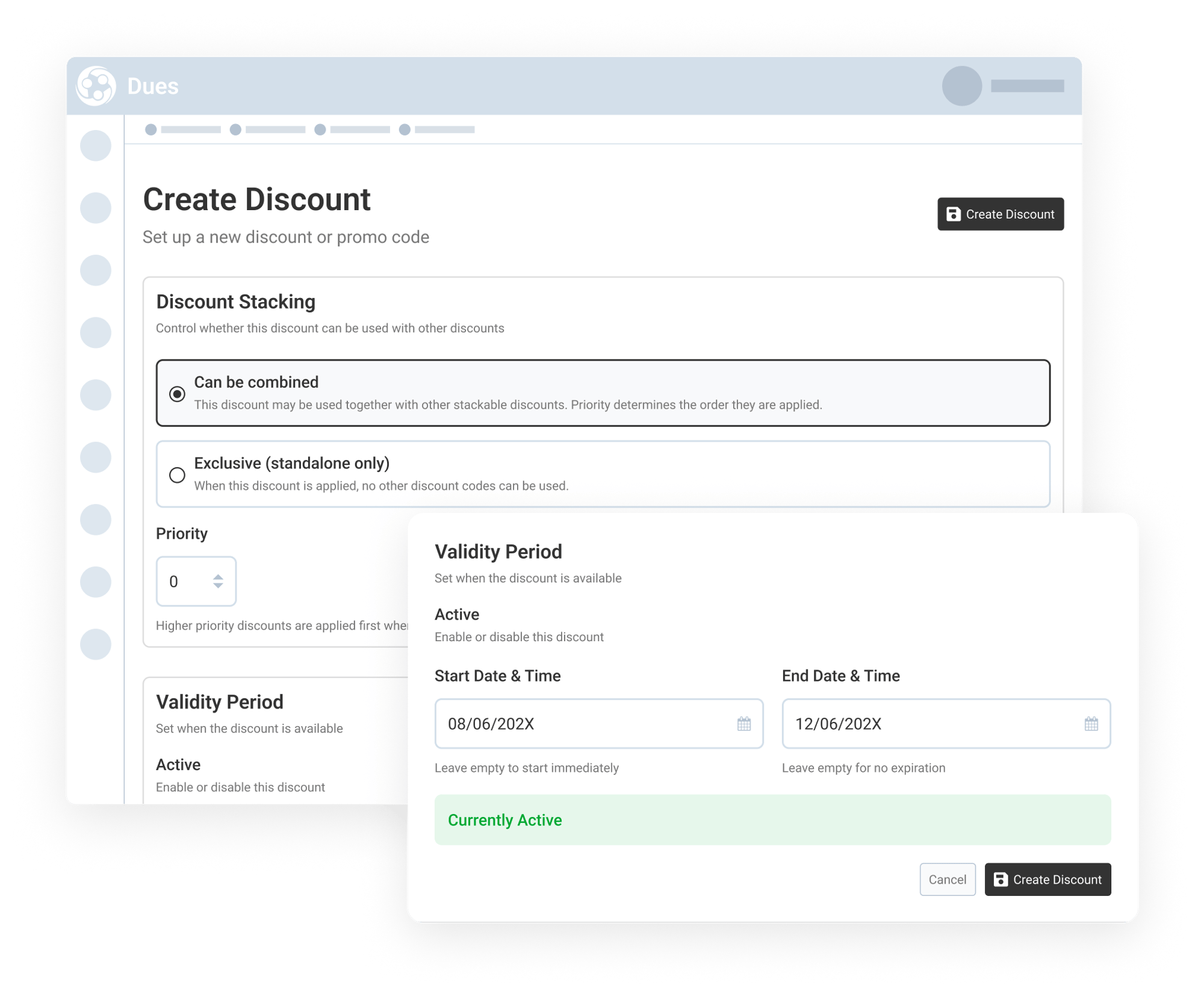
Engagifii gives staff control over how and when each discount can be used. Teams can define total redemption limits, per-buyer limits, minimum order amounts, and whether the discount can be combined with other discounts.
When multiple discounts can be combined, priority settings help determine the order in which they are applied. Staff can also easily set start and end dates, enable or disable a discount, and prevent promotions from remaining active longer than intended.
These controls help associations offer discounts confidently while reducing the risk of overuse, conflicting promotions, or unintended savings.