
Events
Generate Name Badges for Events
Creating professional name badges should be simple, whether you're preparing for a small meeting, an annual conference, or a large association event. With different attendee roles, organizations, and event branding to consider, teams need a flexible way to design and print badges without spending hours on manual formatting.
Engagifii makes it easy to create customized name badges directly from your event's participant list. With reusable templates, flexible design options, personalized attendee details, and print-ready layouts, associations can prepare professional badges that reflect their event branding while simplifying the check-in process.
Badges
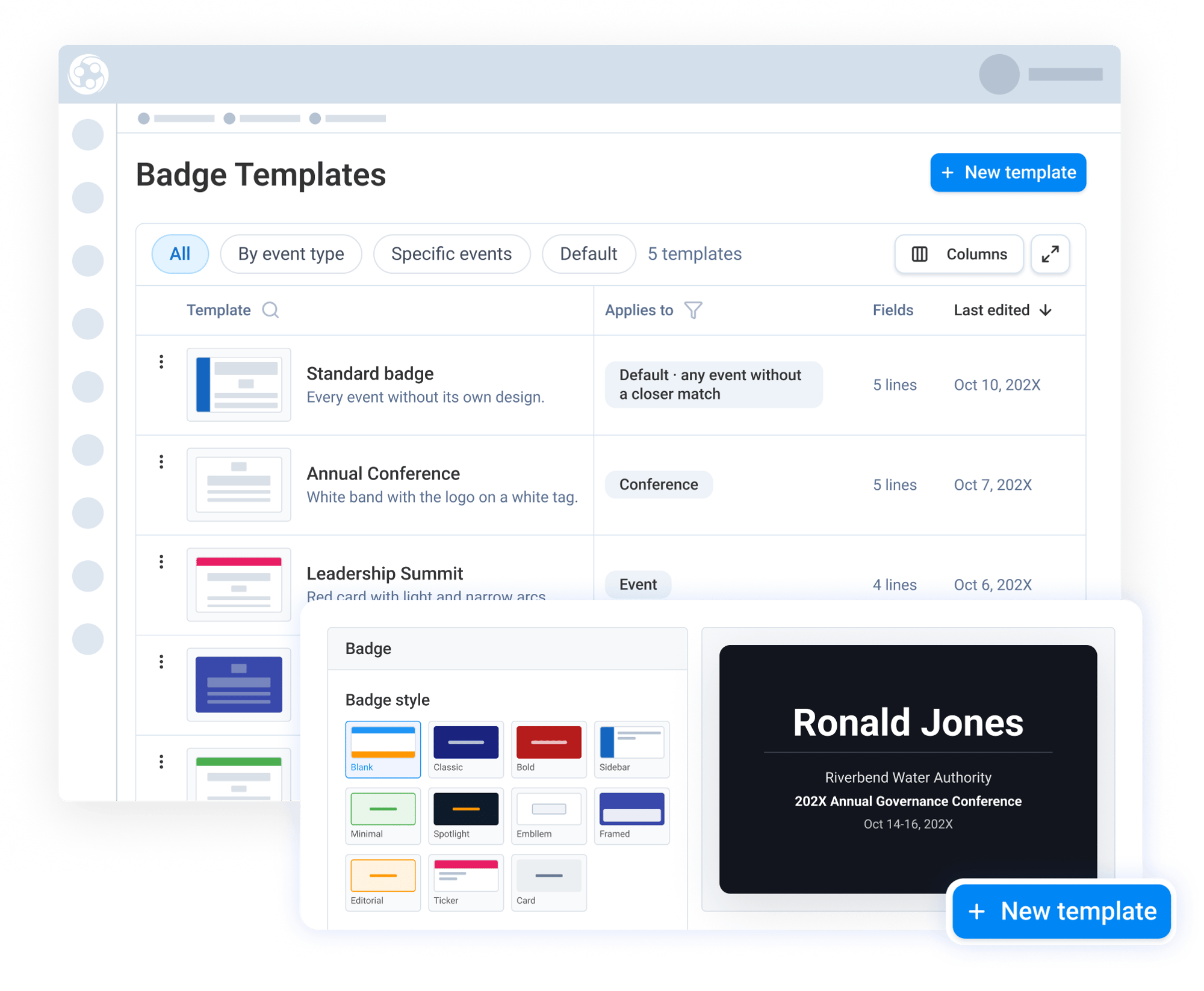
Create and Save Custom Badge Templates
Engagifii gives administrators the flexibility to design professional event badges using customizable templates. Teams can choose from different design styles, color themes, and badge sizes, then personalize each template with association logos, background images, custom colors, and layout adjustments.
Templates can be saved and reused for future events, reducing the need to recreate badge designs each time. Administrators can also assign templates to specific events or event types and set a workspace default, helping maintain consistent branding across different programs.
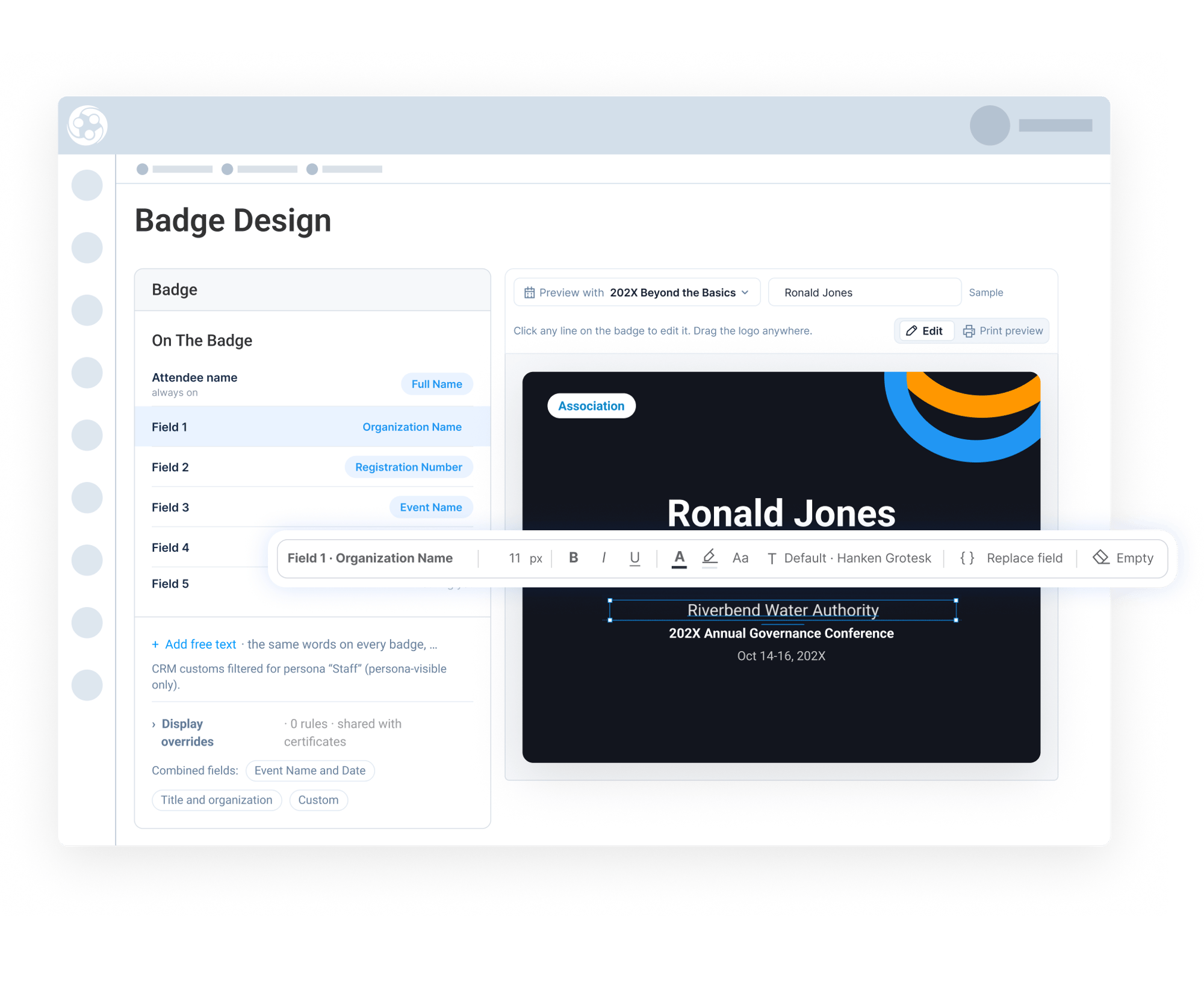
Personalize Badge Details and Formatting
Every event has different badge requirements. Engagifii allows administrators to choose which attendee and event details appear on each badge, including names, titles, positions, organizations, event names, dates, and other available registration fields.
Each line can be customized with its own font, text size, capitalization, and formatting. Administrators can also use combined fields to display multiple details on one line and display overrides to adjust how certain information appears on the printed badge.
Generate Print-Ready Badges With Ease
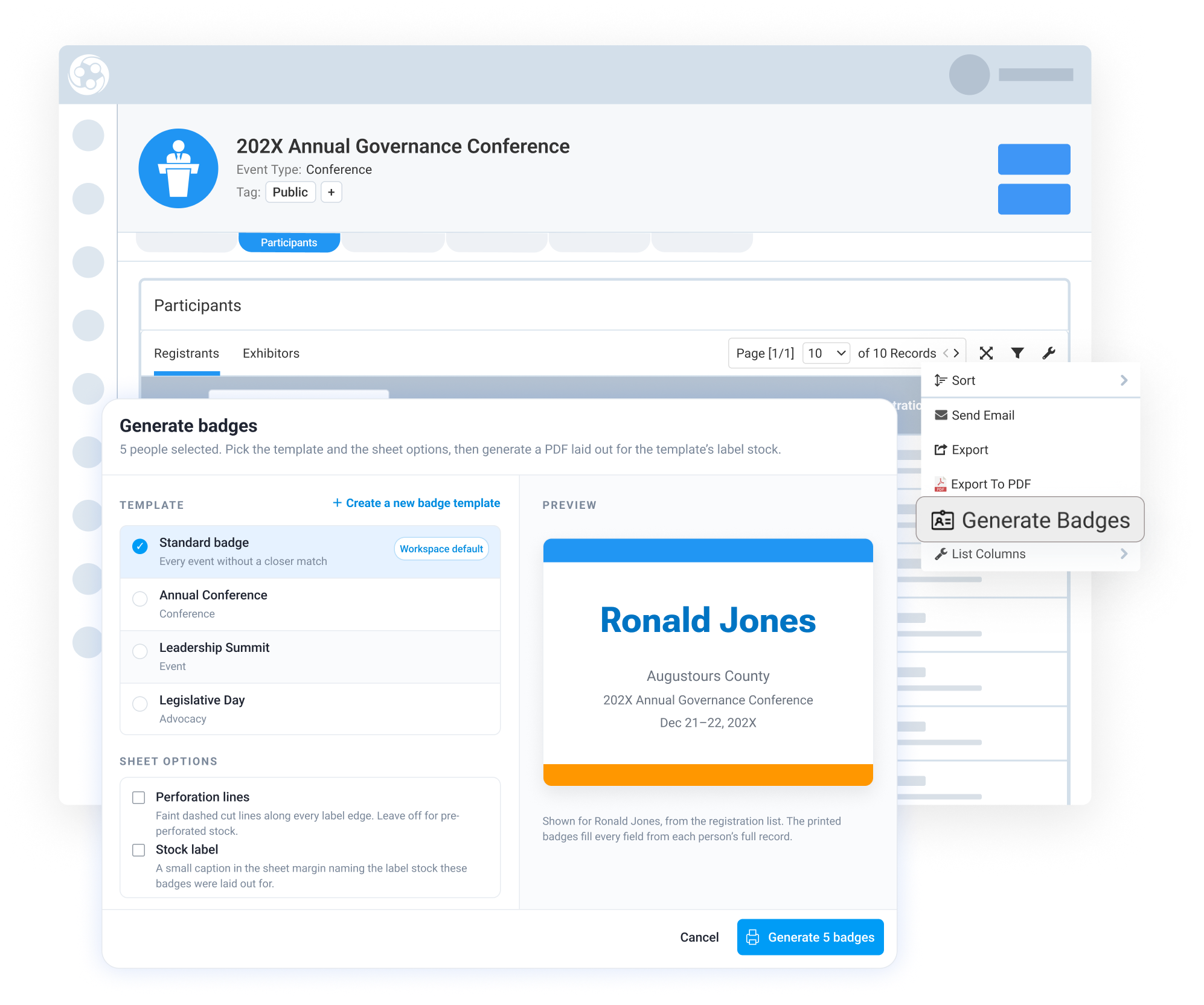
Once a template is ready, administrators can generate badges directly from an event's Participants tab. Teams can select individual registrants or multiple attendees, choose the appropriate badge template, and review the layout before generating the badges.
Engagifii supports multiple Avery label sizes and printing formats, with options to include perforation lines and organize badges by first name, last name, or organization. The badge layout automatically aligns with the selected label stock, helping teams prepare badges for printing without manual adjustments.
The final badges are generated as a print-ready PDF, making it easier for event teams to organize, print, and distribute badges before attendees arrive.