Relationships
View People Across Related Organizations in One Place
Many associations work with organizations that are connected to other offices, departments, affiliates, municipalities, or partner groups. When those related organizations each have their own people, the association staff often need to move between multiple records just to understand the full list of contacts connected to a larger organization.
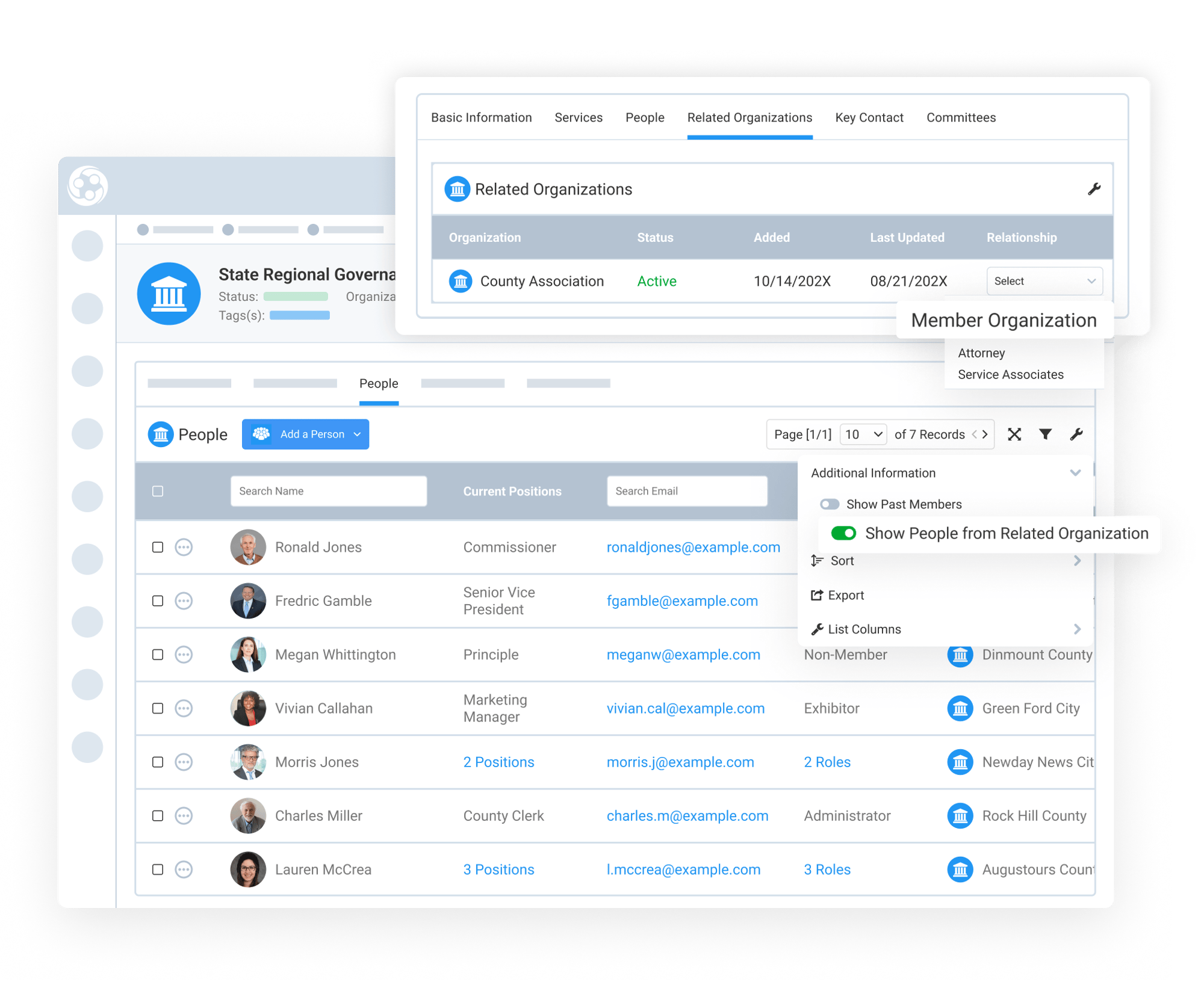
Engagifii makes this easier by allowing your team to view people from related organizations directly from the parent organization’s People tab. With the right permission and setting enabled, teams can see a more complete people list in one place, helping them search, review, export, and use related organization contacts without manually combining separate lists.
org hierarchy
Connect Organizations in the Way That Best Matches Their Structure
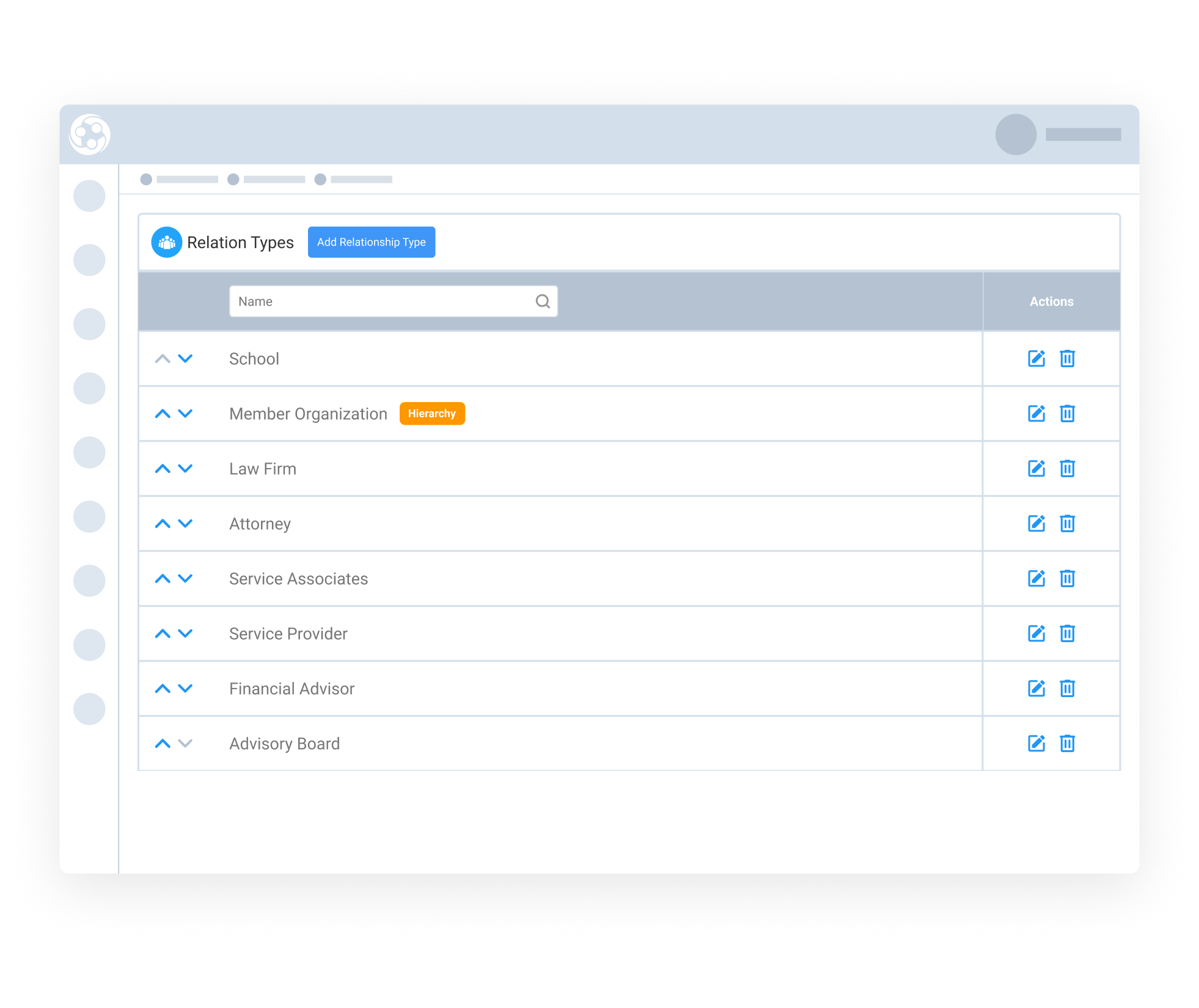
Engagifii supports different ways to organize and connect organizations, depending on how the association manages its members. Organization Type can classify organizations by category, such as municipalities, school districts, departments, affiliates, or partner groups. Hierarchy can be used for parent-child structures, while related organizations can be used for Flat relationships between connected entities.
These relationship options help your associations reflect real-world structures inside Engagifii. Once organizations are connected, your team can use the People tab to view related people in context and better understand how individuals connect back to their organizations.
Bring Related Organization People Into One View
Engagifii allows your team to view people from related organizations alongside the people directly connected to the organization they are viewing. This is especially helpful when a parent organization is connected to multiple offices, departments, affiliates, or other related entities.
Instead of opening each related organization separately, your staff can turn on the related people view and see a combined list from one organization record. The list also shows where each person belongs, helping teams understand the connection between the person, their organization, and the relationship type.
This gives associations a clearer way to work with complex organization structures while reducing manual lookup and spreadsheet work.
Search, Filter, and Export a More Complete People List
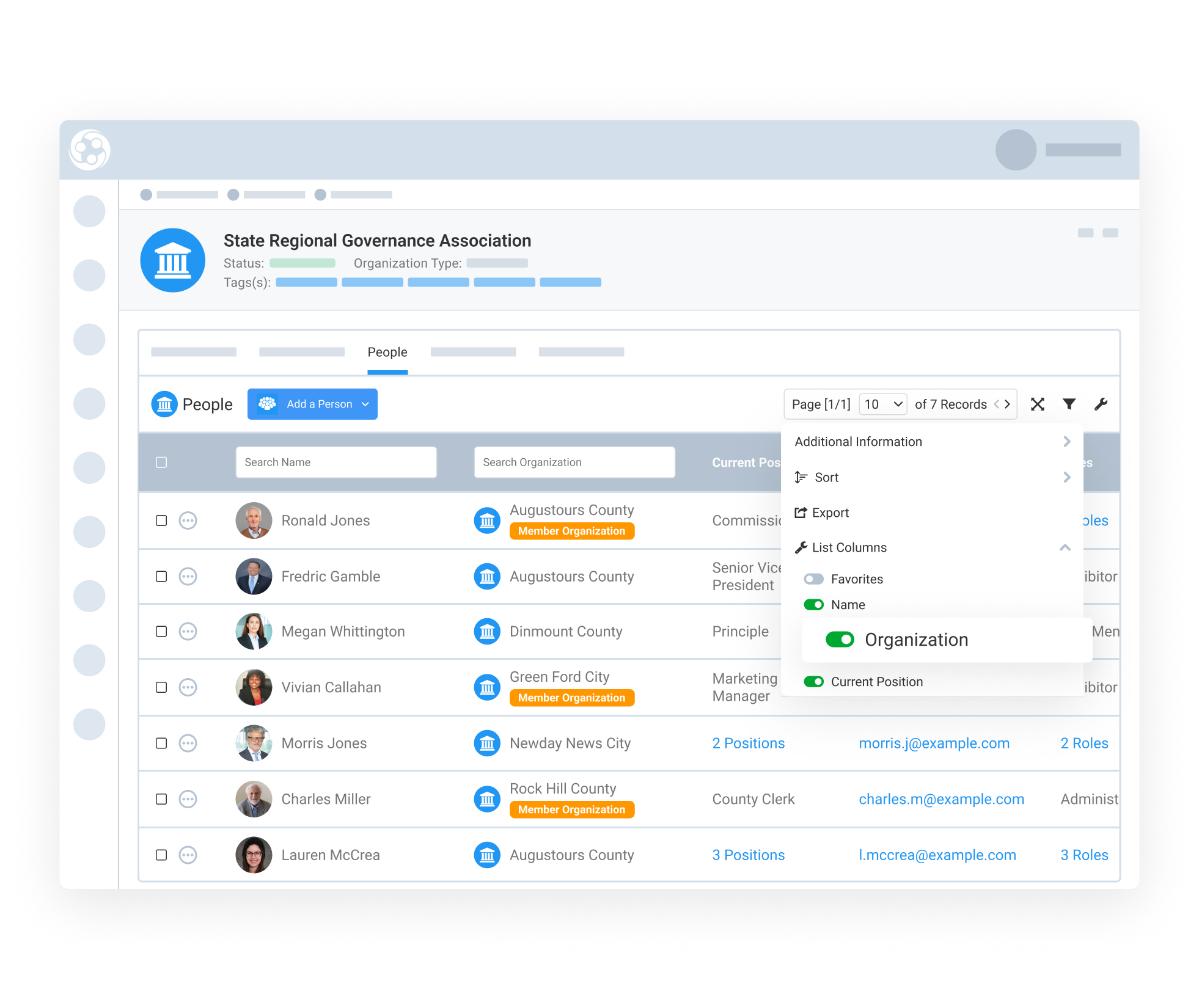
When related organization people are displayed, admins can continue using familiar People tab tools to search, filter, sort, and export the list. New columns such as Organization and Relationship help identify which related organization each person belongs to.
This makes it easier to find the right contacts across connected organizations, review people by organization or relationship, and export a more complete list when your team needs to support reporting, outreach, or internal review.
By bringing related people into the same searchable view, Engagifii helps your team save time and avoid rebuilding combined people lists manually.