
Relationships

Create Groups That Stay Connected to Your Data

Associations often need to organize people into groups for outreach, coordination, visibility, and relationship management. Some groups are simple lists that staff manage directly, while others need to stay updated automatically based on profile information.

Engagifii Groups help associations organize people into clear, useful lists for communication, coordination, and relationship management. Whether a group is manually managed or automatically updated, teams can keep the right people connected to the right outreach, resources, and workflows.

groups

Create Static Groups With Basic Mode-1

Create Simple Groups With Basic Mode

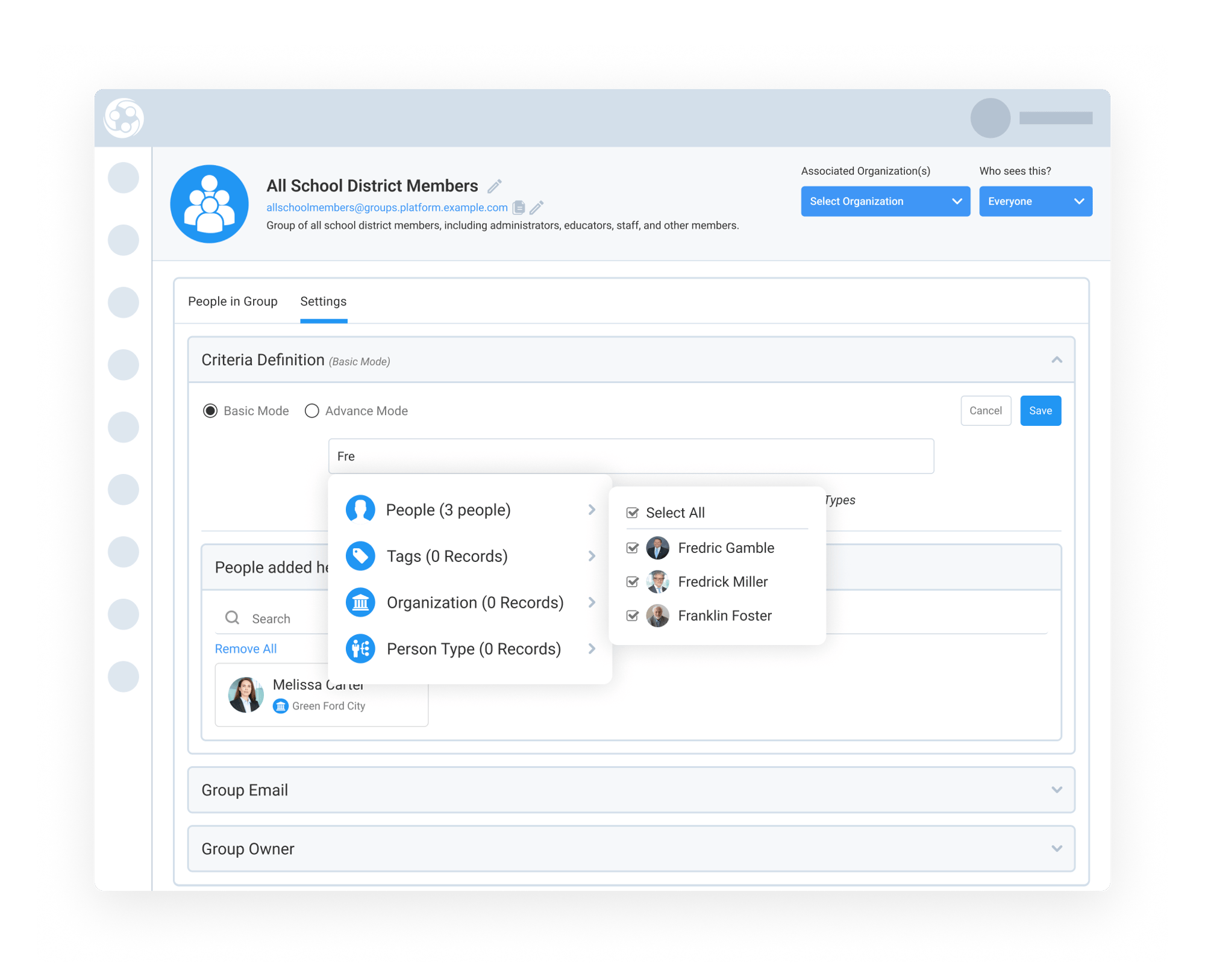
Basic Mode gives staff a simple way to create groups when they want direct control over who belongs. This is helpful for curated lists, working groups, leadership groups, special outreach lists, or any group where the association wants to choose people intentionally.

Staff can add people to a group by selecting them directly. This makes it easy to build a group for a specific purpose without setting up complex rules or criteria.

By using Basic Mode, associations can quickly organize people into clear, manageable lists that can be updated as needed.

Build Dynamic Groups With Advanced Criteria-1

Build Dynamic Groups With Advanced Criteria

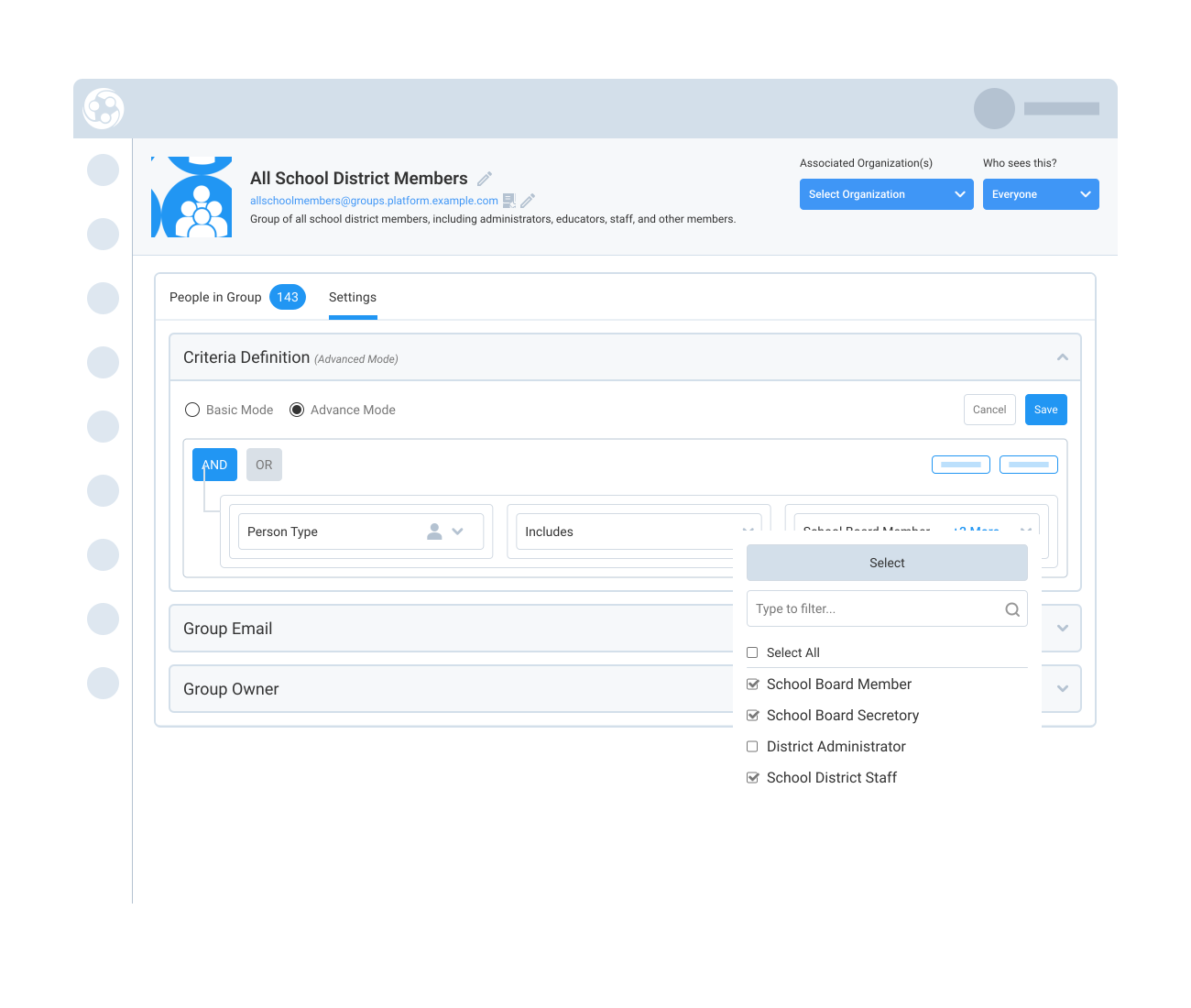
Advanced Mode allows staff to create dynamic groups based on criteria. Instead of manually maintaining the list, staff can define the profile information that determines who belongs in the group.

Criteria can use person fields, custom fields, organization details, tags, or person types. When a person’s profile changes and they no longer match the group criteria, they automatically fall out of the group. If they match the criteria later, they can be included again automatically.

This helps associations keep groups accurate without manual cleanup, especially when people change roles, organizations, tags, person types, or other profile details.

Make Group Communication Easier With Email and Visibility Controls-1

Make Group Communication Easier With Email and Visibility Controls

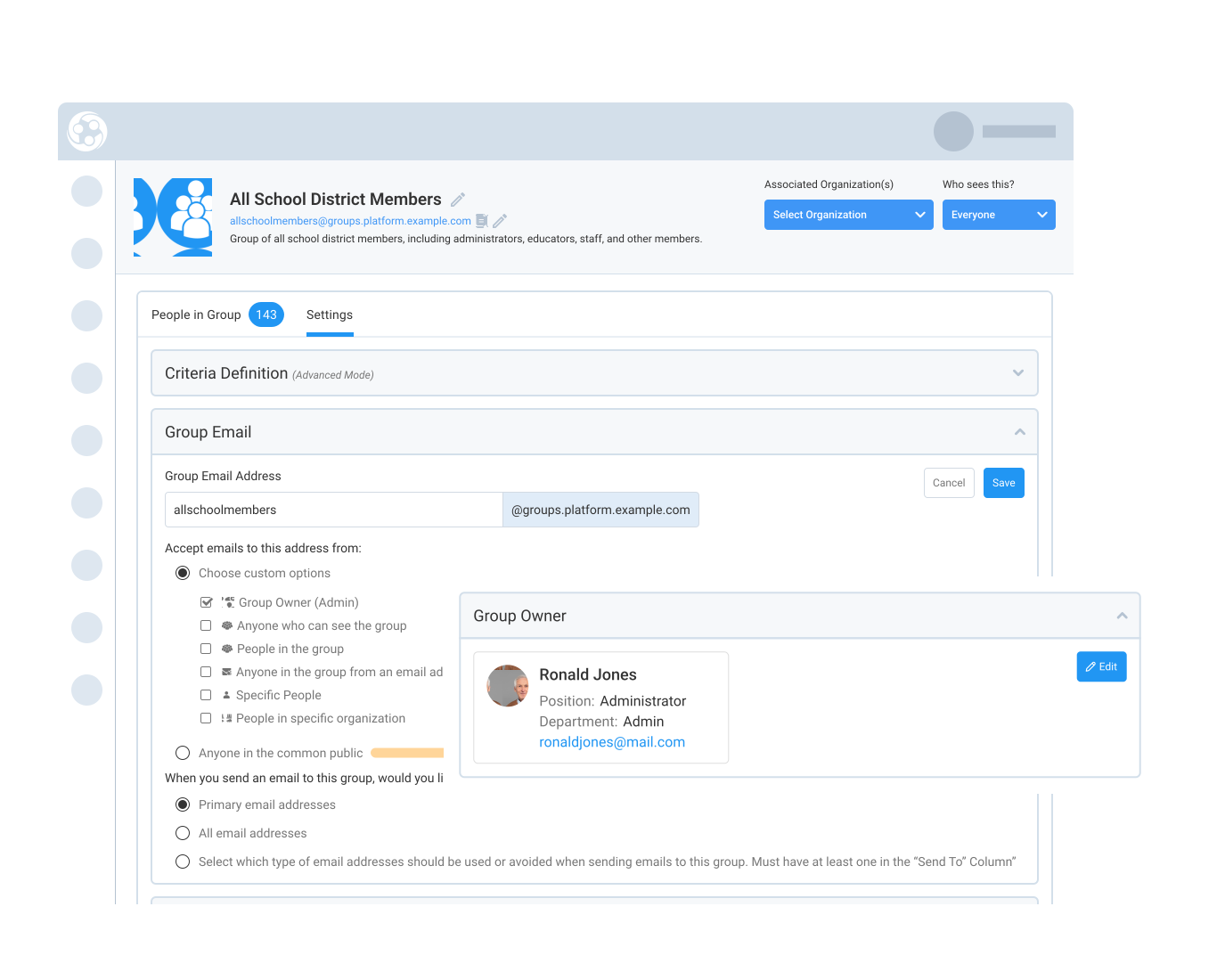
Each group can have its own email address, which works like a distribution list. Instead of selecting recipients manually each time, staff can send a message to the group email address and reach the people in that group.

Staff can also control who is allowed to send emails to the group address. For example, the group can accept messages from group owners, people who can see the group, people in the group, specific people, selected organizations, approved email domains, or the public. These controls help associations make group communication easier while limiting unwanted messages.

Groups also support email routing rules, so staff can choose whether messages go to a person’s primary email address, all email addresses, or selected email address types available.

Teams can also assign group owners, add descriptions, connect groups to organizations, use group libraries, and control who can see the group through visibility settings.

159787727717 []

Related Solutions

160221054112 []

Related Features

Invite Multiple People to Set Up Profiles

Whether you're onboarding new board members, business affiliates, or staff across multiple organizations, inviting users one-by-one can be time-consuming.…

Track Position Vacancies Across Your Member Organizations

Engagifii’s Vacancy Report gives association leaders a smart, automated way to track roster gaps across their member organizations. Whether you support…