
Engagifii ALLY
Make AI Member Support Accessible With the Engagifii Ally™ Mobile App
Engagifii Ally™ gives members a simple way to get answers, review past conversations, and request help from their association directly from their phone. Instead of searching through emails, documents, or separate support channels, members can start with the mobile app and get guided to the right information or the right person.
The mobile app brings the Engagifii Ally experience into a familiar, on-the-go format with chats, department-based support, alerts, profile settings, and staff conversation management.
Ally Mobile App
Give Members Mobile Access to Ally Conversations
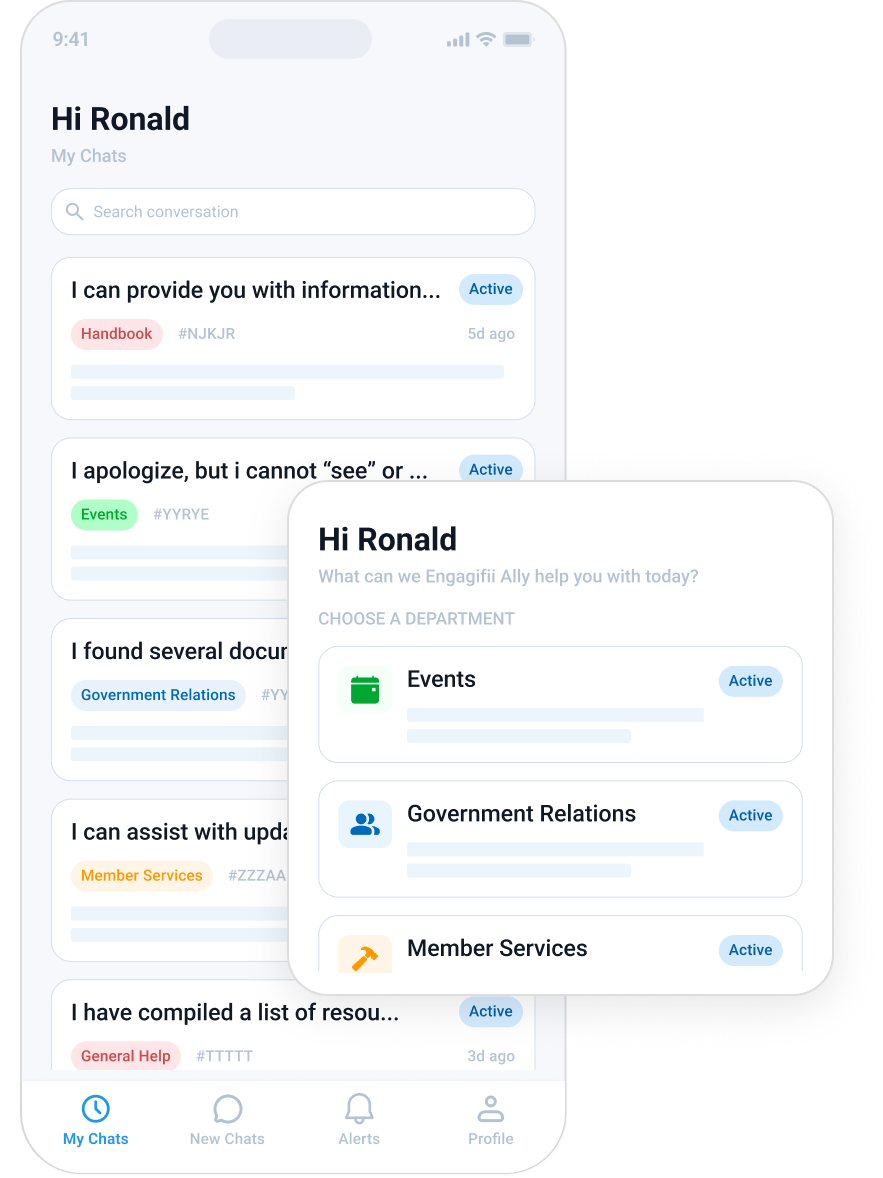
Members can use the mobile app to view previous conversations, start a new chat, and choose the department that best matches their question. The app includes simple navigation for My Chats, New Chat, Alerts, and Profile, giving members an easy way to move through their support experience.
From the New Chat screen, members can choose from departments such as Events, General Help, Government Relations, Handbook, and Member Services and Training. Selecting a department helps Engagifii Ally route the conversation to the right topic area and surface more relevant resources.
For example, if a member chooses Handbook and asks about a specific handbook topic, Engagifii Ally can surface related knowledge base resources. Members can open the resource, read it in the app, and download it when needed.
Let Members Request Human Help From the App
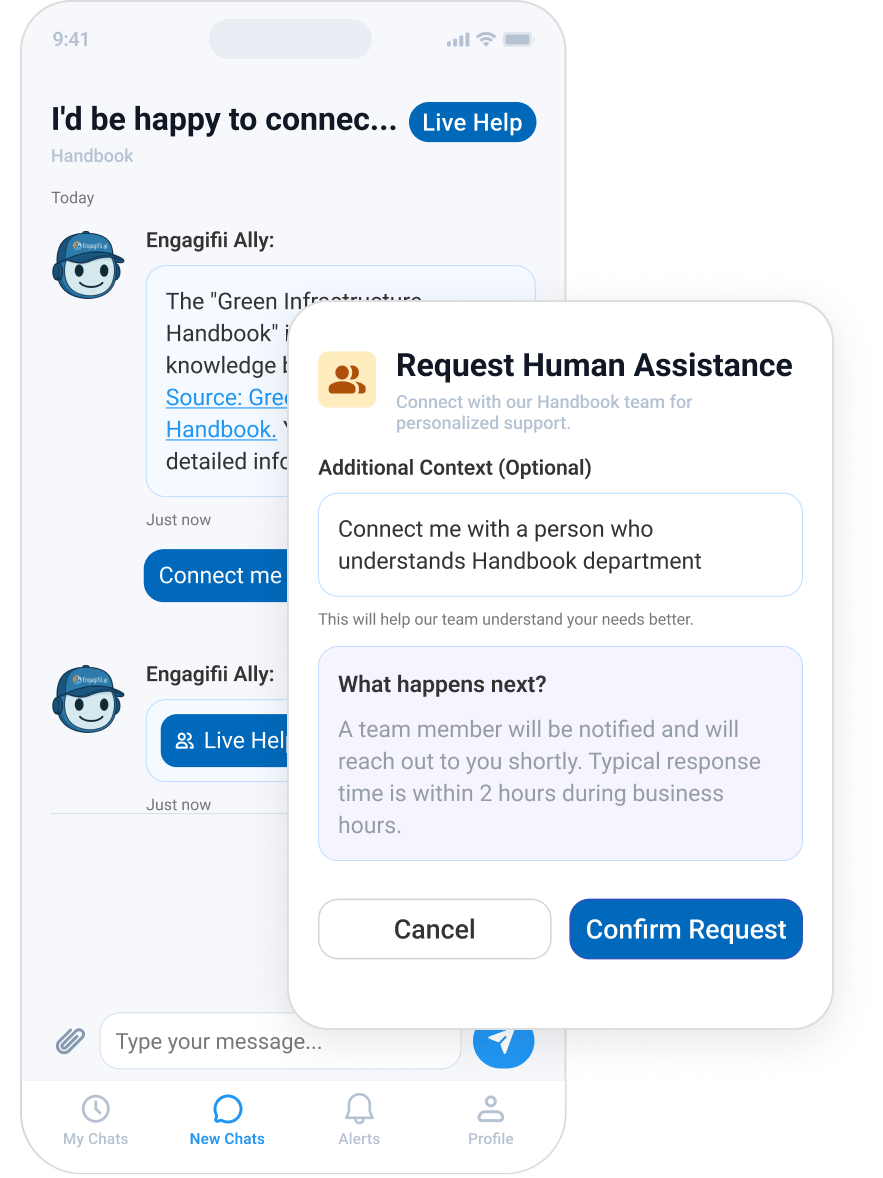
When a member needs more than an AI-generated answer, they can request live help from within the mobile chat. The member can explain what they need, confirm the request, and send it to the right department for staff follow-up.
This keeps the support experience connected. Members do not have to start over, search for the right contact, or move their question into a separate email thread. They can begin with Engagifii Ally and move to a real person when needed.
Once a staff member joins, the conversation continues in the same place, giving the member a clear record of the support they received.
Help Staff Manage Live Conversations on Mobile
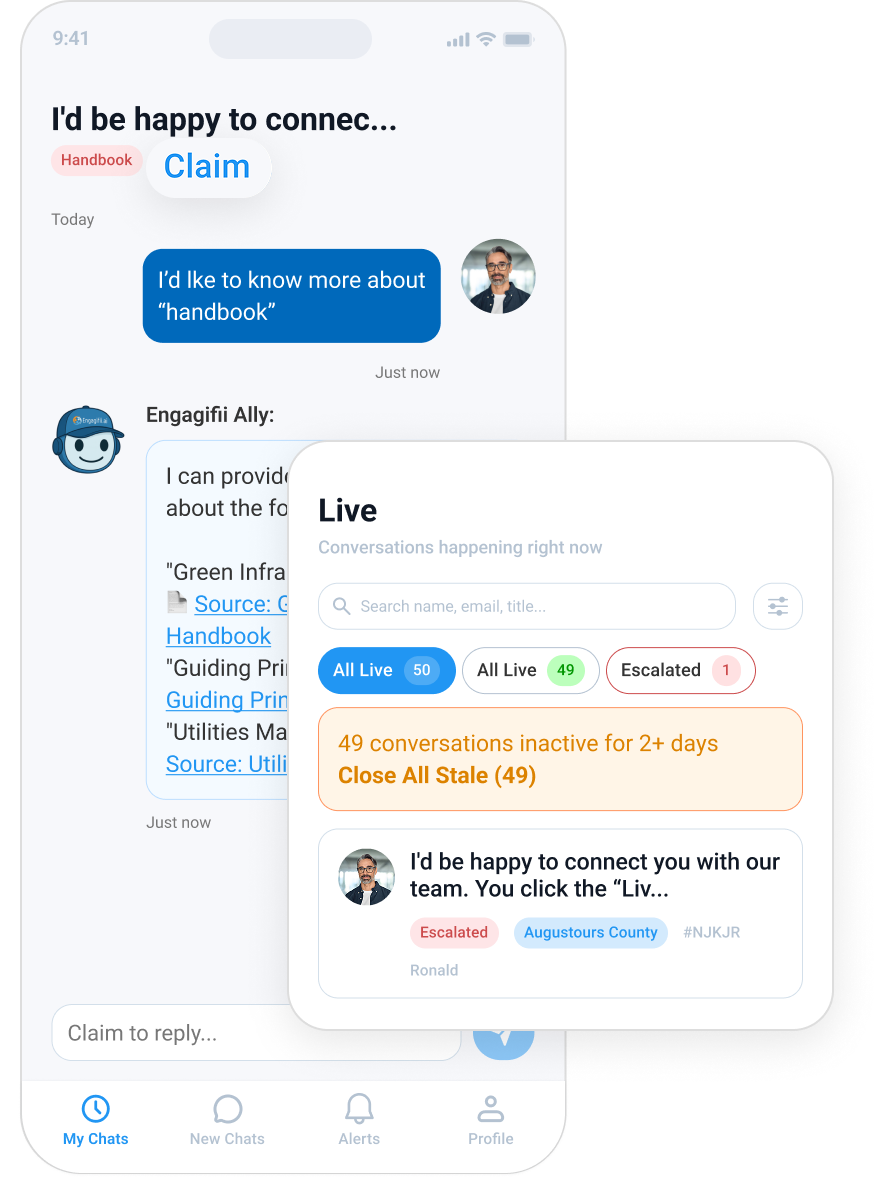
The mobile app also supports staff and admin workflows. Staff can see incoming live help requests, open a conversation, claim it, and reply to the member directly from the app.
Staff can also view conversation activity, including active conversations, escalated conversations, and closed conversations. They can also view a compact conversation dashboard with totals, closed conversation counts, average messages per conversation, escalation rate, status distribution, and conversations by department.
With a consistent mobile workflow, staff and admins can review, respond to, and close member conversations without needing to move back to the desktop.
Manage Profile, Sign-In, and App Preferences
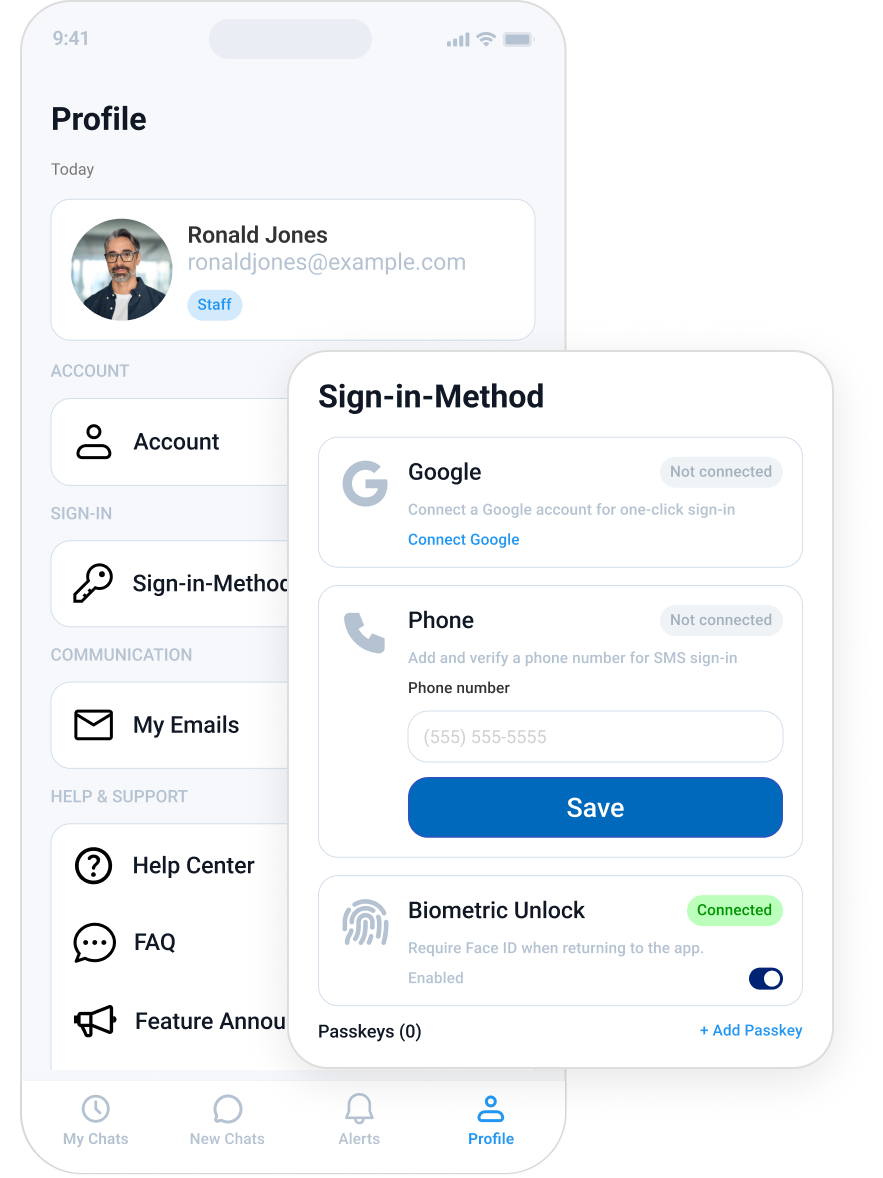
Members and staff can also manage basic profile and app settings from the mobile app. Profile settings include name, email address, phone number, role, and profile photo. The app also supports sign-in options such as biometric login and passkeys, helping members and staff access the app more easily.
Additional areas such as email, FAQs, appearance settings, and calendar access are also part of the mobile experience, giving members and staff more ways to manage their account and preferences from one place.
This helps make the mobile app feel like a connected extension of the broader Engagifii Ally experience.