Engagifii ALLY

Keep Teams Responsive With Engagifii Ally™ Notifications

Engagifii Ally helps teams stay informed when members need support. With notification settings, chat activity alerts, real-time updates, and personal notification preferences, your team can stay aware of new conversations and respond at the right time.

Notifications help teams monitor member activity, identify requests that need attention, and keep support moving without constantly checking every conversation manually.

ally notifications

Configure Notification and Chat Activity Settings-1

Configure Notification and Chat Activity Settings

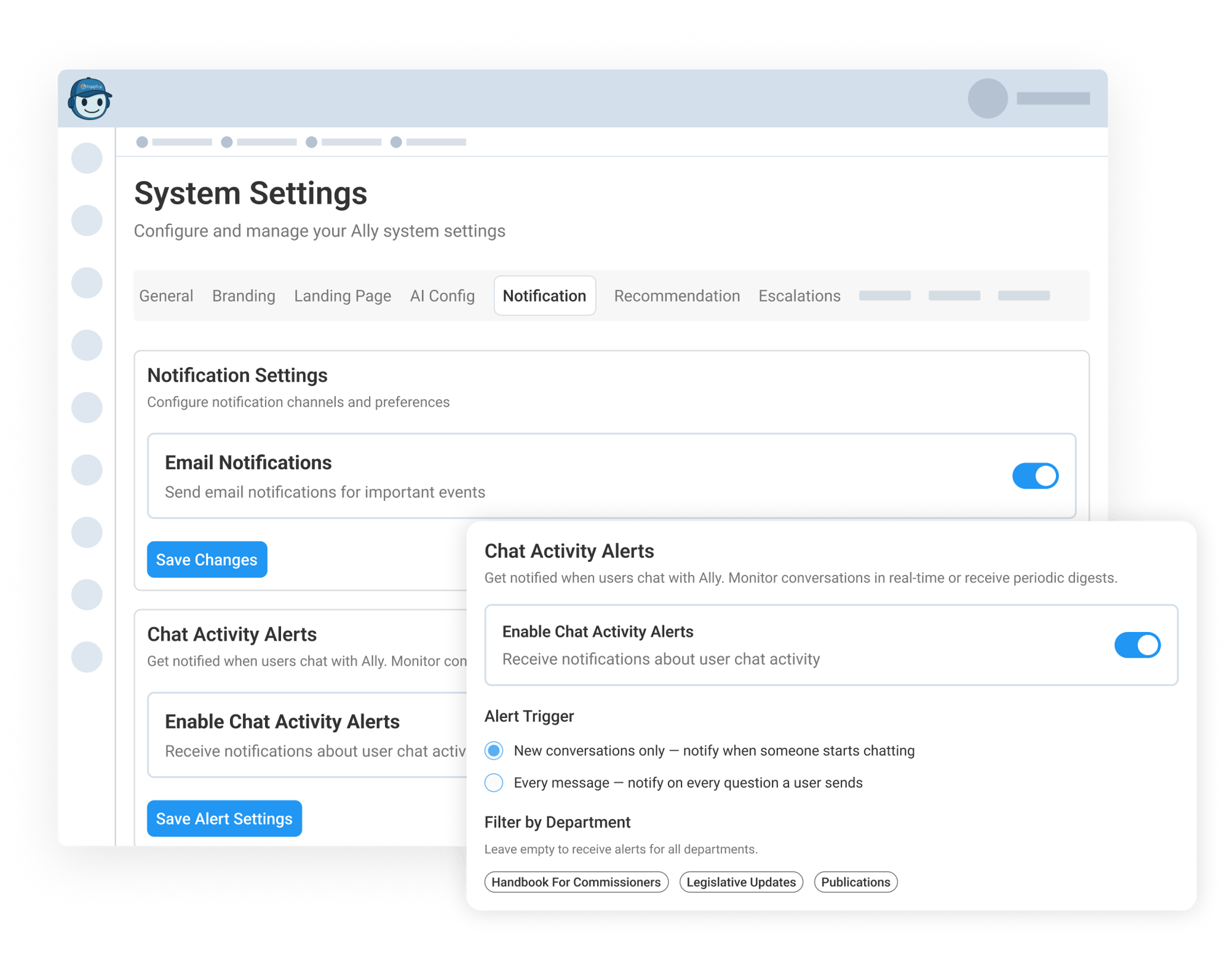
Workspace admins can configure notification settings for important activity in Engagifii Ally. Email notifications can be enabled from system settings, helping teams receive updates when important events happen.

Admins can also enable Chat Activity Alerts to monitor when members interact with Ally. Alerts can be triggered when a new conversation starts or when every message is sent, depending on how closely the team wants to follow their member activity overall.

Chat activity alerts can also be filtered by department or keywords, so your team receives updates for the topics that matter most. Teams can choose the recipients who should receive alerts and decide whether notifications should be sent in real time or as a digest at regular intervals.


Personalize Notification Preferences and Quiet Hours

Personalize Notification Preferences and Quiet Hours

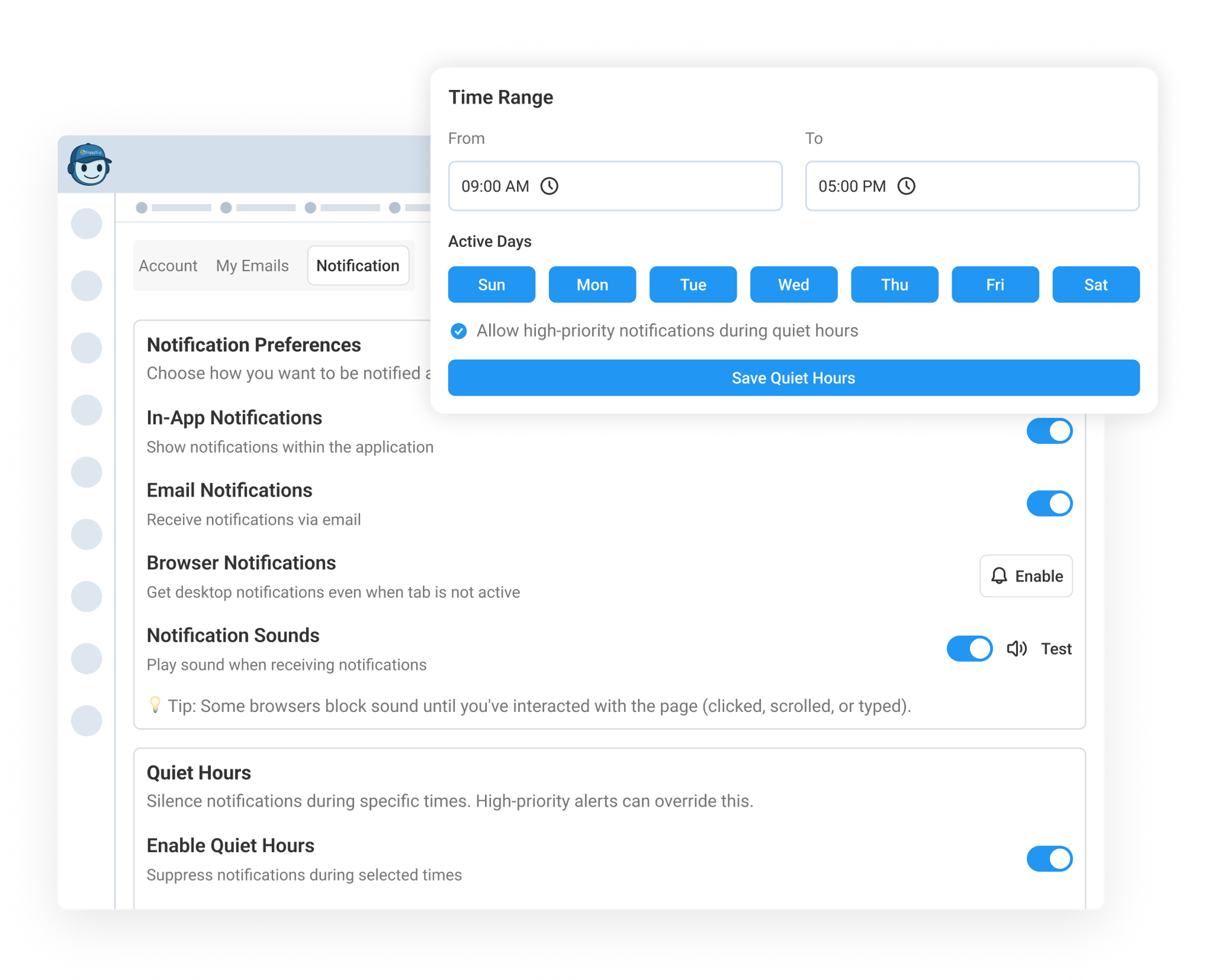
Every team member can personalize how they receive notifications inside Engagifii Ally. They can choose whether to show in-app notifications, receive email notifications, enable browser notifications, and play notification sounds.

Quiet Hours allow your team to silence notifications during specific times, such as evenings or weekends. High-priority alerts can still be allowed during quiet hours, helping teams reduce interruptions while making sure urgent items can still get through.

This helps each team member manage alerts in a way that fits their role, schedule, and support responsibilities.

Track Escalations, Alerts, and Support Activity in One Place

Track Escalations, Alerts, and Support Activity All in One Central Place

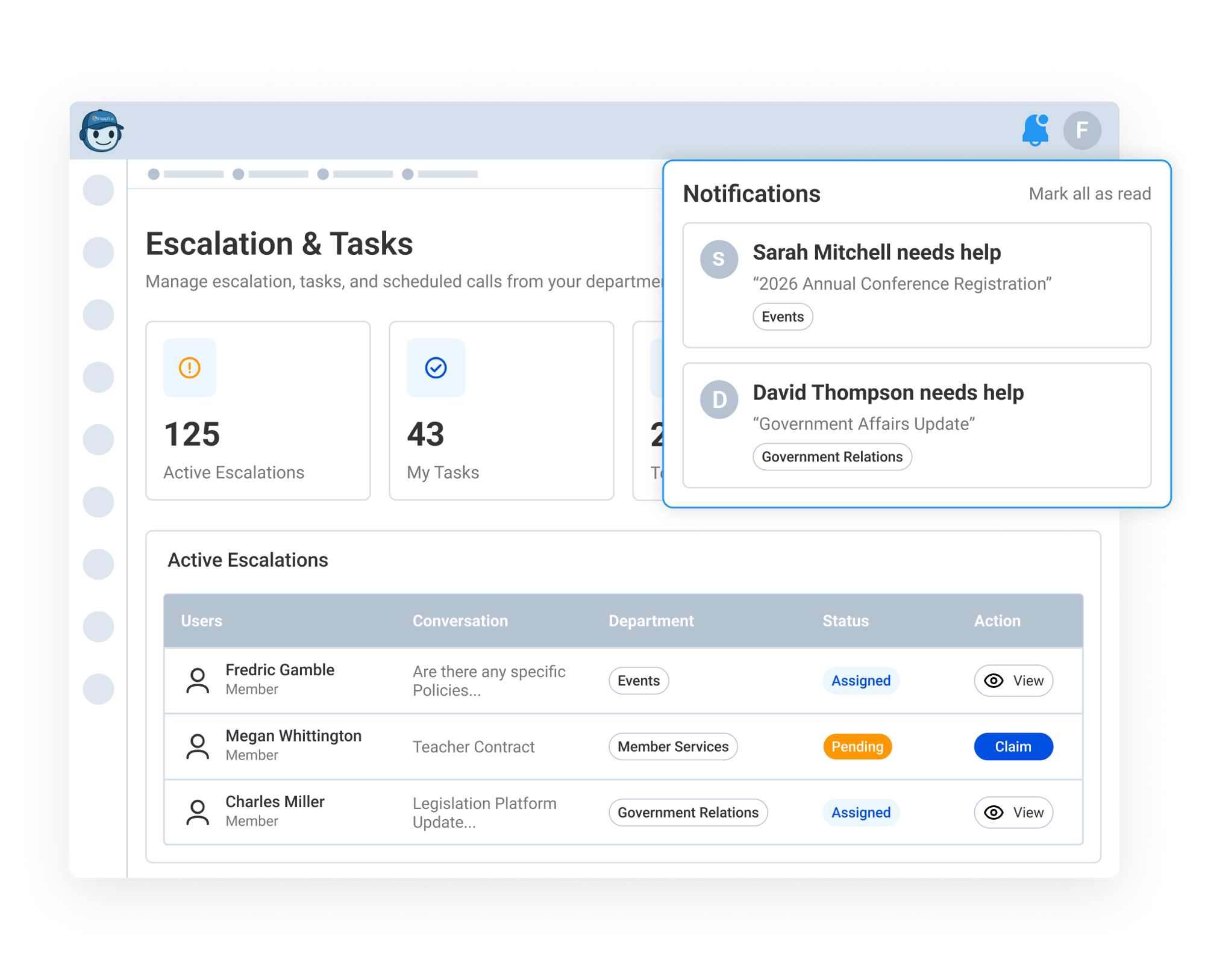
When members request assistance, Engagifii Ally can notify your internal team through real-time escalation alerts. They can also review escalations by department, status, reason, and created date, making it easier to understand where each request belongs and what needs attention.

The notification panel gives your member a clear stream of updates, with a live badge count for new or unread alerts. Each alert can show who needs help, the related topic or department, and when the request came in, helping teams quickly identify items that may need immediate follow-up.

Administrators can also review support activity from the Admin Dashboard, including total conversations, escalation rates, response times, active users, conversation trends, and topics by department. Together, escalations, alerts, and dashboard insights help teams respond faster while understanding broader support patterns over time.

159787727717 []
160221054112 []

Related Features

Make AI Member Support Accessible With the Engagifii Ally™ Mobile App

Engagifii Ally™ gives members a simple way to get answers, review past conversations, and request help from their association directly from their phone.…

Enhance AI Conversations with Rich Text and Smart Links

Engagifii ALLY™ does more than answer member questions. It presents information in a clear, organized, and useful way. With rich text formatting and smart…

Train Your AI Assistant with Knowledge Base Management

Ensure Engagifii ALLY™ always has the right information at the right time. With Knowledge Base Management, your team can update the assistant in two…

Allow Members to Escalate Questions from AI to Real Staff Members

Engagifii ALLY™ is built to answer member questions quickly, but when a human touch is needed, it can step aside for your team. If your member isn’t…

Dig Into Member Activity With Admin Dashboard Tools

Engagifii ALLY™ provides administrators with a clear picture of how their members are engaging with their AI-Powered Assistant, including which topics are…