
Engagifii ALLY

Enhance AI Conversations with Rich Text and Smart Links

Engagifii ALLY™ does more than answer member questions. It presents information in a clear, organized, and useful way. With rich text formatting and smart linking, responses are easier to scan, easier to understand, and easier to act on.

Instead of long blocks of plain text, members can receive formatted answers with bold text, bullet points, structured sections, and helpful links that guide them to the right source for more information. This makes every interaction feel more polished, reliable, and connected to your association’s trusted resources.

Rich text, smart links

Deliver Clearer Answers with Rich Text Formatting

Deliver Clearer Answers with Rich Text Formatting

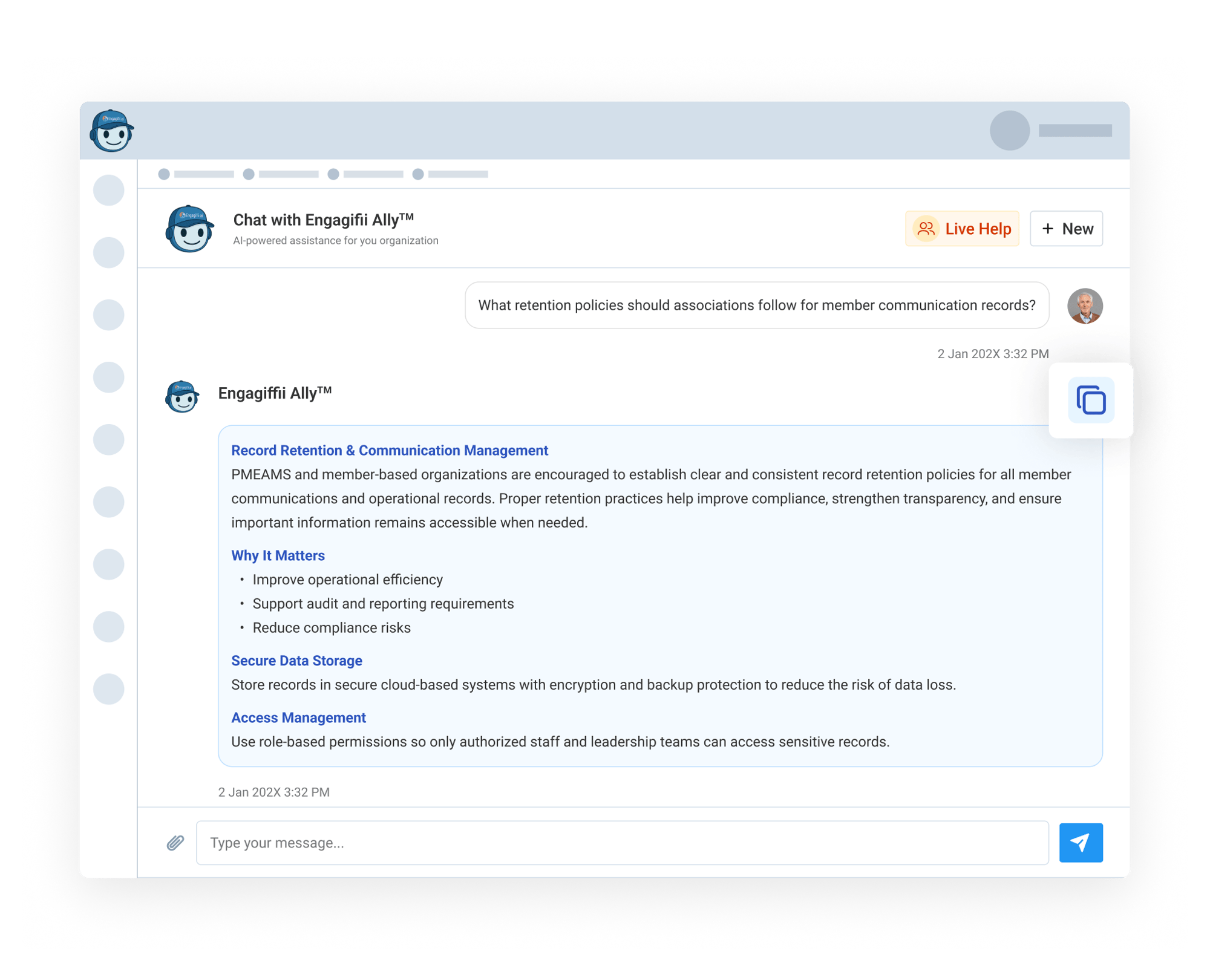
Engagifii ALLY responses are designed to be easy for members to read and follow. Rich text formatting allows answers to include structure such as bolded terms, organized sections, bullet points, and even a convenient copy-to-clipboard option for quickly sharing or reusing information.

This is especially helpful when members ask questions that require multiple steps, policy explanations, program details, or lists of resources. Instead of receiving a dense paragraph, members get a clean, organized response that highlights what matters most.

Guide Members to the Right Resources with Smart Links

Guide Members to the Right Resources with Smart Links

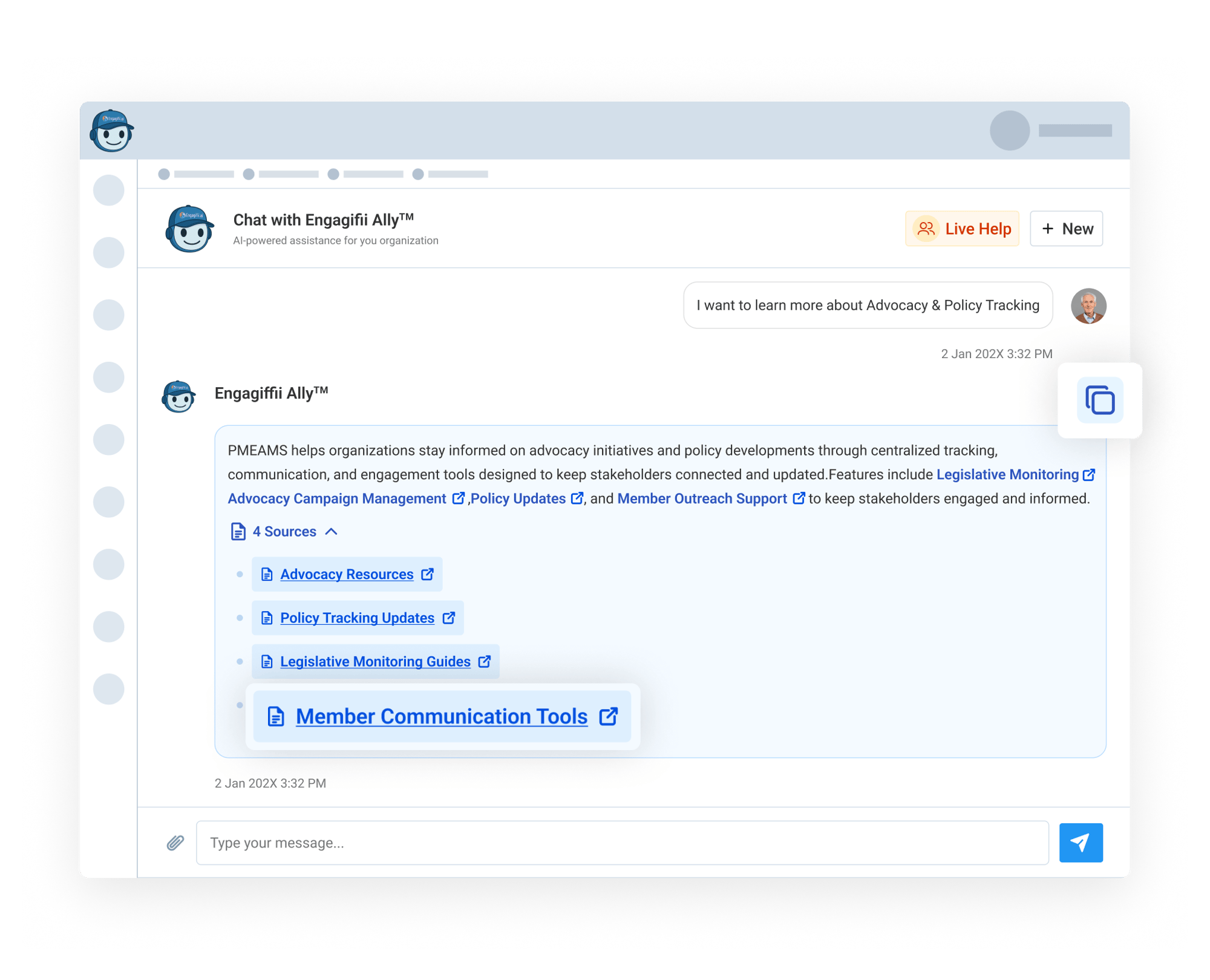
When a member needs more context, Engagifii ALLY can include helpful links directly in the response. These links guide members to relevant pages, documents, or resources connected to the answer.

This helps members move from question to action without having to search your website manually. Whether they need a policy page, event information, government relations resources, or a specific document, smart links help point them in the right direction faster.

For associations, this means your existing website and resource library become more useful inside the chat experience, helping members find trusted information faster.

Control Which Sources Engagifii ALLY Uses and Shares

Control Which Sources Engagifii ALLY Uses and Shares

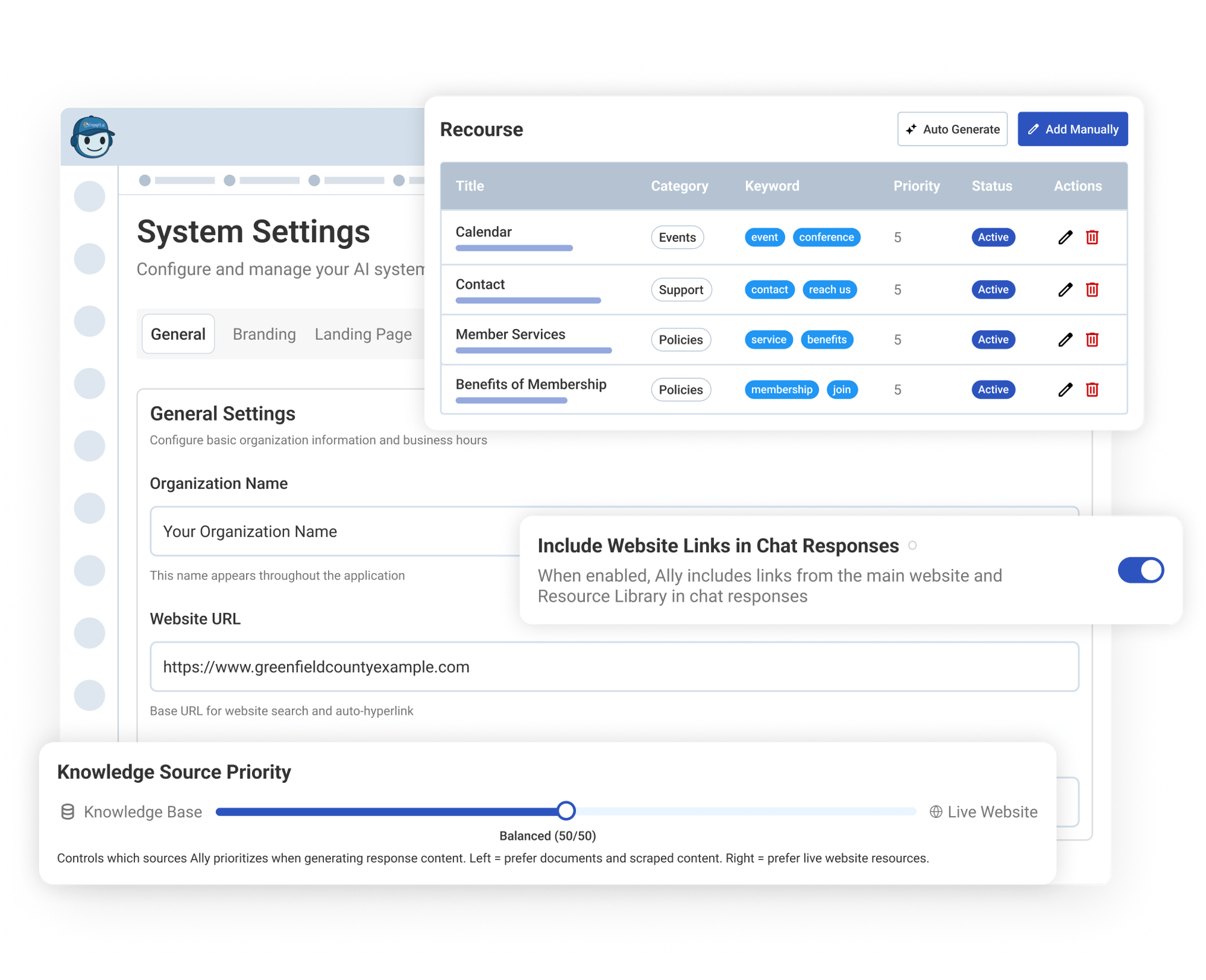
Admins can manage how Engagifii ALLY finds and shares links through system settings. Your team can add the main website URL, manage a Resource Library, and decide whether website links should appear in chat responses.

Resources can be added manually or auto-generated from your website, making it easier to build a useful library of links for Engagifii ALLY to reference.

Admins can also adjust Knowledge Source Priority, helping control whether responses lean more on the knowledge base, website content, or a balanced mix.

This gives your team confidence that Engagifii ALLY is not just answering clearly, but also pointing members to the right approved sources.

159787727717 []
160221054112 []

Related Features

Train Your AI Assistant with Knowledge Base Management

Ensure Engagifii ALLY™ always has the right information at the right time. With Knowledge Base Management, your team can update the assistant in two…

Allow Members to Escalate Questions from AI to Real Staff Members

Engagifii ALLY™ is built to answer member questions quickly, but when a human touch is needed, it can step aside for your team. If your member isn’t…

Dig Into Member Activity With Admin Dashboard Tools

Engagifii ALLY™ provides administrators with a clear picture of how their members are engaging with their AI-Powered Assistant, including which topics are…