Engagifii ALLY
Dig Into Member Activity With Admin Dashboard Tools
Engagifii ALLY™ provides administrators with a clear picture of how their members are engaging with their AI-Powered Assistant, including which topics are most popular, how quickly members receive answers, and how many conversations require human intervention, among other metrics.
The Admin Dashboard offers real-time visibility into conversations, departmental needs, and user activity across your entire workspace. Whether you're supporting policy questions, event inquiries, or training assistance, this centralized view ensures your team stays informed, responsive, and aligned.
Analytics
Track Organization-Wide Engagement at a Glance
Admins can view key metrics right from the top of the dashboard, including:
- Conversations Count
- Escalation Rate
- Response Times
- Resolution Times
- Number of Active Users
These numbers update automatically, helping you evaluate performance and understand where support resources are being used the most. Admins can monitor service levels across different time periods and catch any spikes or drops before they become bigger issues.
Identify Topic and Department Trends
Understand what members are asking about and which departments are fielding the most questions. With visual trends in one place, you can plan smarter support, fill knowledge gaps, and reduce escalations.
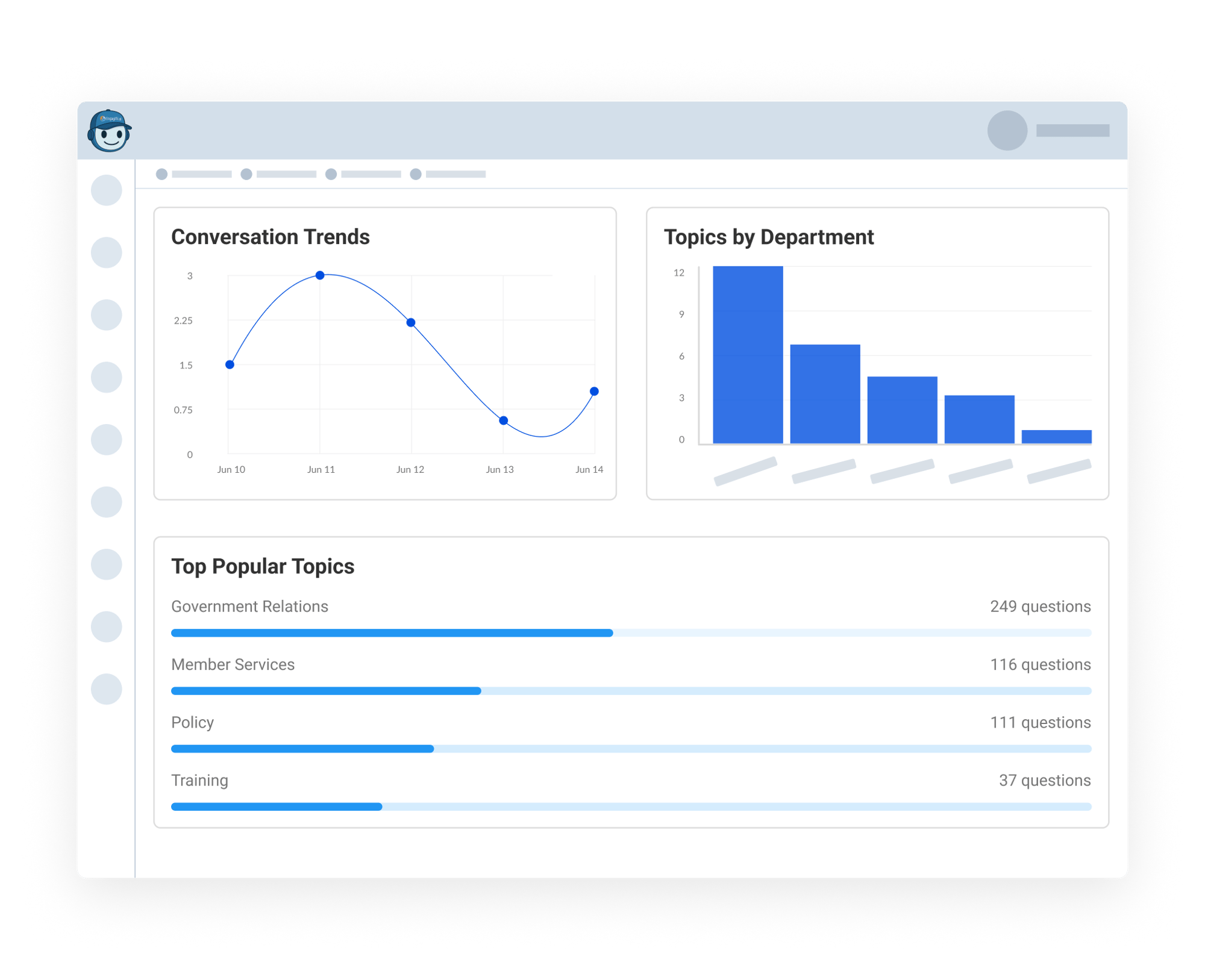
- See which topics are trending over time through a Conversation Trend graph, so you can monitor member needs as they evolve.
- Spot departmental workload with a Topics by Department bar chart, helping you balance resources and refine documentation.
- Highlight repeated themes with a Popular Topics list, so you know where to proactively create or improve answers.
This helps staff stay ahead of common questions, improve support materials, and make Engagifii ALLY more helpful for members.
Monitor Member Activity with User-Level Reporting
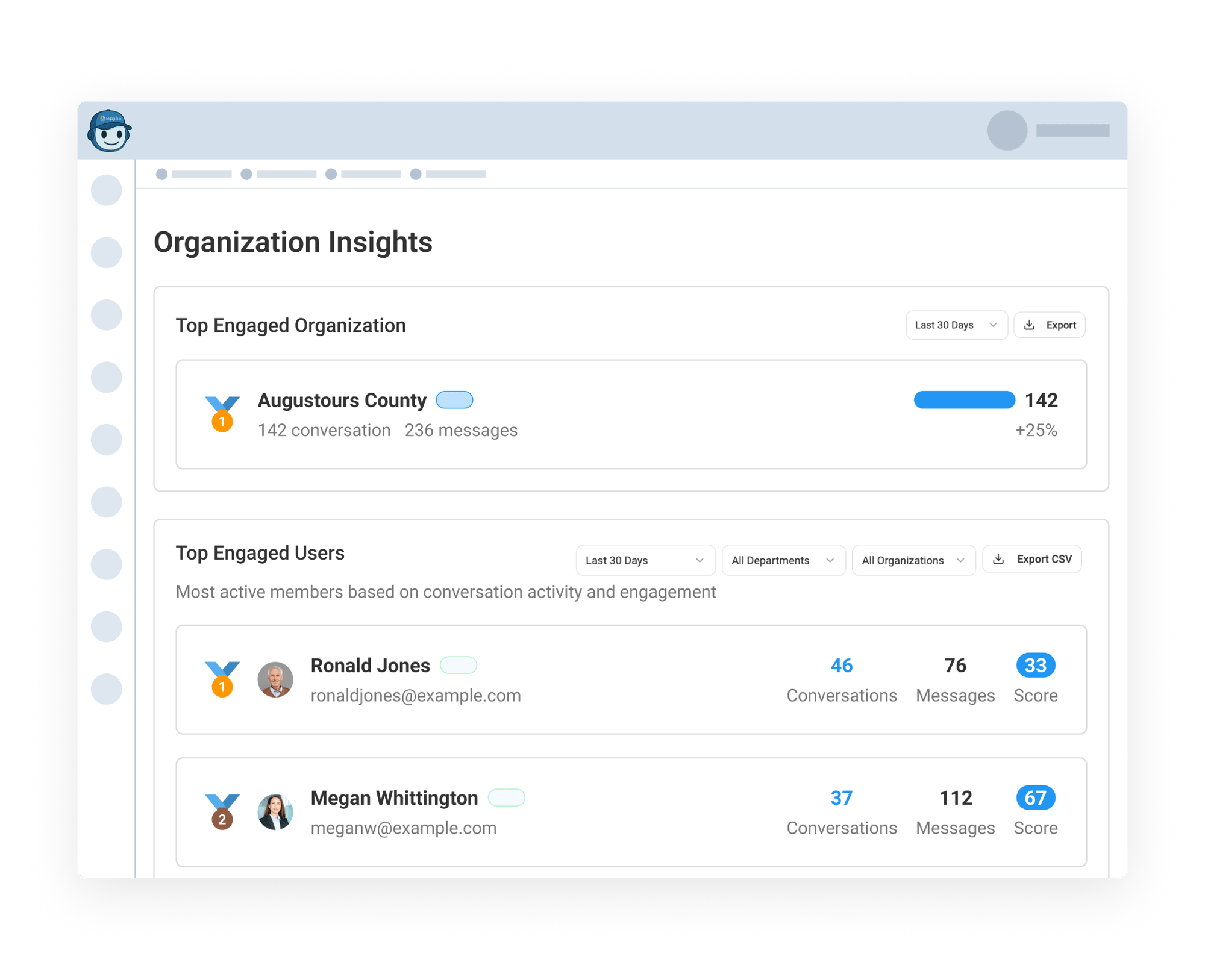
Admins can drill into which users are engaging most with Engagifii ALLY. You'll see:
- A ranked list of Top Engaged Users with their conversation count, message volume, and engagement score
- Filters to view data by time range, organization, or department
- Export to CSV for offline reporting or analysis
This helps your association recognize highly engaged members, identify those who may need extra support, or spot opportunities for proactive outreach.