Revenue Revenue QuickBooks Online

How do I automate Engagifii transactions into QuickBooks Online?

Managing financial activity across multiple systems often creates unnecessary manual work for accounting teams. Exports, spreadsheets, journal entries, and reconciliation processes can quickly become time-consuming, error-prone, and difficult to audit.

Engagifii’s QuickBooks Online Integration creates a more controlled and accounting-friendly workflow by connecting Engagifii revenue activity directly to your QuickBooks Online books. Accounting teams can utilize GL (General Ledger) accounts inside Engagifii, organize transactions into reviewable batches, and generate summary journal entries ready for posting into QuickBooks Online.

Solutions
Mirror Your QuickBooks Chart of Accounts Inside Engagifii

Mirror Your QuickBooks Chart of Accounts
Inside Engagifii

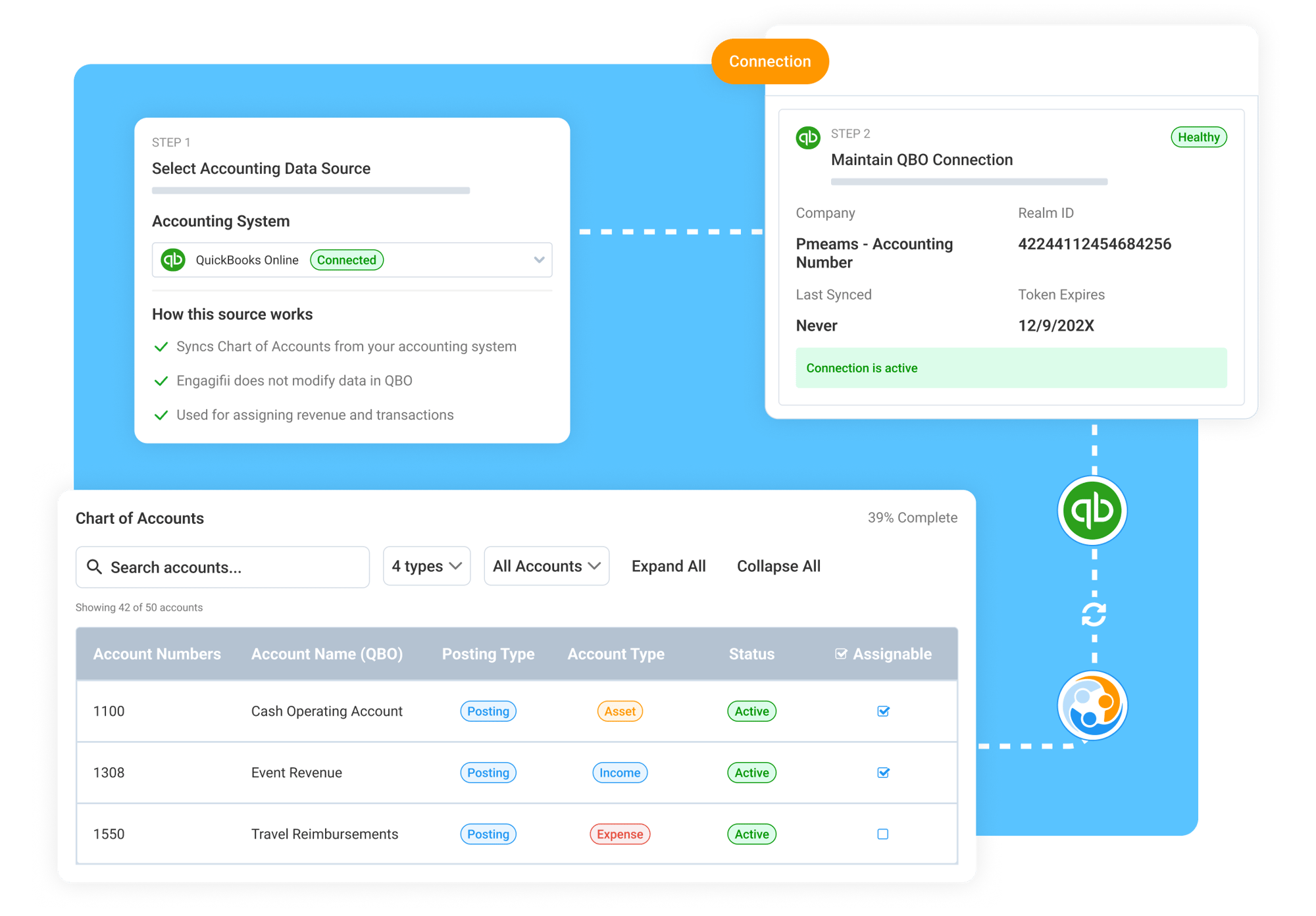
Engagifii connects directly with QuickBooks Online to sync your Chart of Accounts into Engagifii, allowing accounting teams to work from the same GL account structure used in their accounting system.

Once accounts are synced, GL accounts can be assigned to Engagifii revenue activity such as events, registrations, sponsorships, classes, products, and fees. Once assigned, any export or integrated push of those transactions will include the attributed account.

This gives accounting teams visibility into where revenue is categorized before periodic reconciliation begins.


Create Reviewable Transaction Batches by GL Account

Create Reviewable Transaction Batches by GL Account

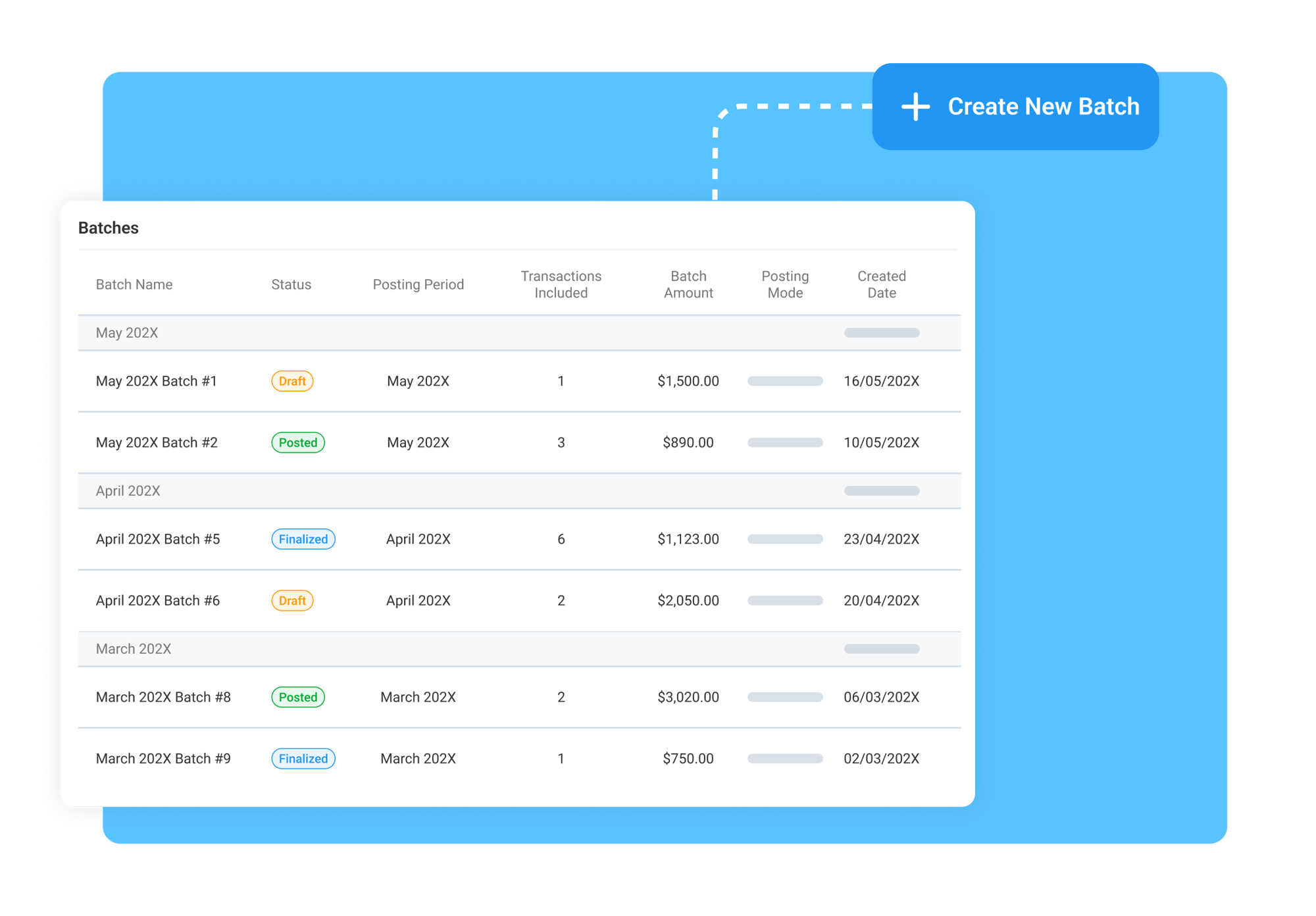
After GL accounts are assigned, accounting teams can create transaction batches for a selected accounting period. Each batch attributes Engagifii transactions to the right accounts, creating a cleaner and more reviewable accounting workflow process.

Finance teams can validate totals, inspect transaction details, identify exceptions, and review summaries before anything is posted into QuickBooks Online. This creates an important review and approval checkpoint between operational activity and overall financial posting.

By organizing transactions into structured batches, teams gain better visibility, stronger reconciliation controls, and greater confidence in the accuracy of their financial reporting workflows.

Post Summary Journal Entries to QuickBooks Online

Post Summary Journal Entries to QuickBooks Online

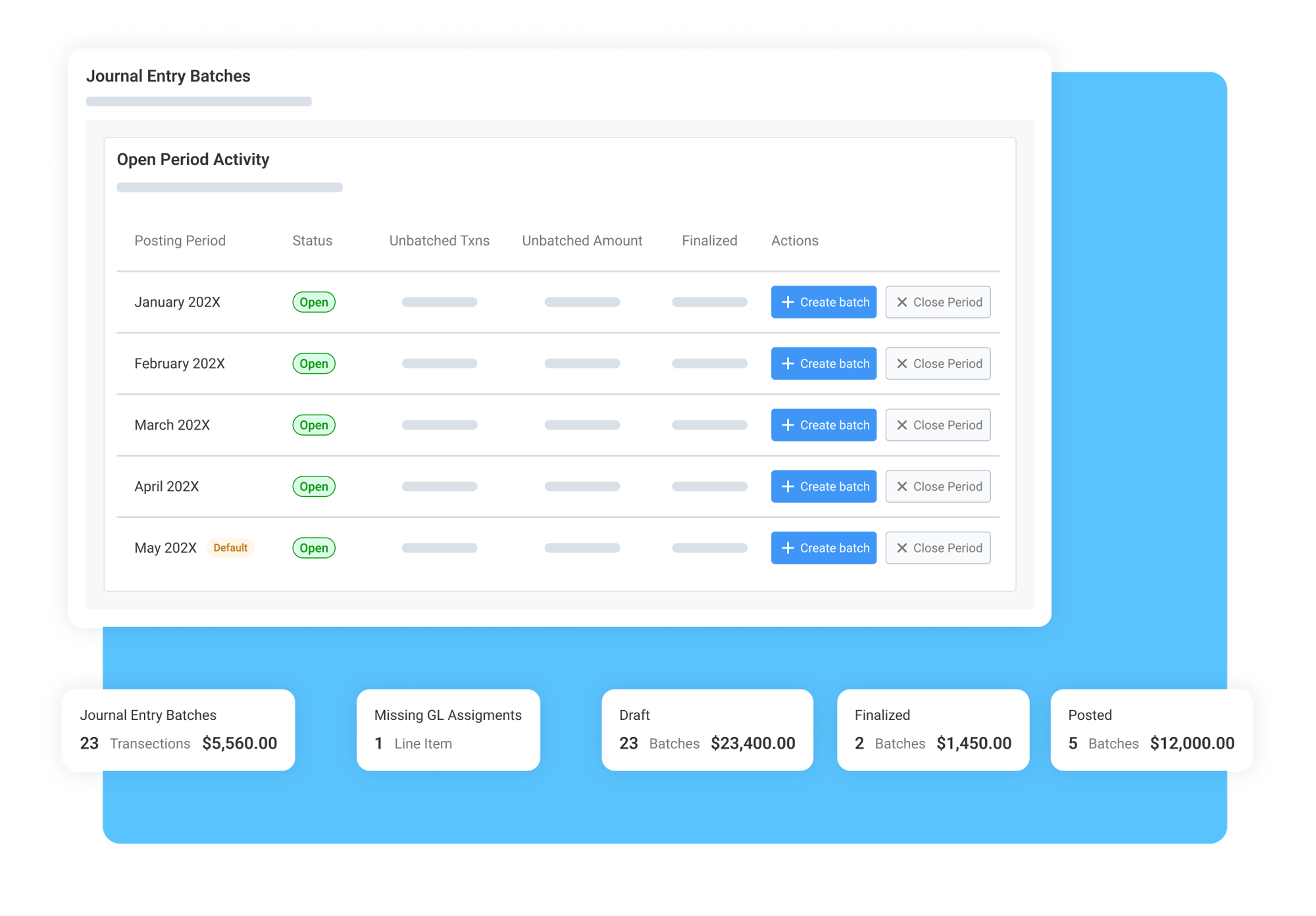
Once transaction batches are reviewed and approved, Engagifii generates summary journal entries based on the batch totals and posts them directly to QuickBooks Online.

Rather than pushing every individual transaction into the accounting system, Engagifii supports a summarized posting approach designed to boost efficiency and reduce steps. Accounting teams maintain full control over when entries are reviewed, approved, and posted.

Every posted journal entry maintains a clear audit trail back to the original Engagifii transaction batch and supporting transaction detail, making it easier to validate financial activity and support monthly close processes.


160221054112

Related Features

Read more about the specific features that enable Engagifii's unique solution to the challenge above.

Mirror Your QuickBooks Chart of Accounts Inside Engagifii

Accounting teams often juggle transactions between two systems and can struggle with keeping the revenue accounts in line across them. This disconnect can…

Mirror Your QuickBooks Chart of Accounts Inside Engagifii

Accounting teams often juggle transactions between two systems and can struggle with keeping the revenue accounts in line across them. This disconnect can…

Related Solutions