
Revenue
Post Summary Journal Entries to QuickBooks Online
Moving accounting data into your general ledger should be a controlled process, not a one-click black box or fully manual effort. Engagifii gives accounting teams complete visibility into what financial activity is being prepared for QuickBooks Online, allowing batches to be reviewed, validated, finalized, and posted with confidence.
Using configurable posting periods and flexible posting modes, organizations can generate accounting-ready batches from Engagifii activity, inspect the underlying transactions, and decide exactly when and how information moves into QuickBooks Online.
QBO 3
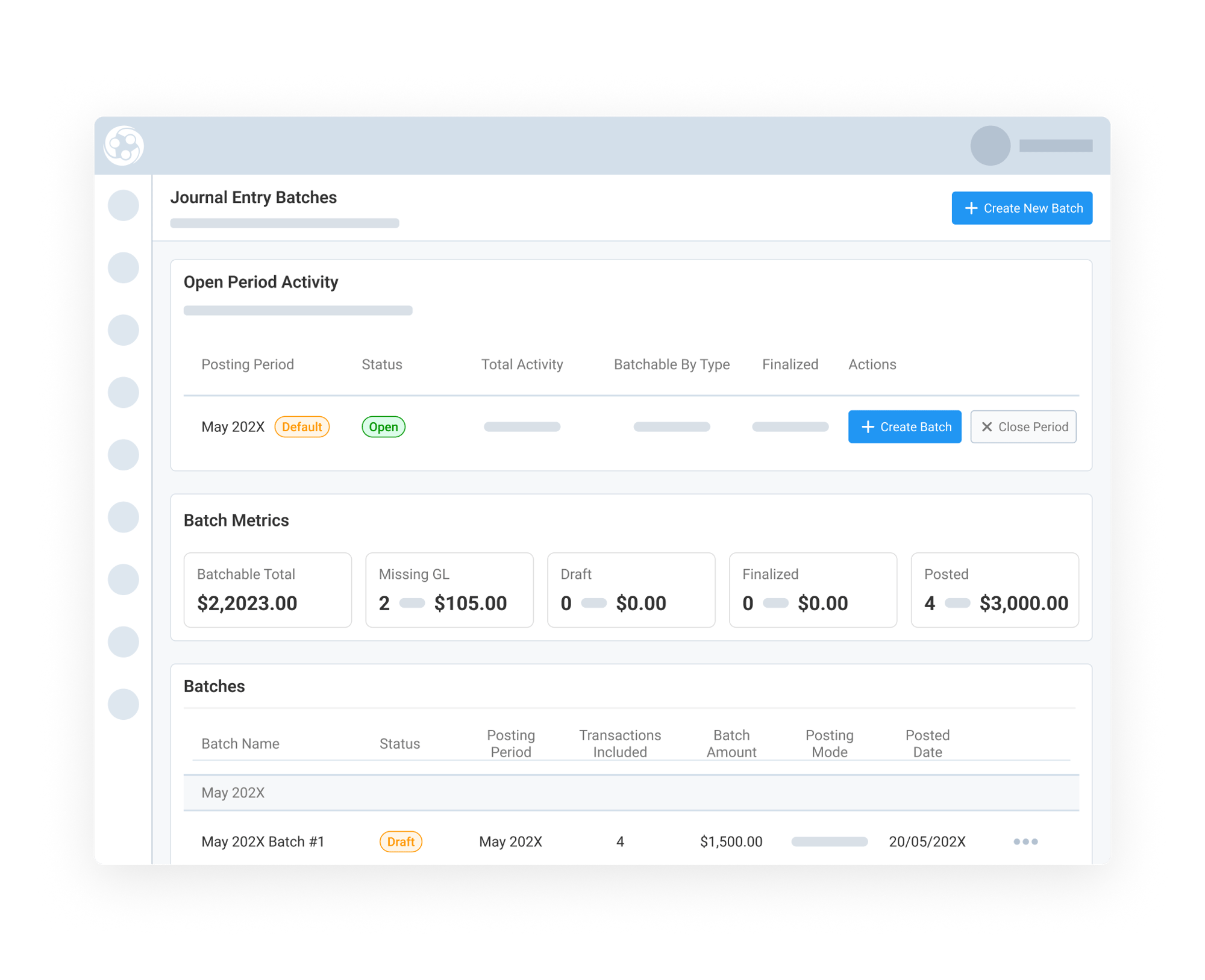
Create Accounting Batches from Open Posting Periods
Engagifii automatically identifies unposted financial activity within your selected accounting period and organizes it into a reviewable batch.
When creating a batch, accounting teams can see the current open posting periods, the number of transactions and line items included, and the total debit and credit amounts that make up the balanced journal entry. This visibility allows teams to determine whether enough activity exists to create a batch immediately or wait until additional transactions occur.
By organizing accounting activity according to defined posting periods, organizations can maintain cleaner month-end workflows while ensuring financial activity is grouped appropriately for review and reporting.
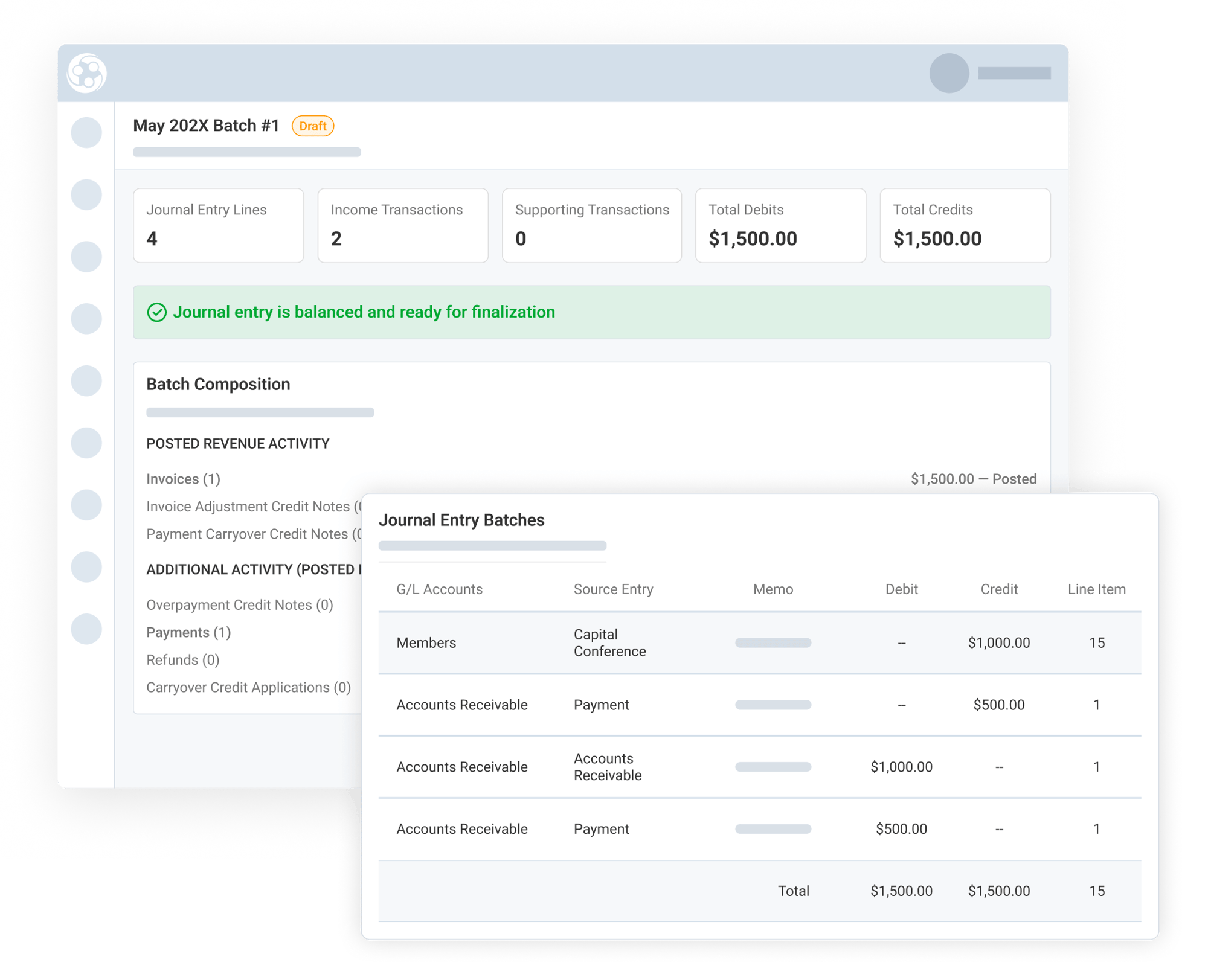
Review Batch Details Before Finalizing
Before a batch is created, Engagifii provides a detailed preview of the financial activity that will be included.
Organizations can choose between different posting modes depending on their accounting approach. Revenue-only mode includes invoice and credit note activity, while Revenue and Payment mode also includes payments, refunds, and other cash movement transactions. The preview allows teams to review GL account activity, validate totals, inspect included transactions, and confirm that the batch accurately reflects the desired accounting activity.
This review process creates an important accounting control point, helping teams understand exactly what will be included before the batch is generated.
Finalize, Export, or Post Batches with Complete Control
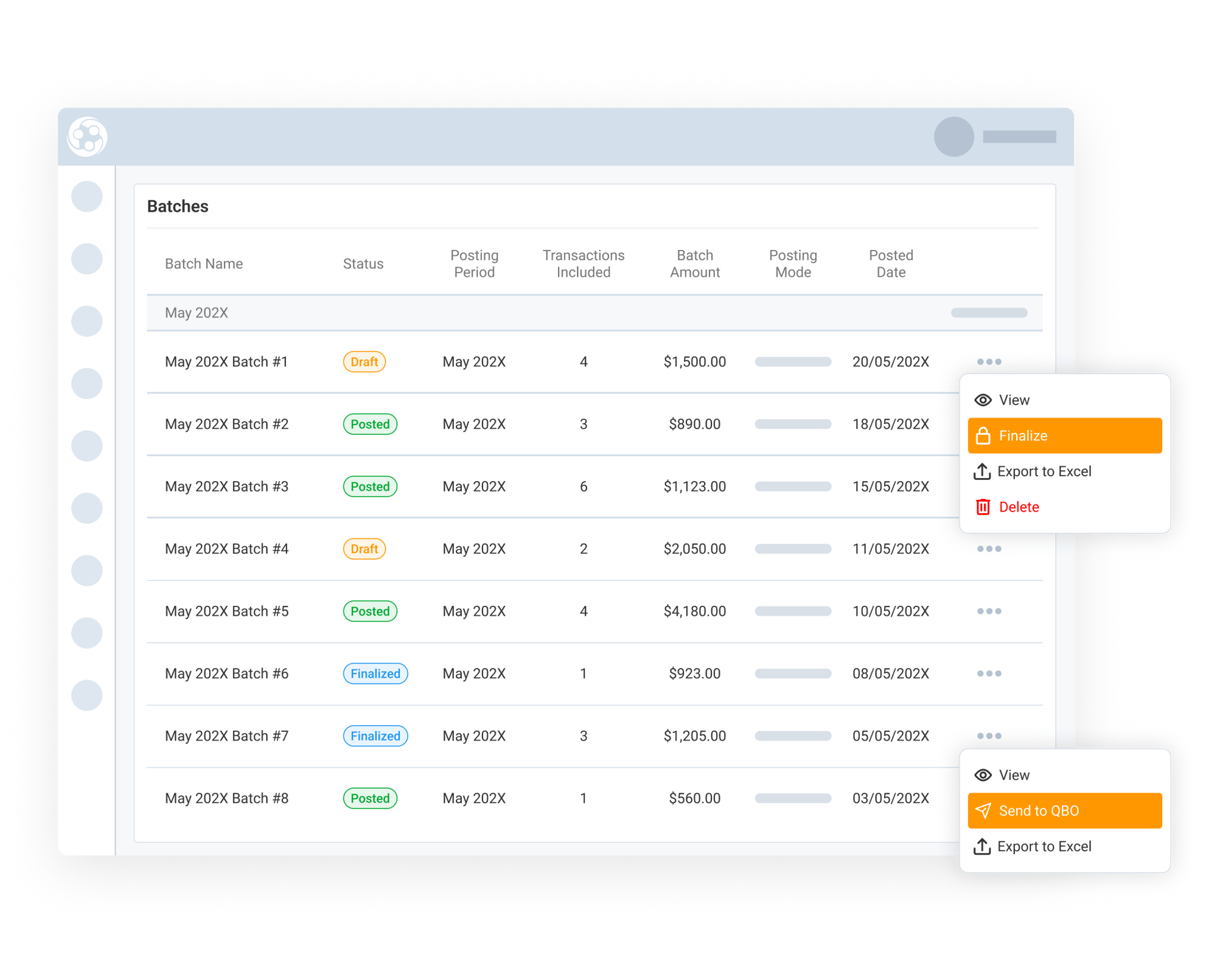
Once a batch has been created, it appears in the Batch Management area where accounting teams can monitor its status throughout the accounting lifecycle.
Teams can open any batch to review details, export batch information to Excel for manual processing, finalize batches to lock them from further changes, or post approved batches directly to QuickBooks Online. Batch statuses clearly indicate whether a batch is in Draft, Finalized, or Posted status, providing visibility into where each batch stands in the review process.
This controlled workflow ensures accounting teams maintain oversight at every step while preserving the flexibility to either continue existing processes or automate posting directly into QuickBooks Online.