Revenue
Create Reviewable QuickBooks Online Transaction Batches by GL Account
Associations aren’t businesses. Your needs are nuanced. Managing accounting activity through spreadsheets and manual exports can make reconciliation and reporting difficult, especially when large volumes of transactions need to be reviewed before posting to the general ledger. Engagifii helps associations create structured transaction batches organized by GL account, giving accounting teams a controlled review process before anything is sent to QuickBooks Online.
Instead of juggling transactions manually after export, teams can generate import-ready batches for a selected period, review summarized financial activity, inspect supporting transaction detail, and validate values in one centralized workflow. This creates a cleaner and more reliable accounting process that improves visibility, strengthens controls, and supports more accurate financial reporting.

QBO 2
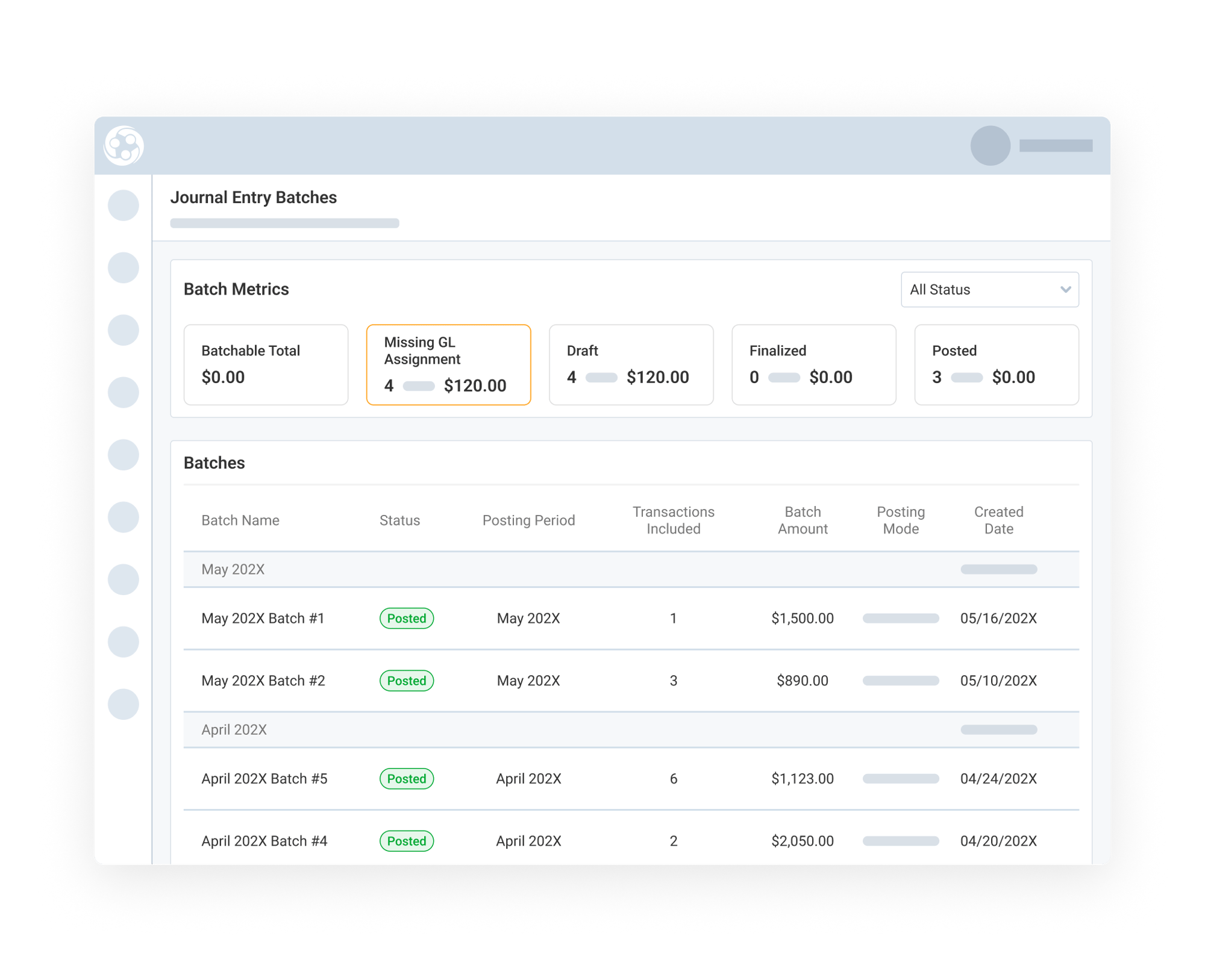
Generate Transaction Batches by Accounting Period
Engagifii allows accounting teams to generate transaction batches for a defined accounting period, helping organize the relevant transaction activity into a structured and reviewable format.
Transactions are grouped according to assigned GL accounts, creating a cleaner accounting structure before journal entries are generated or posted. This makes it easier to manage monthly, weekly, daily, or event-based accounting cycles while ensuring revenue activity is categorized consistently.
By organizing transactions into batches upfront, teams gain a clearer operational view of financial activity and reduce the complexity of managing large transaction exports manually.
Review Batch Summaries and Drill into Transaction Detail
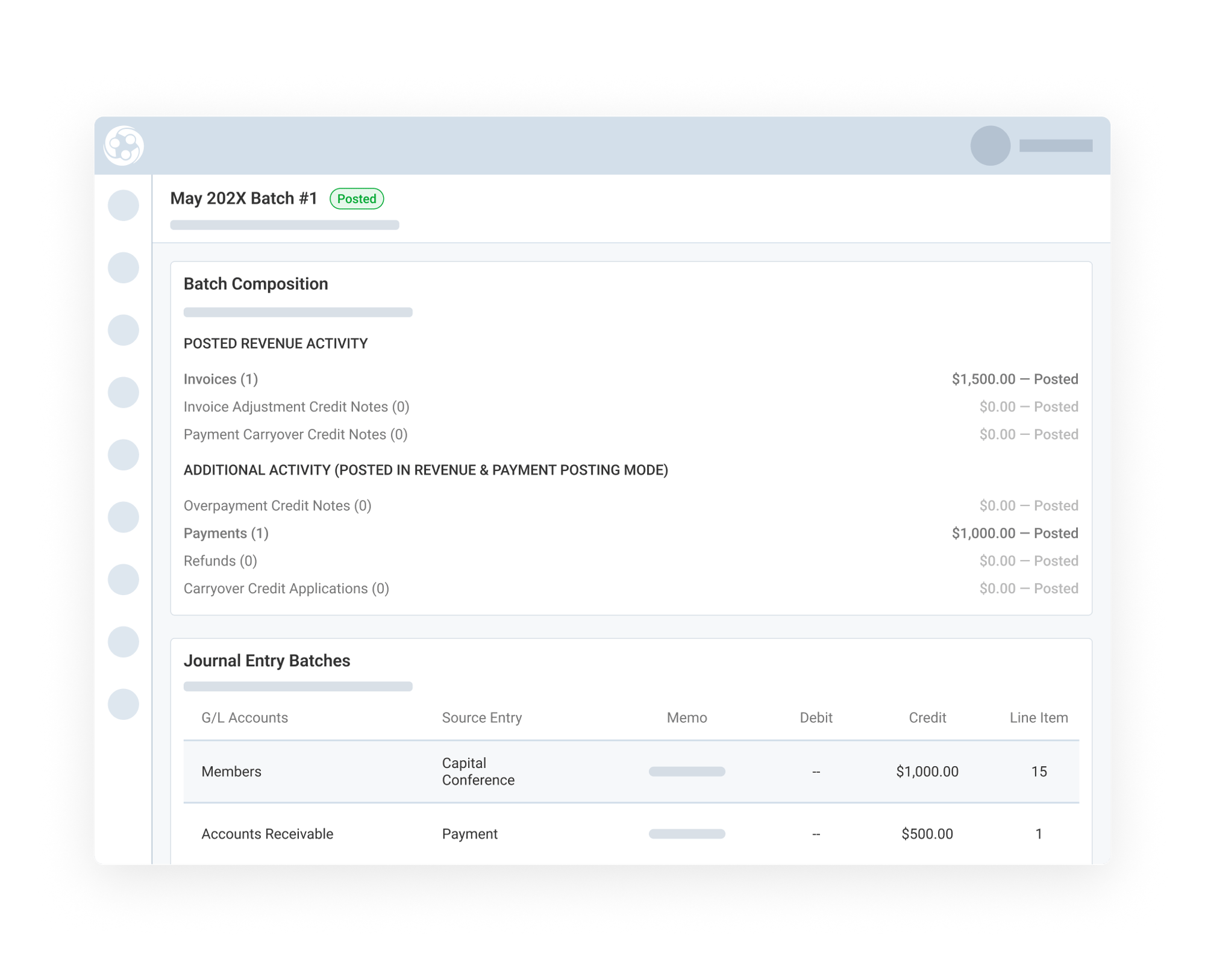
Once batches are created, accounting teams can review summarized totals by GL account while still maintaining visibility into the underlying transaction detail.
Teams can:
-
Inspect batch totals
-
Drill into transaction details
-
Validate attributions and account mappings
-
Identify discrepancies or exceptions before posting
Engagifii also supports inheritance and override behavior, where broader account assignments can provide a broad treatment, while more specific assignments can override those defaults when needed.
This creates an important accounting control point between operational activity inside Engagifii and financial activity that may later move into QuickBooks Online.
Publish Account Assignments
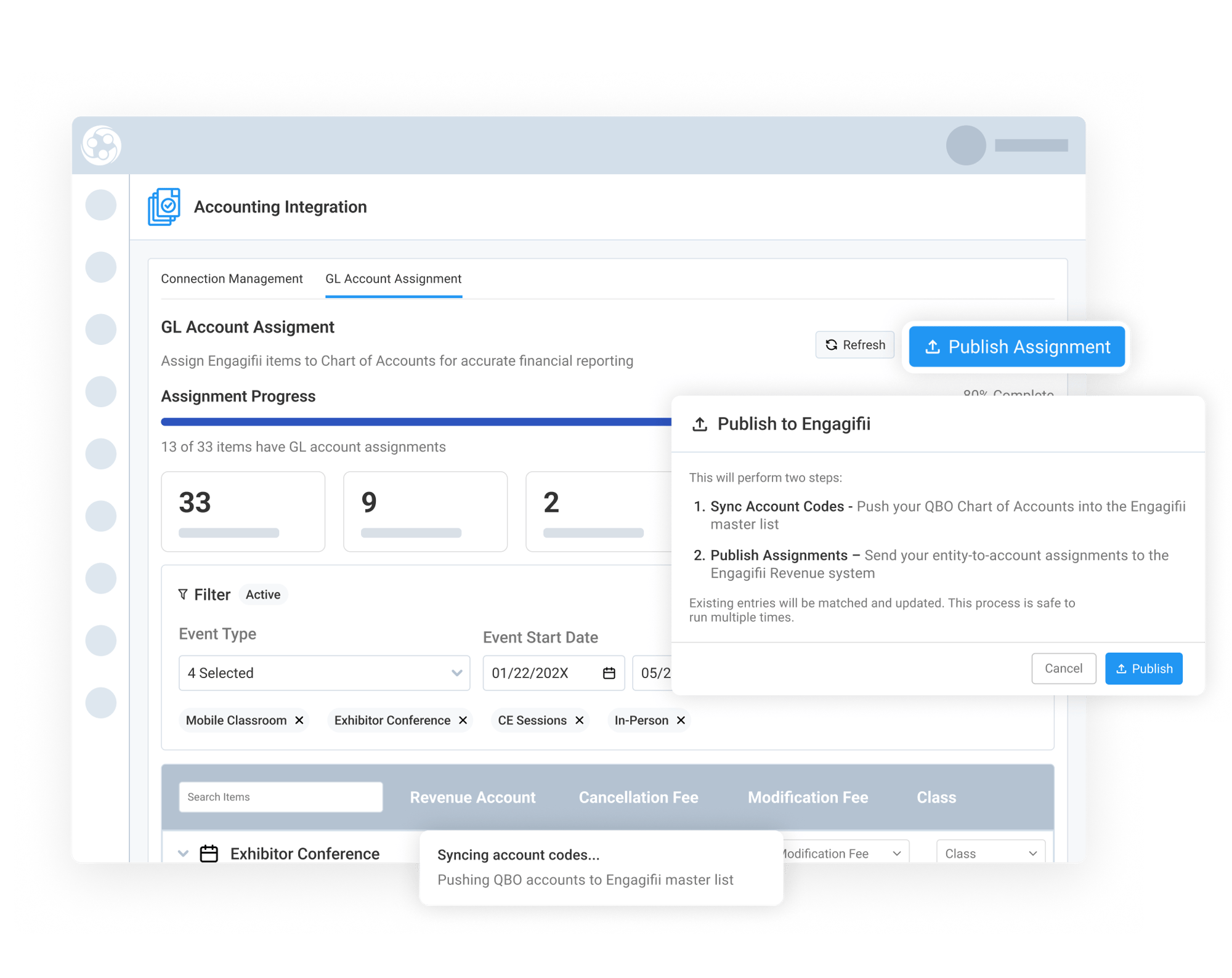
Once GL account mappings are reviewed, organizations can publish account assignments so they are consistently applied throughout Engagifii’s accounting workflows. Publishing assignments helps ensure transactions across events, registrations, products, sponsorships, classes, and fees follow the correct accounting structure before batches are generated or reviewed.
This creates stronger consistency across financial activity while reducing manual corrections later in the accounting process. By centralizing and publishing reusable account assignments, accounting teams can maintain cleaner categorization standards and improve visibility into how operational revenue activity maps back to the general ledger.