
Revenue

Mirror Your QuickBooks Chart of Accounts Inside Engagifii

Accounting teams often juggle transactions between two systems and can struggle with keeping the revenue accounts in line across them. This disconnect can lead to a proliferation of spreadsheets, manual reconciliation work, and manual posts to the general ledger.

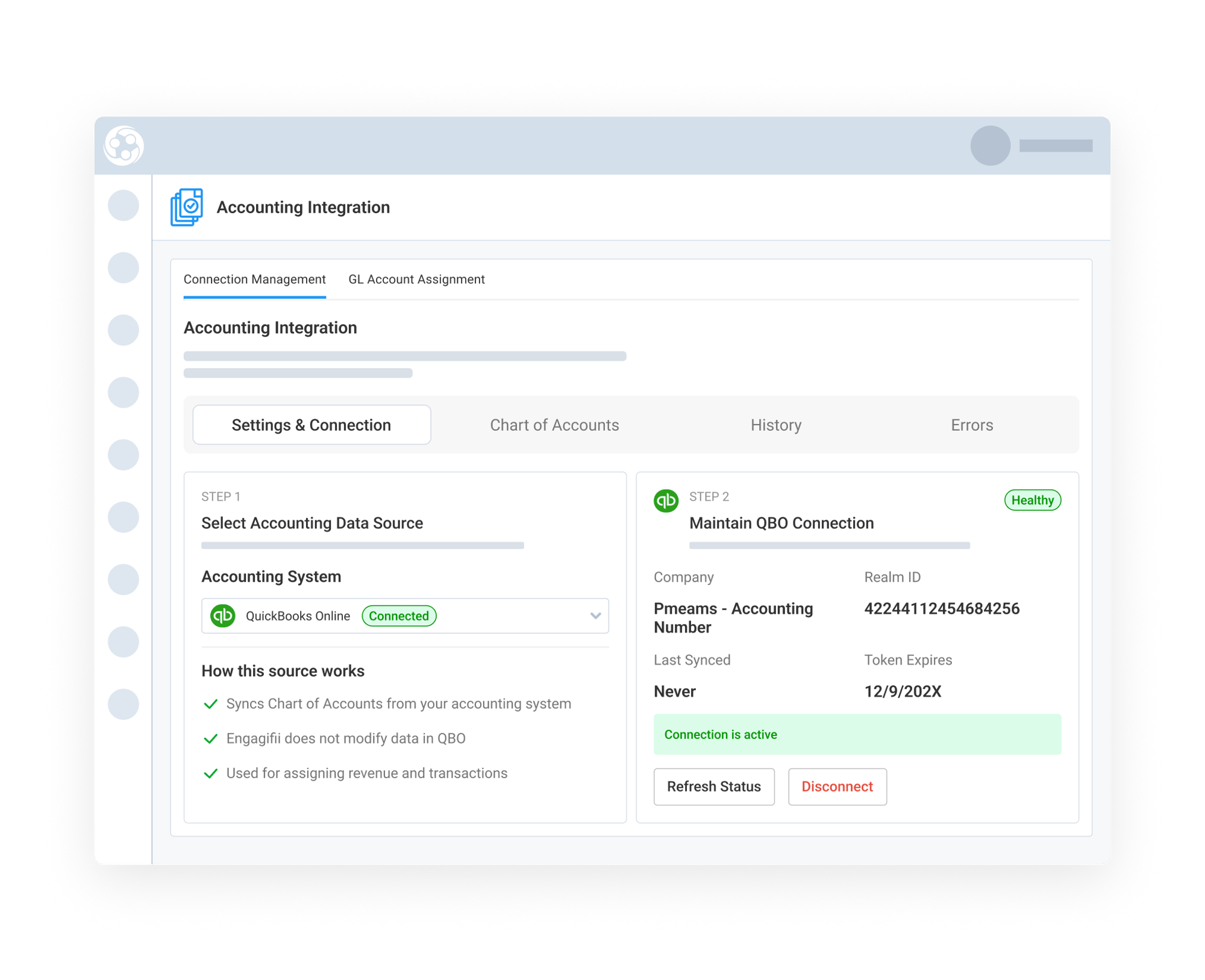
Engagifii’s QuickBooks Online Integration helps bridge that gap by bringing your QuickBooks Online Chart of Accounts directly into Engagifii for use on event and class registrations. This creates stronger alignment between operational workflows and accounting structures before any journal entries are generated or posted.


QBO 1

Sync Your QuickBooks Online Chart of Accounts into Engagifii-1

Sync Your QuickBooks Online Chart of Accounts
into Engagifii

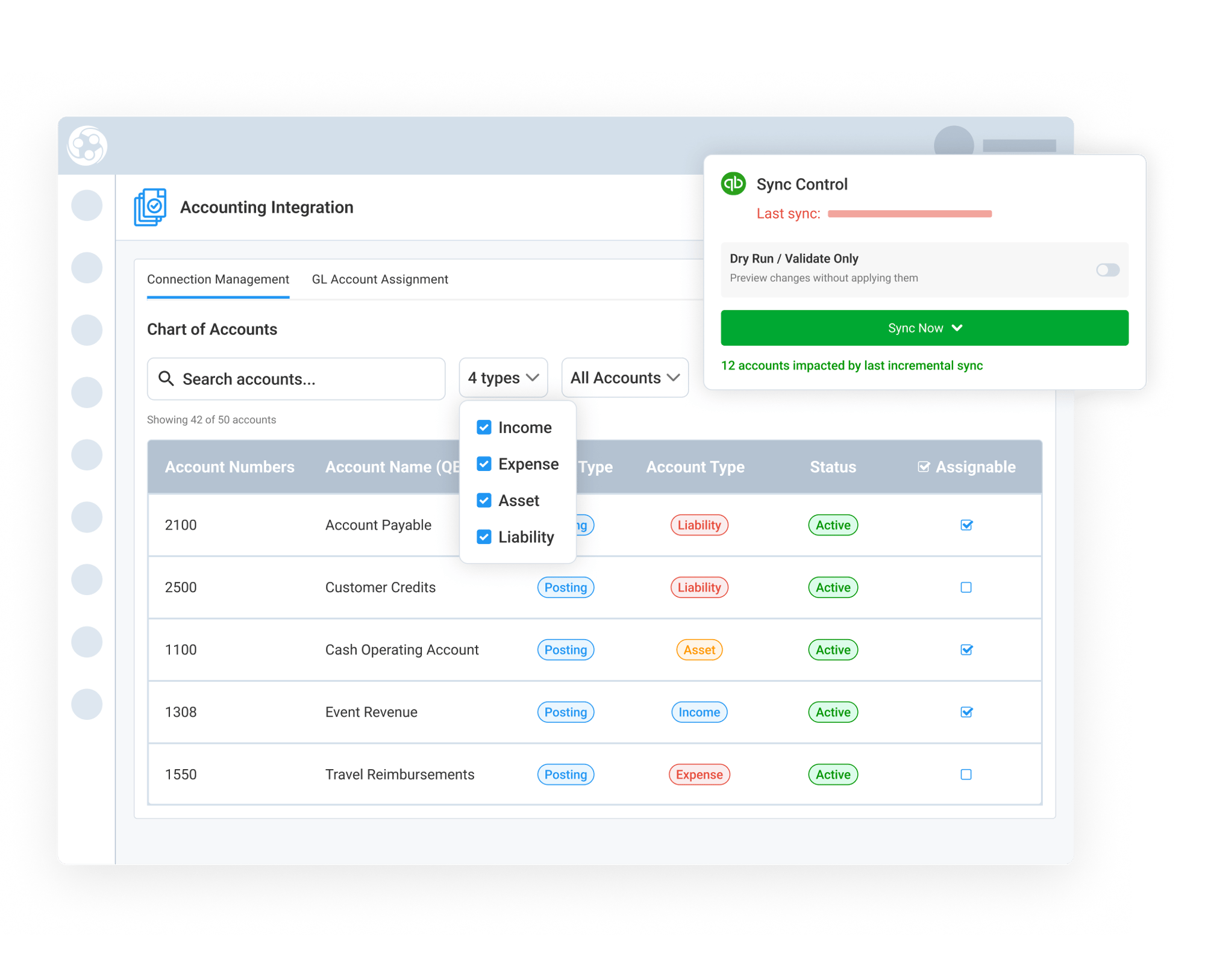
Engagifii connects directly with QuickBooks Online to pull your existing Chart of Accounts into the platform for use on salable items like event, exhibitor booths, and classes.

This helps organizations maintain accounting consistency across systems without recreating and keeping in sync the account structures. Once synced, finance teams can use those accounts throughout Engagifii for assignment, categorization, and financial review workflows.

By maintaining a shared account structure between Engagifii and QuickBooks Online, organizations reduce duplicate setup work when new accounts are needed and create a cleaner foundation for financial visibility and reporting.

Assign GL Accounts to Revenue Activity Across Engagifii-1

Assign GL Accounts to Revenue Activity Across Engagifii

Once accounts are synced, organizations can assign QuickBooks Online GL accounts to the revenue-generating activity managed inside Engagifii.

This includes events, registrations, products, sponsorships, exhibitor booths, sponsorship bundles, classes, cancellation fees, bundles, and other sellable items. Instead of manually categorizing transactions later during reconciliation, accounting teams can establish reusable mappings directly where revenue activity originates.

These assignments help ensure that financial activity is consistently categorized from the beginning, improving reporting accuracy while reducing spreadsheet-driven accounting work after export.

Reflect GL Accounts Across Invoices, Reports, Exports, and Financial Workflows-1

Reflect GL Accounts Across Invoices, Reports, Exports, and Financial Workflows

After GL account assignments are reviewed and published, those assigned accounts are available throughout Engagifii.

Accounting teams can see GL account visibility across invoices, transaction records, financial reports, exports, and accounting review workflows. This gives organizations a clearer understanding of how operational activity maps back to the general ledger before journal entries are ever created.

Instead of waiting for regular exports or reconciliation processes to determine where revenue belongs, teams can view assigned GL accounts directly within the workflows where transactions are created, reviewed, and analyzed.

This added visibility improves financial transparency, supports cleaner review processes, and helps organizations maintain stronger alignment between operational and accounting teams.

159787727717 [BlogPost 213099327099 How do I automate Engagifii transactions into QuickBooks Online?]

Related Solutions

Related Solutions

160221054112 []

Related Features

Streamline Bulk Payment Processing with Payment Batches

Managing payments across multiple invoices can quickly become time-consuming, especially when organizations send multiple checks to cover several…

Understand Your Revenue with the Booked Revenue Report

Engagifii’s Booked Revenue Report is designed for accounting and finance teams who need a reliable, transparent view of revenue that has been invoiced.…

Export Transaction Line Items for Clean, Filtered, and Actionable Data

Engagifii’s Line Item Export empowers finance and operations teams with a reliable, high-performance tool for extracting granular transaction-level data…

Send Invoice Reminders in Real Time

Keeping up with overdue invoices can be challenging without the right tools in place. Engagifii’s invoice reminder feature allows your team to efficiently…

Control Payments in Your Registration Workflow

Take control over how registration payments are managed within your organization. Engagifii’s "Registration Payment Control" feature empowers you to…

Seamlessly Integrate Your Payment Gateway with Engagifii

Engagifii makes it simple to connect your existing payment gateway so you can securely process payments while maintaining complete control over your…

Map General Ledger Accounts to Your Classes

Managing finances for educational or training classes is crucial, and now you can streamline this process by mapping General Ledger (G/L) accounts…

Accounting Transaction Line Item Export

Managing financial data requires efficiency and clarity. The Accounting Transaction Line Item Export capability empowers users to generate detailed…

Map General Ledger Accounts to Your Event Items

Effortlessly associate event items with your General Ledger (G/L) accounts, ensuring your revenue is tracked accurately and mapped to the appropriate…