Web Publish

Publish Group Member Directories on Your Website

Associations often need an easy way to display people from a specific group on their website. Whether the group includes committee members, board members, department representatives, or another member segment, visitors need a clear way to browse the right people in one place.

The Group Member Directory lets associations publish people from an Engagifii group to their website through the Engagifii plugin. Admins can choose how the directory appears, which details are shown, and what information should stay hidden until someone logs in.


group member directory

Display Group Members in List or Grid View-2

Display Group Members in List or Grid View

The Group Member Directory allows associations to show people from a selected Engagifii group directly on their website. The directory can be displayed in list view, grid view, or a combined view, depending on how the association wants visitors to browse the information.

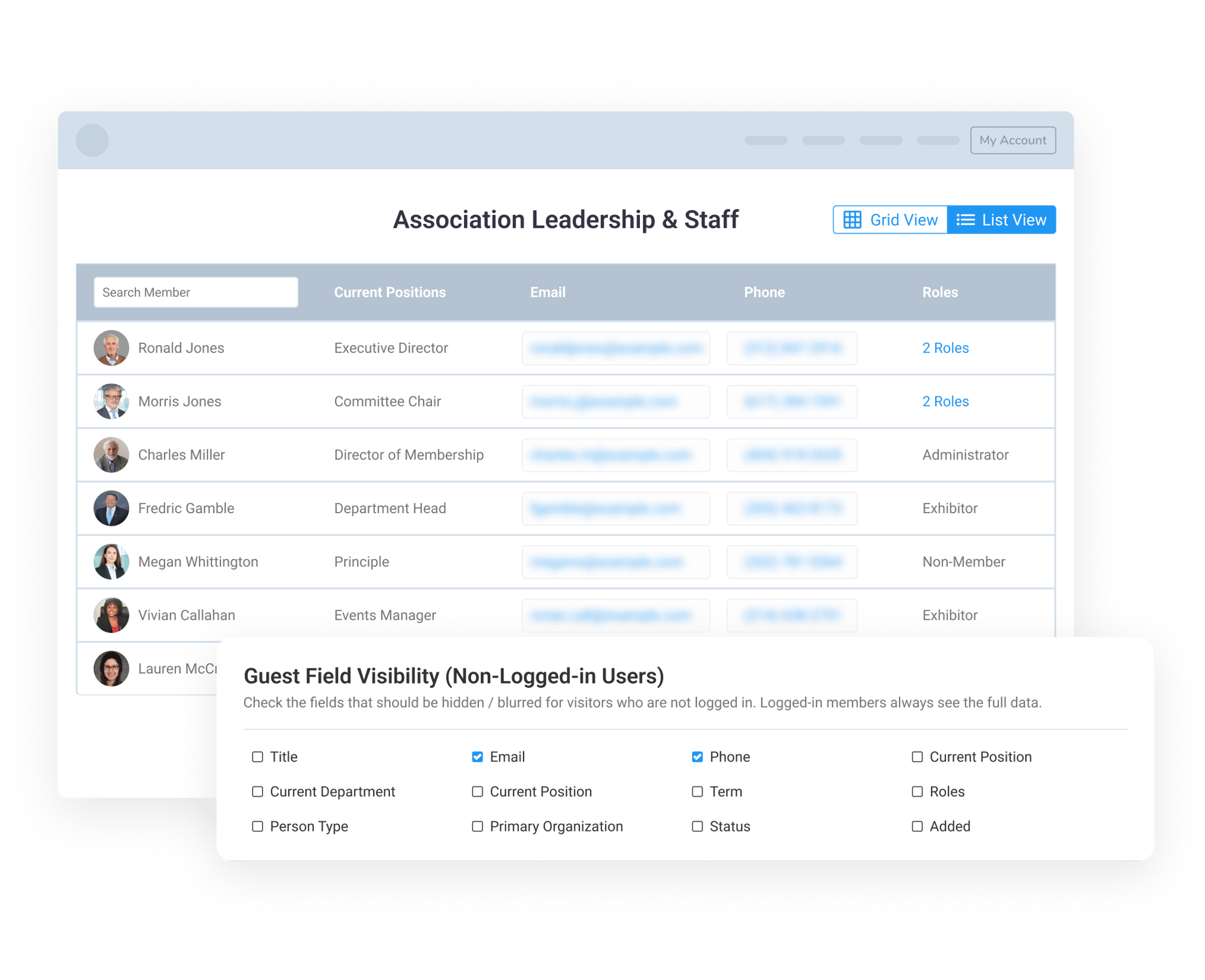
List view gives visitors a structured way to review group member details, such as name, title, organization, current position, and other available fields. Grid view creates a more visual experience with profile cards that can include a person’s photo, name, designation, and selected details.

Associations can also use different shortcode options to display only the list view, only the grid view, or both views together. 

Choose Which Member Details Appear-2

Choose Which Member Details Appear

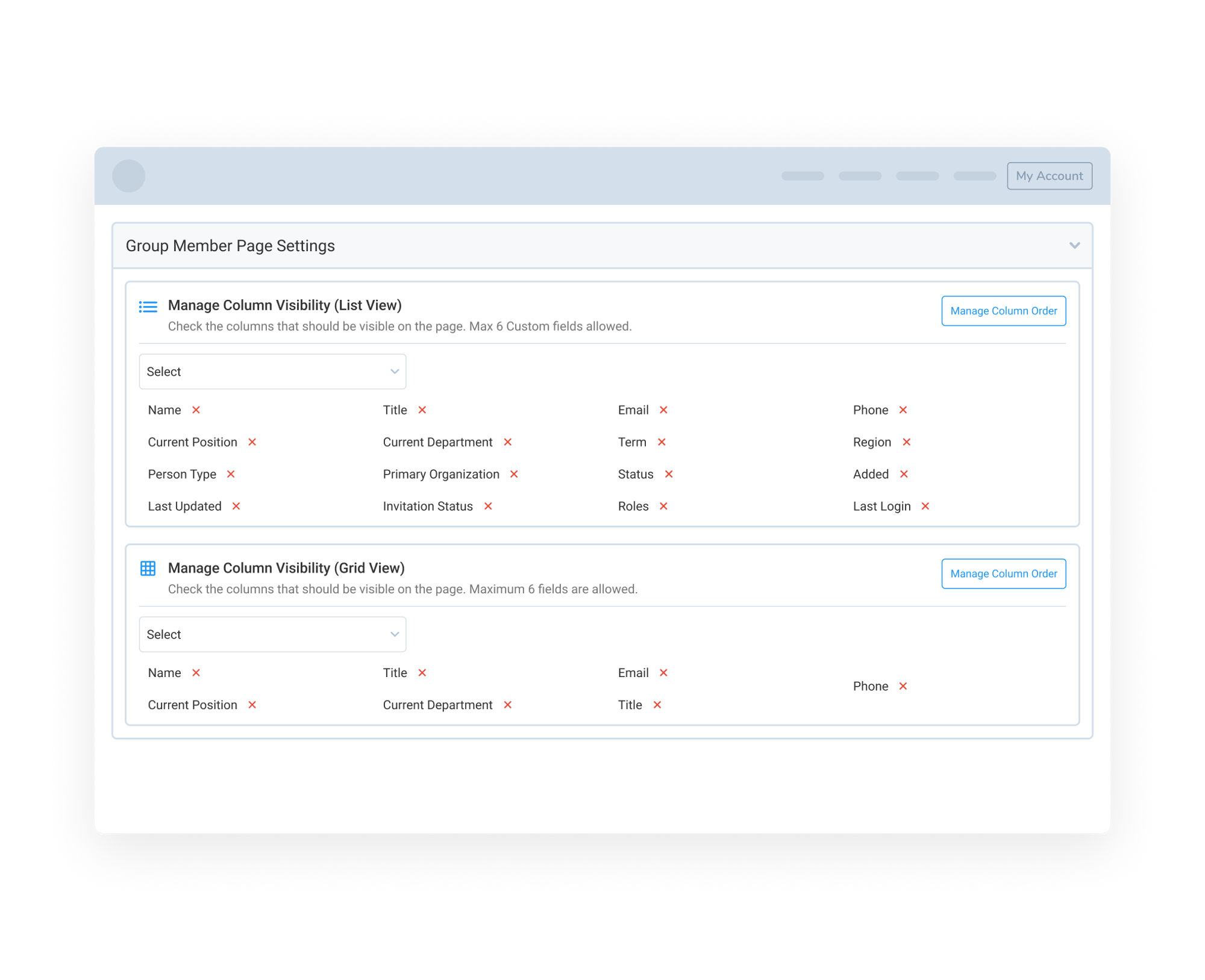
Admins can control which details appear in the Group Member Directory. List view and grid view each have their own settings, allowing teams to choose which fields should be shown and which details should be hidden from the directory.

This helps associations tailor each directory to its purpose. A committee directory may need names, titles, and organizations, while a leadership directory may also include photos, positions, phone numbers, or other relevant details.

Grid view can also support different card layout options, giving admins more control over how each person’s information is presented on the website.

Control Visibility, Filters, and Directory Performance-2

Control Visibility, Filters, and Directory Performance

The Group Member Directory includes controls that allow associations to manage what information is visible to logged-in members and non-logged-in visitors. Administrators can choose to hide specific fields from visitors who are not logged in to the website/WordPress. For example, sensitive contact details such as email addresses and phone numbers can be blurred or hidden until a user logs in with the appropriate access.

The directory can also include filters, such as department or other available options, so visitors can narrow the list and find the right people more quickly. For larger groups, admins can control how many cards appear per page and how many cards appear in each row. A Load More experience helps keep the page responsive by loading additional records in smaller batches instead of all at once.

159787727717 []

Related Solutions

160221054112 []