

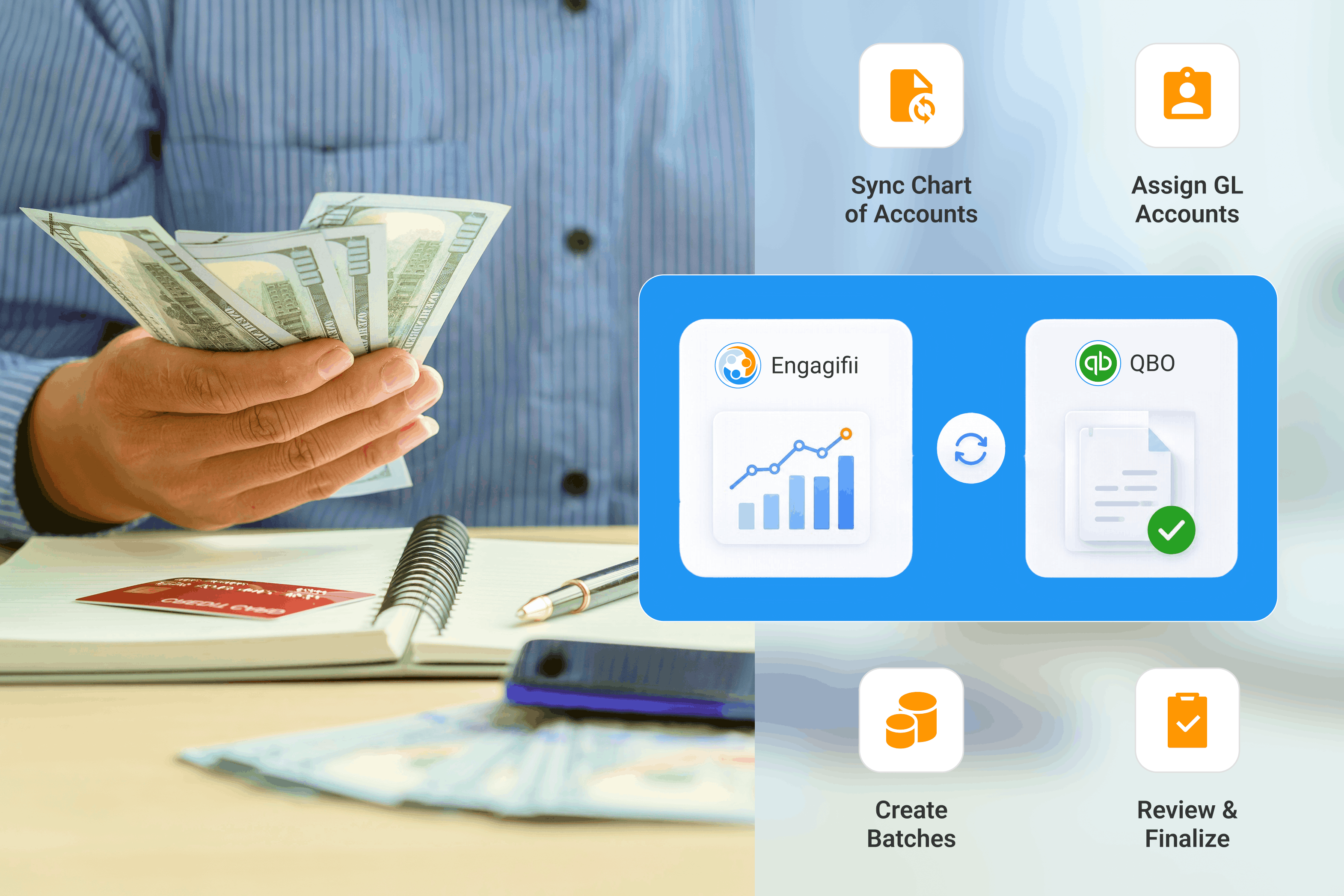

For many associations, revenue operations and accounting still live in separate worlds. Registration activity happens in one system, while financial reporting happens in another. Between the two is often a manual process involving exports, manual data entry, spreadsheets, reconciliations, and repeated checks to ensure numbers align correctly.
As organizations grow, that process becomes harder to maintain. Event registrations increase. Refunds become more common. Modifications, credits, sponsorships, class registrations, and bundled purchases all create additional complexity. Finance teams are then left translating operational activity into accounting-ready summaries, often by hand.
That challenge is exactly why conversations around accounting integration have become more important for associations using Engagifii. Rather than treating accounting as an afterthought, organizations are looking for ways to better connect revenue activity to the financial systems they already rely on.
Bridging the Gap Between Revenue Activity and Accounting
One of the biggest pain points associations face is not necessarily collecting revenue. It is organizing that revenue correctly for financial reporting. A single annual conference may generate:
registration fees
sponsorship revenue
add-on purchases
golf tournament fees
cancellation fees
refunds
credits
class registrations
modification adjustments
Operationally, those transactions make sense inside the event platform. From an accounting perspective, however, each type of activity may need to be categorized differently. Finance teams need clean reporting. They need confidence that event revenue is being tracked as event revenue, class revenue is being tracked separately, and credits are reducing the correct balances.
That is exactly where Engagifii’s new QuickBooks Online integration comes in. Associations can now create a more connected workflow between revenue activity and accounting processes through account mapping, journal entry batch creation, and controlled posting workflows designed to reduce manual reconciliation work while improving financial visibility, reporting consistency, and flexibility.
Bringing QuickBooks Online Closer to Revenue Operations
A major focus of the current QBO initiative is helping associations create a direct connection between Engagifii and QuickBooks Online. At a foundational level, the goal is simple:
Allow organizations to maintain alignment between their revenue activity and their accounting structure.
Through the new integration, Engagifii can sync the customer’s Chart of Accounts from QuickBooks Online, allowing the financial categories already used by the accounting team to become part of the revenue workflow inside Engagifii.
As revenue activity is recorded in Engagifii, general ledger (GL) accounts can be assigned to items such as Events, Bundles, Sessions, Classes, and other invoice line items. Transactions generated from those purchases then inherit those account assignments and can be organized into structured journal entry batches. Finance teams can review and validate batches in draft mode before finalizing them for posting into QuickBooks Online. If changes are needed, batches can be updated or deleted prior to finalization. Once validated, teams can manually post the finalized summary journal entry or use the QuickBooks Online connection to automate the posting process.
Turning Revenue Into Organized Financial Data
Revenue activity is rarely one-size-fits-all.
A membership invoice should not necessarily be treated the same way as conference registration revenue. Sponsorship revenue may need to be tracked separately from educational programming. Cancellation fees may require their own reporting category altogether.
That is why account assignment is such an important part of the integration workflow. With Engagifii, revenue activity can automatically align with the appropriate general ledger accounts based on configured account structures and assignment rules. This helps ensure financial activity is categorized correctly before it is ever posted into QuickBooks Online or another accounting system.
For finance teams, this creates greater consistency between operational and financial reporting.
How Batch Creation Works with Engagifii
One of the key parts of the Engagifii to QuickBooks Online integration workflow is batch creation.
Rather than posting every individual invoice, payment, refund, or credit directly into QuickBooks Online, Engagifii groups related financial activity into transaction batches organized by the assigned General Ledger accounts. This creates a more structured accounting workflow for associations managing large volumes of registrations, classes, dues, sponsorships, and event-related transactions.
Before anything is posted into QuickBooks Online, batches can be reviewed to validate totals, confirm account assignments, and ensure adjustments or credits are reflected correctly. Teams can also export supporting details when additional review or reconciliation is needed, while Engagifii maintains the detailed transaction-level activity as a complete audit trail of batching and posting activity.
Once finalized, Engagifii generates a clean summary journal entry ready for posting into QuickBooks Online, helping associations reduce manual accounting preparation while maintaining stronger financial oversight and reporting consistency overall.
How Engagifii Connects Revenue Activity to QBO
.png?width=1815&height=772&name=Blog%20Image%20(5).png)
The Engagifii and QuickBooks Online workflow is designed to help associations move from manual, spreadsheet-heavy accounting processes to a more structured and reviewable workflow. The process follows a simple flow:
Revenue transactions are generated in Engagifii
Transactions automatically align with assigned GL accounts
Accounting batches are created from that activity
Finance teams review and validate batch summaries
Finalized summary journal entries are posted into QuickBooks Online
This approach helps organizations maintain greater oversight before anything reaches the accounting system while reducing manual reconciliation work. Key benefits include:
More consistent and reliable financial outputs
Controlled posting with review and validation steps
Reduced spreadsheet-driven accounting work
Clear audit trails across batches and mappings
Greater confidence in month-end reporting and reconciliation processes
Replacing Spreadsheets with a More Automated Workflow
For many associations, accounting teams spend valuable time trying to connect operational revenue activity with financial reporting. Event registrations, dues, sponsorships, refunds, and credits often live across multiple workflows, making month-end preparation more time-consuming than it should be. As organizations grow, maintaining consistency between revenue operations and accounting processes becomes increasingly difficult.
By connecting Engagifii with QuickBooks Online, associations can create a more connected and structured financial process. Instead of relying on disconnected exports and manual preparation, teams can move toward a workflow where revenue activity, account alignment, batch validation, and accounting reporting work together more seamlessly. The result is a more manageable and scalable approach to financial operations as organizational complexity continues to grow over time.
Learn More in Our QBO Revenue Automation Webinar
Associations looking to better understand the Engagifii and QuickBooks Online workflow can explore the full process in our webinar, Close the Books Confidently by Automating Engagifii Revenue into QuickBooks Online. The session covers how revenue activity flows from Engagifii into QBO, including account integration, automated account assignment, batch creation workflows, validation steps, and controlled posting processes.
