
Revenue
Track Revenue with the Booked Revenue Report
Engagifii’s Booked Revenue Report is designed for accounting and finance teams who need a reliable view of revenue that has been invoiced and is considered collectible. This report focuses on booked revenue rather than payments received, making it essential for month-end close, audits, and posting accurate journal entries. With flexible grouping and deep drill-down capabilities, teams can confidently explain every dollar of revenue shown.
BRR
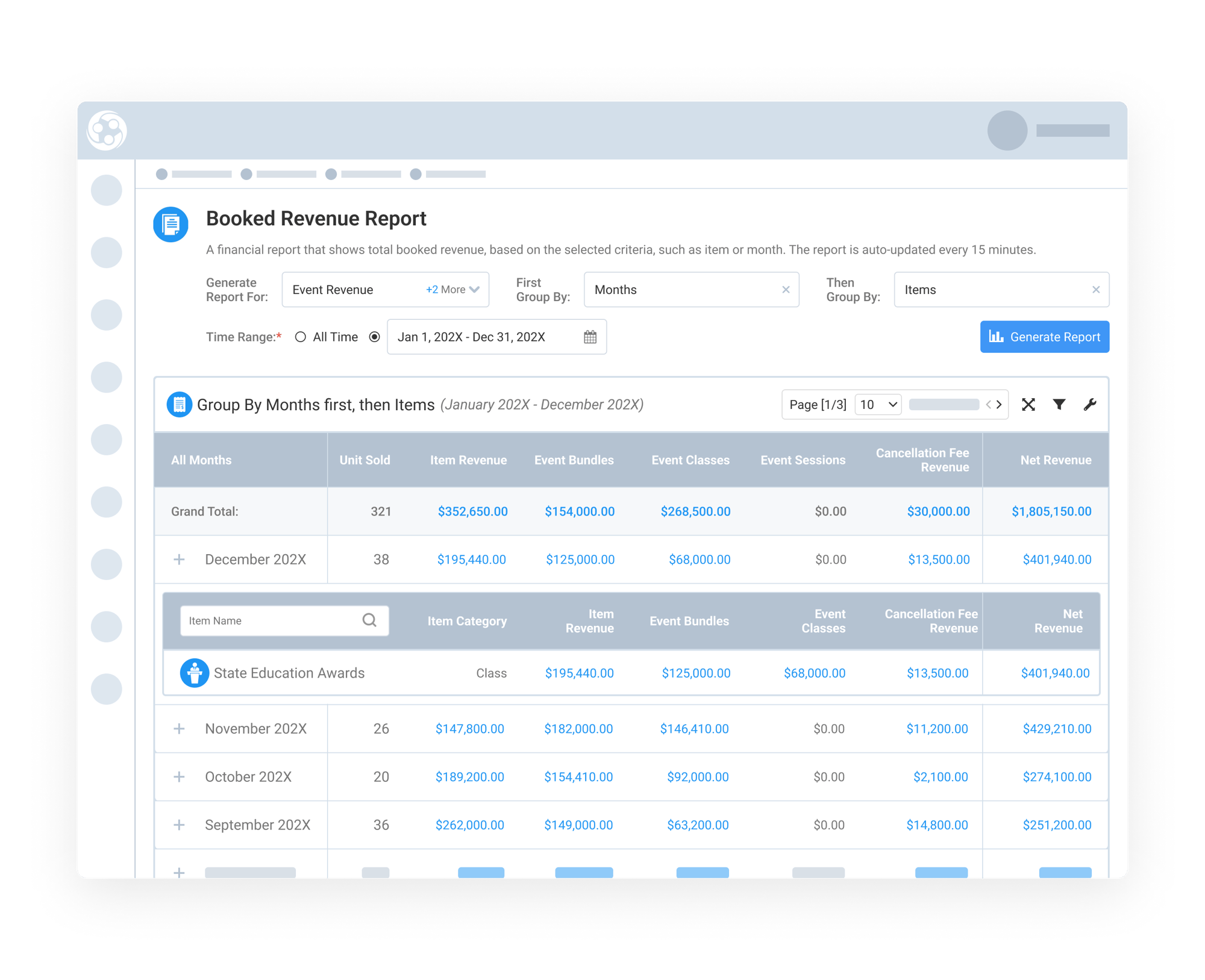
View Revenue by Month
The report allows users to view booked revenue month by month, making it easy to understand when revenue was generated. You can select a single month or a range of months to analyze activity over a specific period. Within each month, revenue is broken down by item types such as events, classes, awards, maintenance, manual invoices, exhibitor booths, and additional booth staff. This view is especially useful for month-end close and financial reporting.
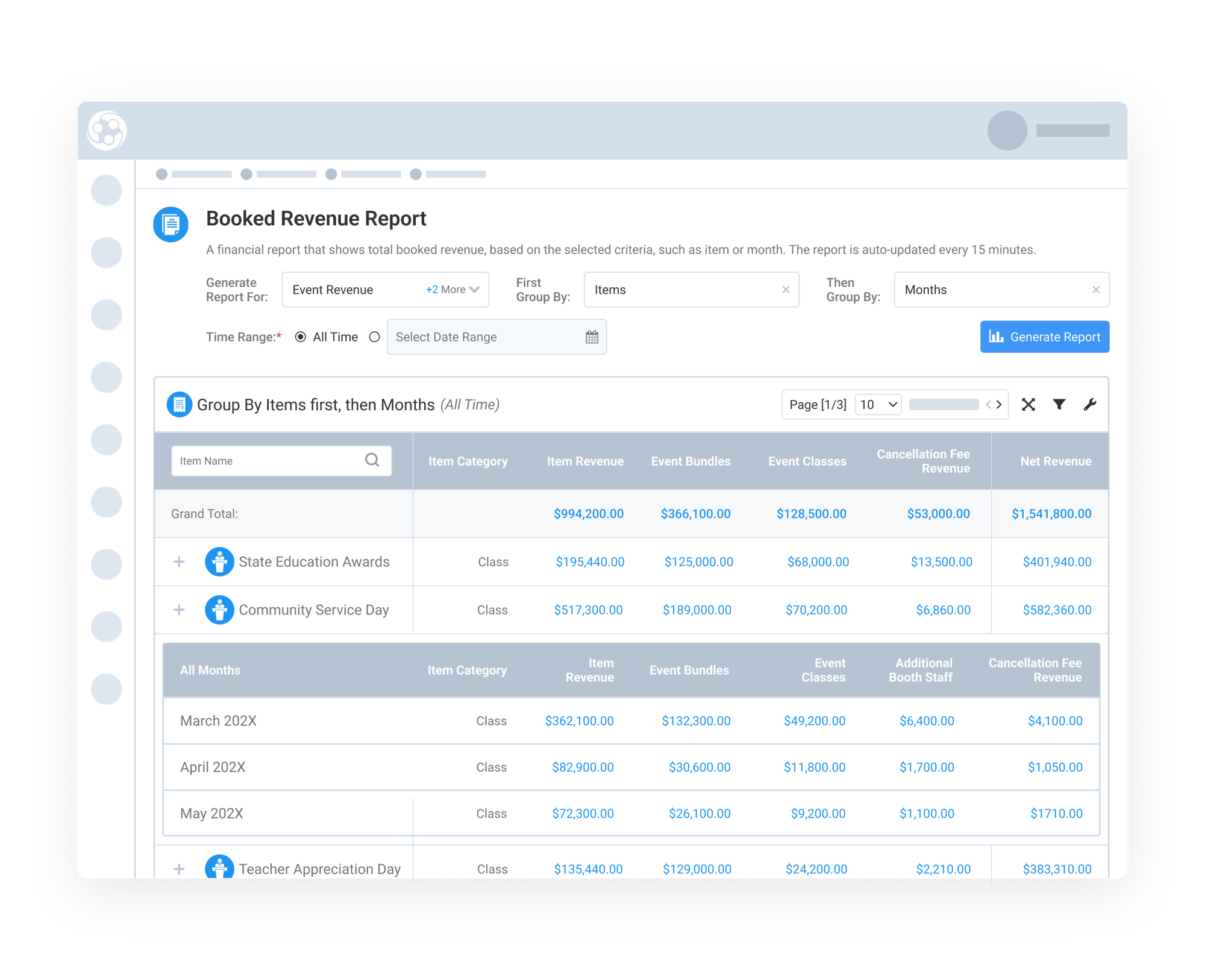
View Revenue Grouped by Item
In addition to monthly views, revenue can also be grouped by item instead of time. This allows teams to see total lifetime revenue for a specific event, class, bundle, or session. When grouped by item, the report shows how revenue for that item was generated over time, often revealing clear registration and revenue trends. This view is particularly valuable for evaluating event performance and supporting audit requests tied to specific programs.
Drill Down into Revenue Details and Download
Reports Easily
Reports Easily
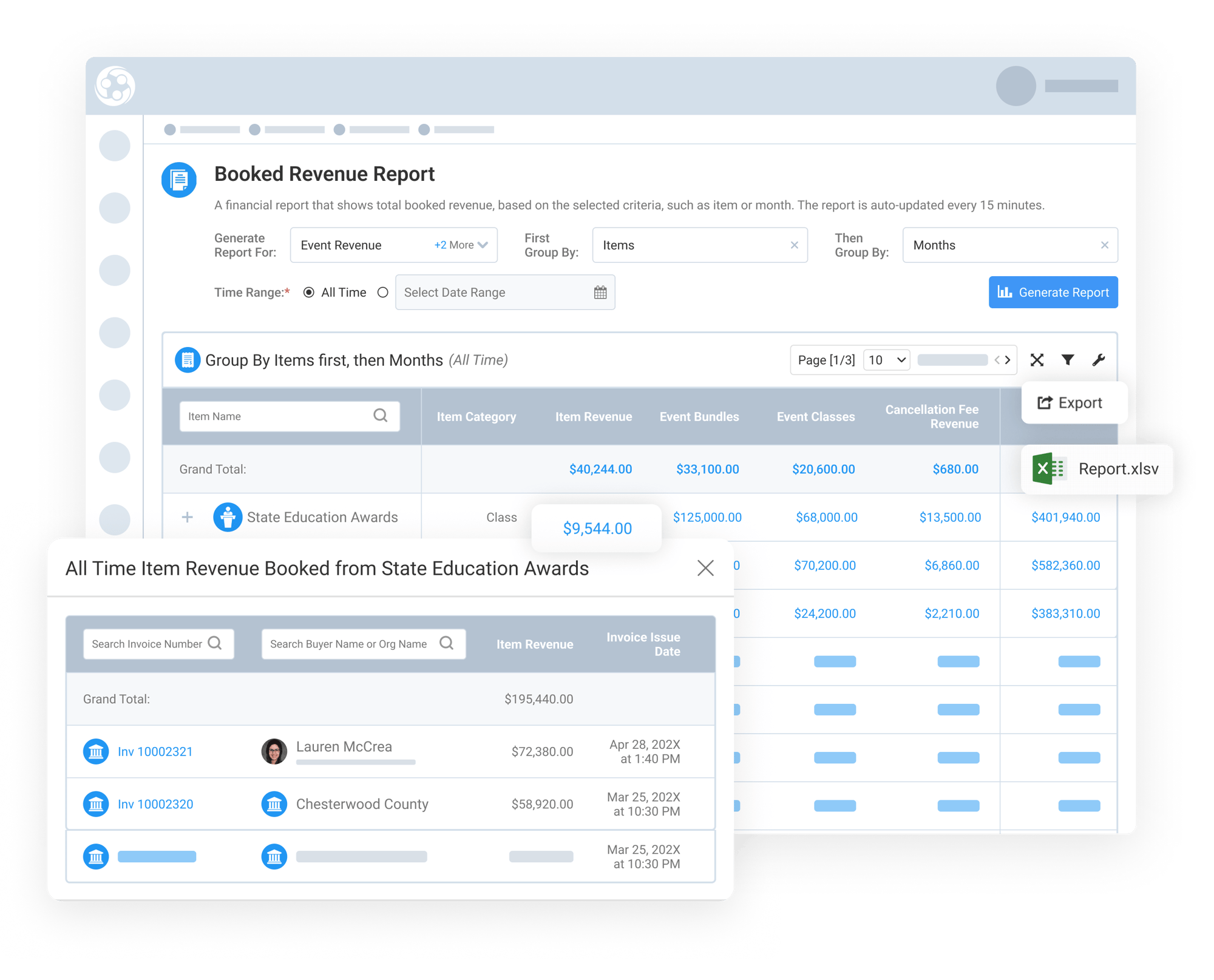
Every blue-linked value in the report is clickable, allowing users to drill down from high-level totals to supporting details. You can start from the grand total, drill down into a specific month, then to an item, and finally view the list of invoices with clickable invoice links to check the full details of the transaction. Credit notes are included in this drill-down, making it clear how cancellations and modifications affect net revenue.
Users can export the full Booked Revenue Report to Excel based on the filters they've applied, making it easy to analyze totals, review credits, and prepare financial summaries offline.